
Cineware set layers not working properly in AE
Hi,
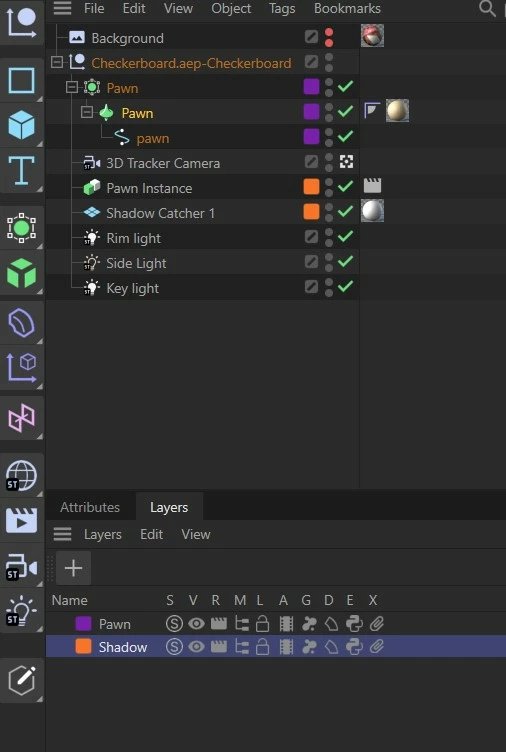
I am trying to do Lesson 4 in After Effects and Cinema 4D Lite. The lesson involves compositing, layers and setting layers in Cineware. I have a pawn object, a pawn object instance and a shadow catcher in Cinema 4D Lite. I think I have them set up correctly in Cinema 4D Lite. I have the pawn on one layer and the pawn instance and the shadow catcher on another layer. I have set the pawn instance to not show by putting a Render tag on it that unchecks "Seen by Camera."
In After Effects, I have Set Layers for pawn, shadow and Items Not on Layers. By leaving Items Not on Layers checked all the time and unchecking the Shadow layer, I can see just the pawn, but if I uncheck the Pawn layer, I can't see just the shadow -- pawn is always there with it. Any help with this will be greatly appreciated.
Zaffer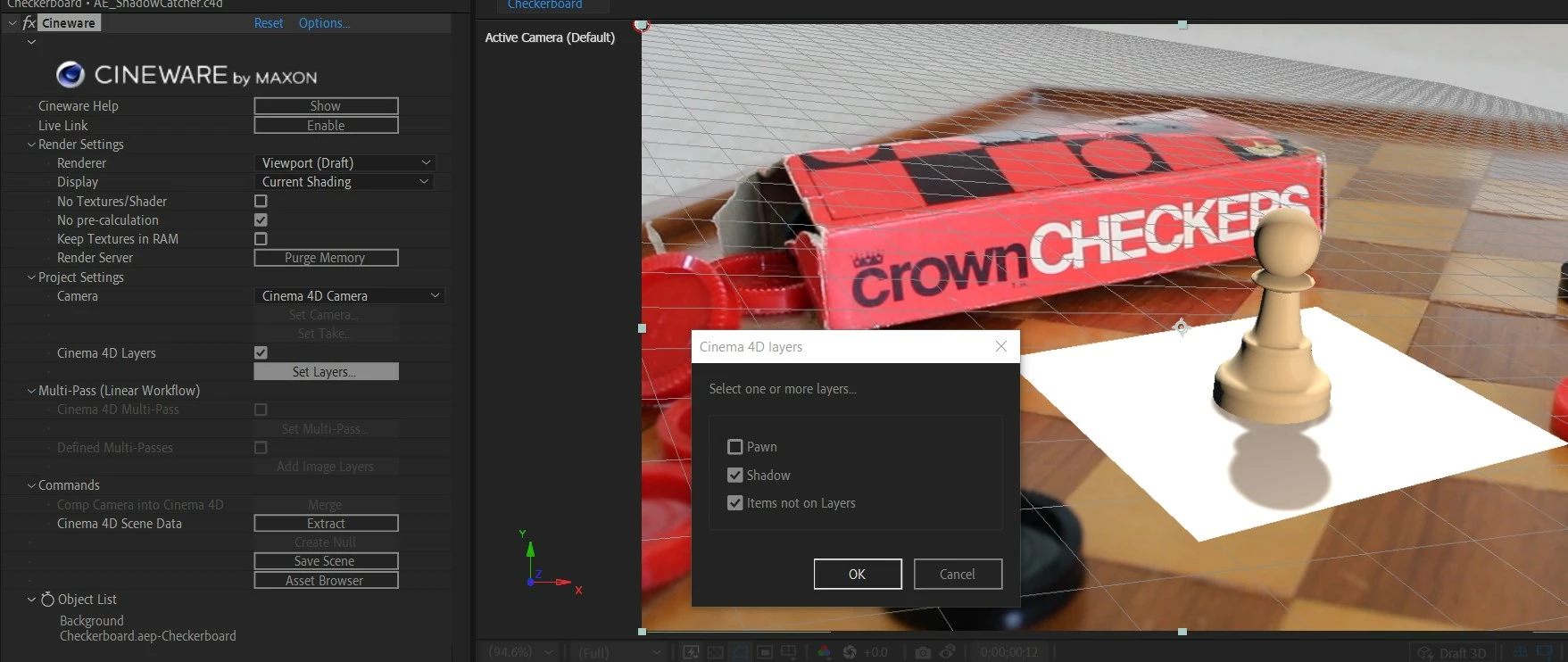
 AdChoices