
Sedio309
Participating Frequently
October 3, 2019
Question

Clone stamp/paint don`t preview in layer window

  • October 3, 2019
  • 4 replies
  • 1487 views

I have problems using Clone stamp/Paint tool, they doesn´t previe well in the layer windows.
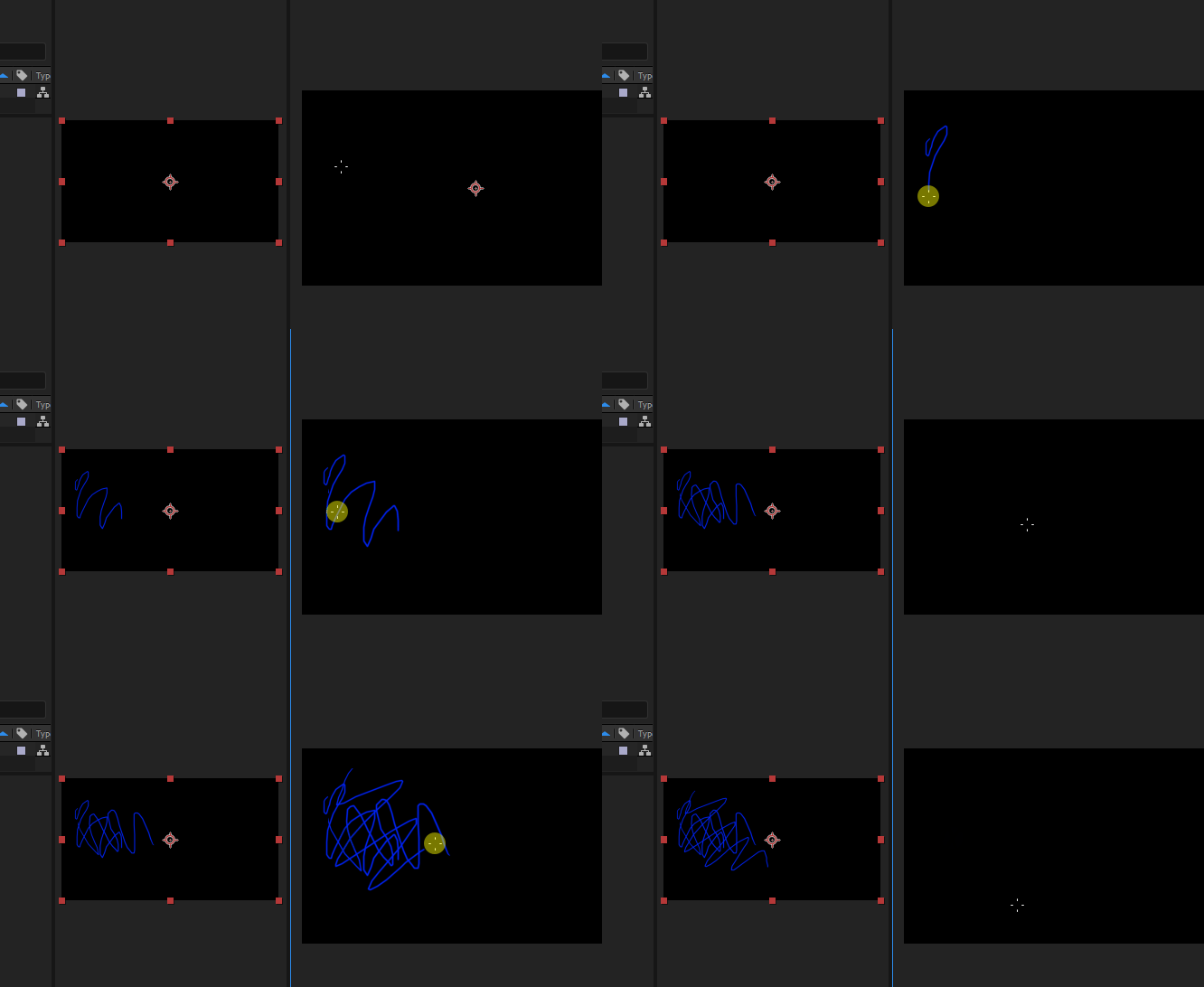
The thing is: I select clone tool, double click in the selected footage (layer windows appears), Ctrl+Click to select sourse to clone, click and paint. While Im painting, I can preview what Im doing, can see the stroke and everything, but at the moment I realease click, the preview is gone and the layer shows intact, but in comp windows I can see the result, as soon I click again to paint another stroke, the layer starts to show every stroke I done before until I relase, and again the layer shows intact.
you can imagin that its tooo dificult to draw/clone without see anything what you have done before.

I look all over internet and nothing, I test it in various PCs with the last two versions of AE and its the same, various GPUs, intel, amds and the problem is the same...
Is some configurration what Im missing? somthing change in the 2017/2018/2019 versions??
Thanks for your time
    This topic has been closed for replies.

    4 replies

    Sedio309
    Sedio309Author
    Participating Frequently
    September 10, 2020

    still getting the problem...AE2019 and AE2020...same problem...different workstations and hardware configurations.
    Someone have an idea??

    Community Expert
    April 27, 2020

    If you want to see any effects that are applied to a layer in the Layer Panel you have to enable the Render option.

    With render turned off in the Layer Panel the Paint effect only shows up in the Composition Panel. 

    Sedio309
    Sedio309Author
    Participating Frequently
    April 27, 2020

    it is...you cant see it in the gif but its enable...I cheked that many times..

    Sedio309
    Sedio309Author
    Participating Frequently
    April 27, 2020

    does I know this is old..but the issue keeps bother me!

    please some help 

    Jose Panadero
    Community Expert
    Community Expert
    October 3, 2019

    Check your Paint Panel. Probably you have selected Write On Option under the Duration Category. And another thing, for referencing the clone tool you must use Alt+Click not Ctrl+click.

    Sedio309
    Sedio309Author
    Participating Frequently
    October 3, 2019

    My duration is set on "constant" and the problem is on Paint tool too, not only while cloning.

    Jose Panadero
    Community Expert
    Community Expert
    October 3, 2019
    Could you upload a complete screen capture of your layer and comp panels?