


Participant
September 29, 2023
Question

Color bar showing up for image that doesn't exist

  • September 29, 2023
  • 2 replies
  • 227 views

I am working on a project for class however when I transferred the photos over to my computer it looks like it deleted image 0607. Because it is expecting that image to be there it seems to be giving me this rainbow bar. I do not have the SD card these images came from and everything has already been erased off that card since it was one used at my school. How can I get rid of this one image in my sequence without messing up the whole thing? (Also sorry for my lack of knowledge. I literally just started using this program today).
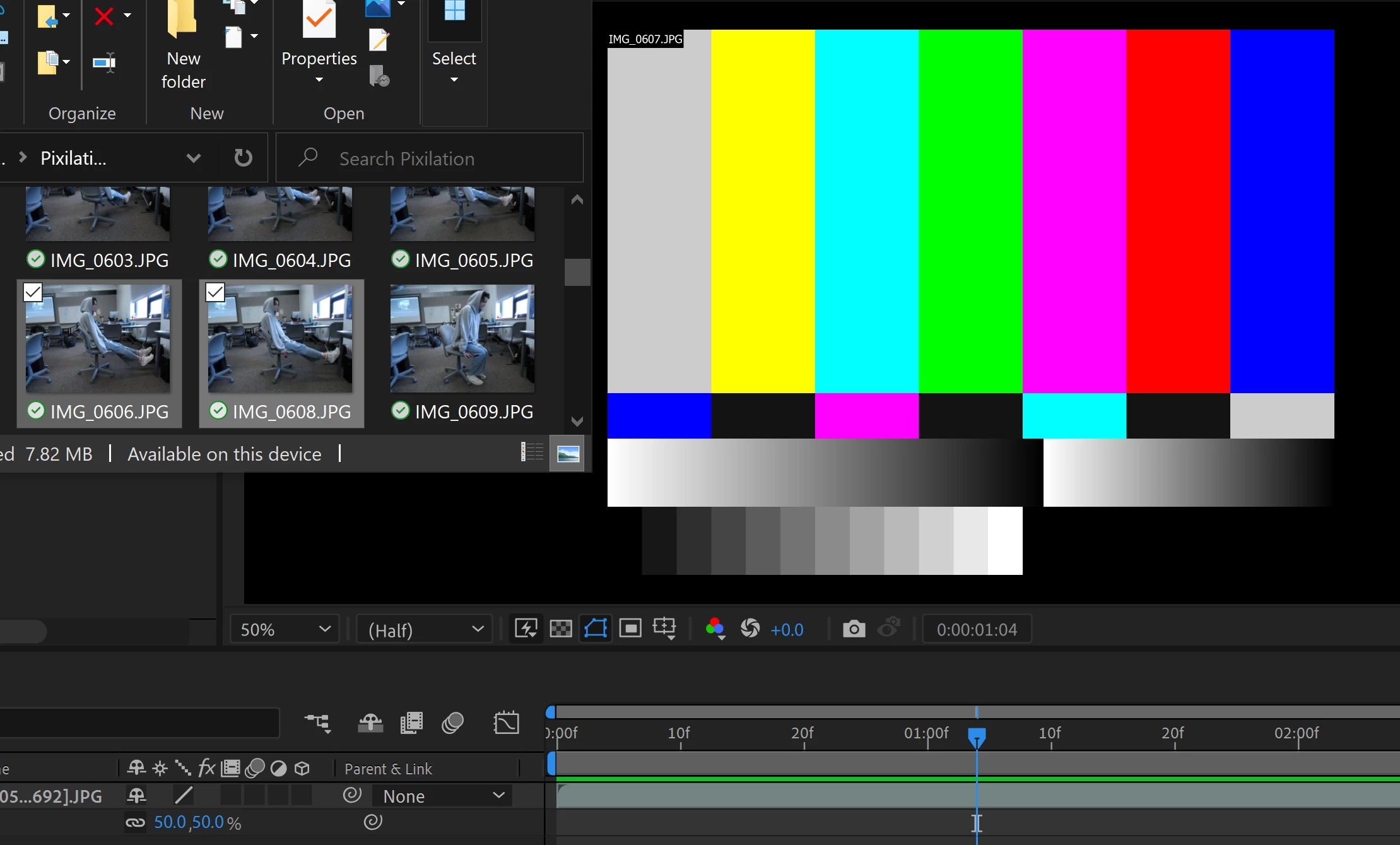
 

This topic has been closed for replies.

2 replies

ShiveringCactus
Community Expert
Community Expert
September 29, 2023

I've had this occassionally.  It looks like you're using an image sequence from the bottom-left of the picture (a full screenshot is always better for diagnosing issues).  And there's one frame missing.  I can think of two solutions I've used in the past:

  • Find the image sequence in your project panel, right-click on it and choose Reload Footage.  This gets After Effects to reimport and hopefully the image will come back.
    or
  • Navigate to where the image sequence is located and find the frame before it (or if you have something like FX Console installed, take a still of the frame before the missing one (( you can also just render out a still of that frame too)) ).  Place the still / image on the timeline over the top of the missing frame - just for that frame.  The eye's persistance of vision will let you get away with having the same image for two frames.
ToolfarmJP
Community Expert
Community Expert
September 29, 2023

Can you find the Eye icon on the timeline? You just turn off the icon to hide the image. Is it what you intend to do?