

MahaMN
Nov 3, 2026 4:41 PM UTC
Question

Color Code Issue

There are two shapes. Even though color code is same, it show different colors. What is the reason for that? File is attached as well.
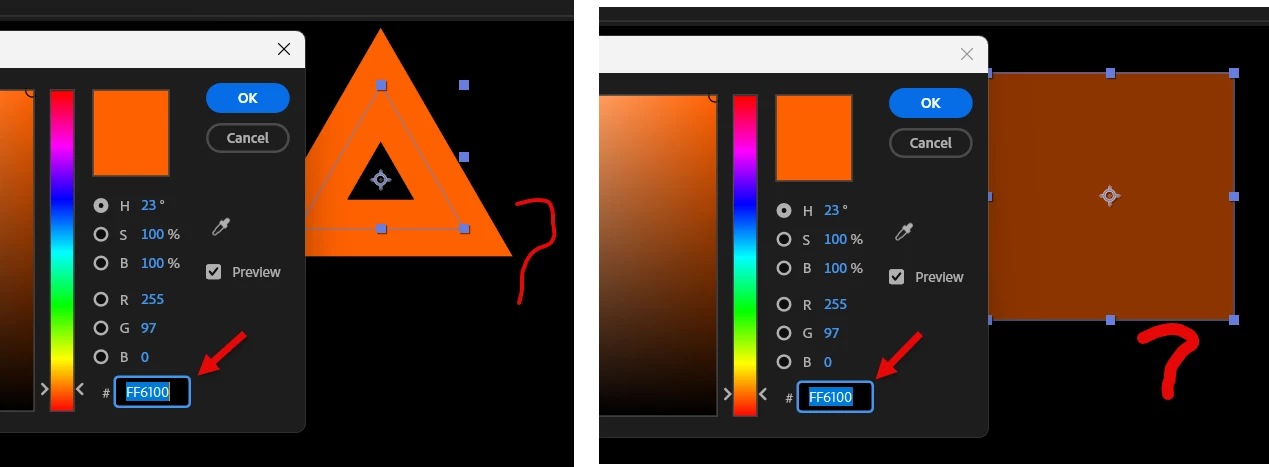

Color Code.aep  


    1 reply

    Warren Heaton
    Community Expert
    Community Expert
    Nov 3, 2026 5:21 PM UTC

    You’ll want to check the “Working Color Space” for your project.


    Go to File > Project Settings > Color and check what your Working Color Space is set to.


    If it’s set to something like “Rec.709 Gamma 2.4”, then the RGB bin hex value will not produce the color that you’re expecting because you’re using a RBG color value in a different color space.  To match RGB color while working in a non-RGB color space, you’ll need to import a graphic that’s been saved with a RGB color profile and then use the eyedropper to sample it.


    If it’s set to something like “sRGB IEC61966-2.1” or “ProPhoto RGB”, manually entering RGB bin hex values should be a very close match since you’re using a RGB color value in a RGB color space.


    Translate
