
Participant
May 14, 2025
Question

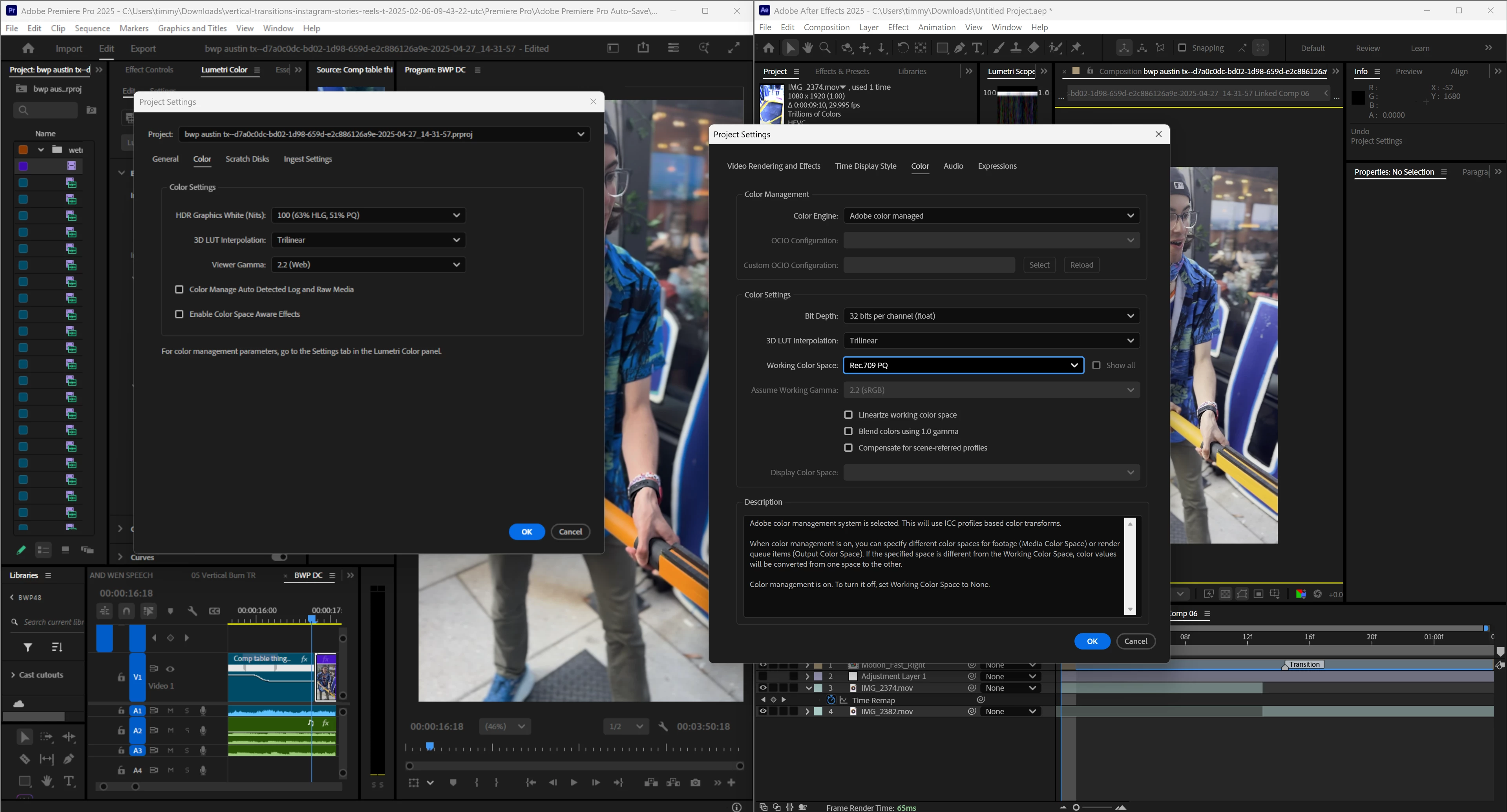
Color difference dynamic link
  • May 14, 2025
  • 2 replies
  • 167 views


Hello, I have been driving myself crazy for hours trying to match the color space of my footage in premiere pro with the color space of the footage in After Effects. This is an issue because when I try to use a dynamic link for editing, the footage that is replaced is vastly different colorwise. I have tried switching both to Rec. 709 but After Effects has Rec. 709 PQ and not simply Rec. 709 (which still gives me different colors than in premiere pro unfortunately). If someone knows a solution I will be so thankful!

2 replies

Warren Heaton
Community Expert
Community Expert
May 15, 2025

Use File > Adobe Dynamic Link > Import Premiere Pro Sequence.  That source source should look like the Sequence looks in Premiere Pro.

Kevin J. Monahan Jr.
Community Manager
Community Manager
May 14, 2025

Hey Timmy,

Thanks for the message and welcome to the forum. I'm Kevin from Adobe Support, a mod here. I told the product team about your issue. I hope they, an Adobe Expert, or community member will respond shortly. Sorry for the delay.


Thanks,
Kevin


Kevin Monahan - Sr. Community and Engagement Strategist – Adobe Pro Video and Audio