
Participant
March 9, 2025
Question

Color Differences between Adobe After Effects and AME; Rec709 Option is Greyed Out

  • March 9, 2025
  • 1 reply
  • 211 views

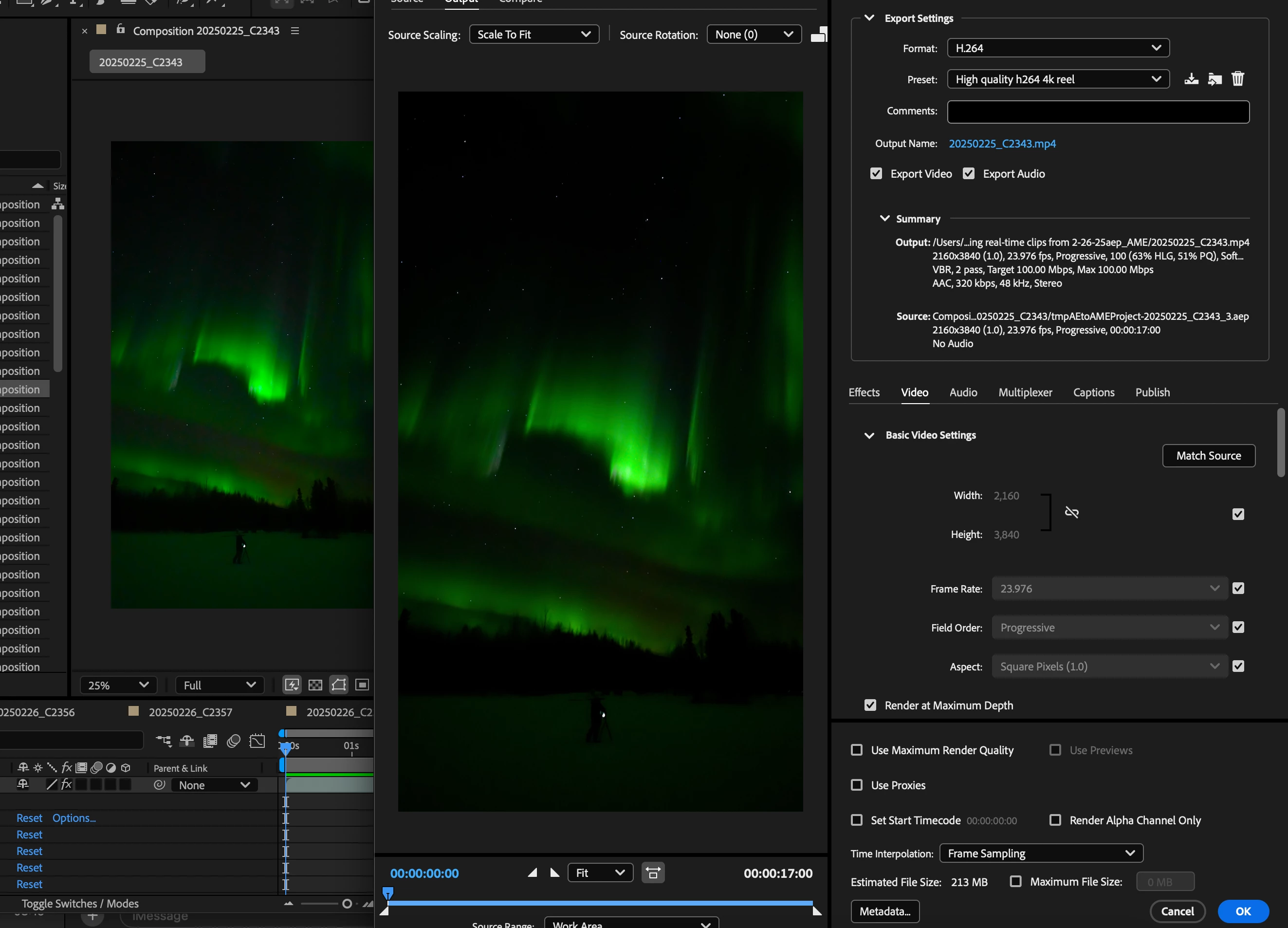
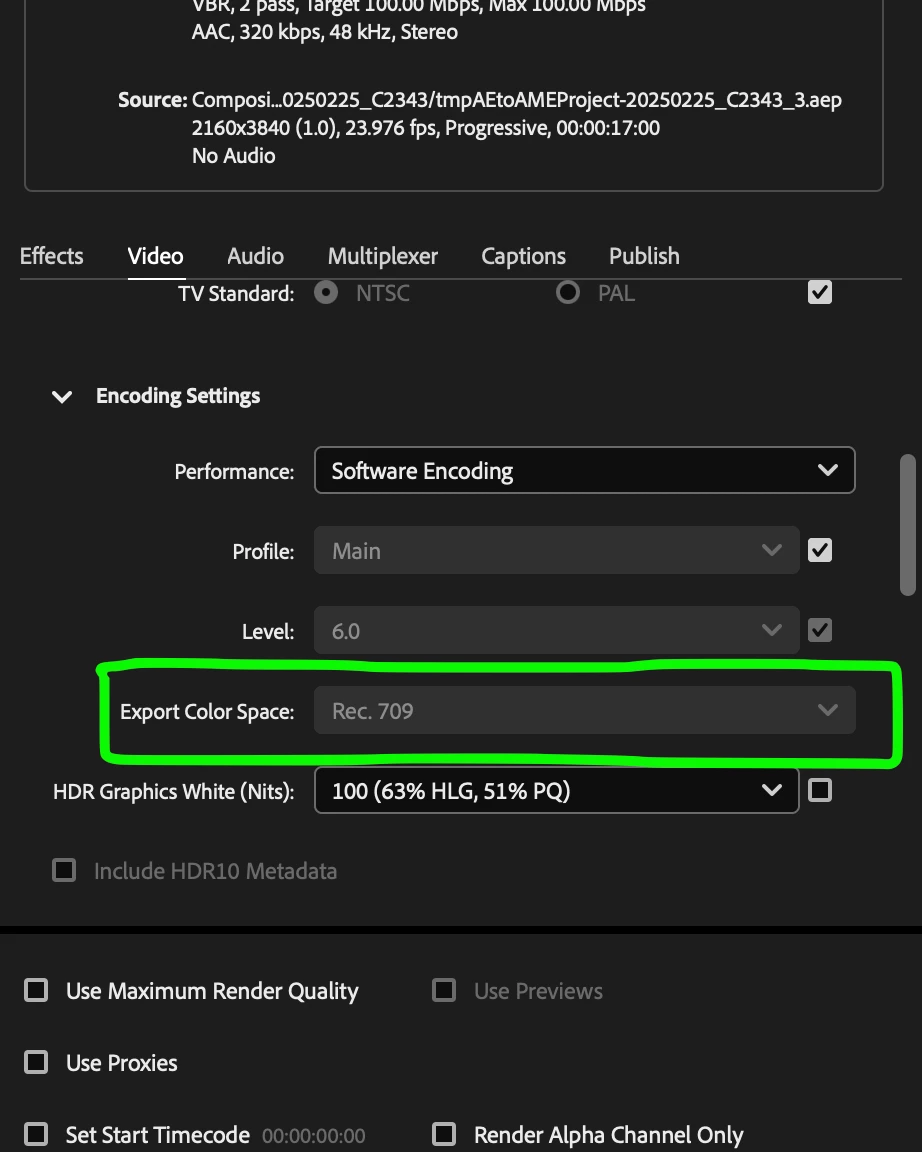
I'm trying to export some footage I took with my a7s iii from After Effects into AME (same thing happens when I render internally in AE, though). In the screenshot below, I have AE and AME pulled up side by side with the previews showing. You can see the left screenshot looks like it has more dynamic range than the right screenshot. Well, turns out, AME is forcing the color space into Rec709, and the option to change it is grayed out (second screenshot). The working color space in AE is set to "none." Any tips to changing the AME color space so that it matches what I have in AE and I get my colors looking the way I want? I can provide more info if needed.
1 reply

nishu_kush
Legend
March 13, 2025

Thanks for writing in and sharing the screenshots.
What happens if you export with these settings? Do you see the color difference? Are you working with HLG media? In Media Encoder render settings, you can uncheck the check box next to Profile and select "High 10" in the drop down. That will make the Export Color Space become active. Now you can choose REC. 2100 HLG.

Let me know if that helps. Moving this thread from Bugs to Discussions for troubleshooting.


Thanks,
Nishu

Participant
September 10, 2025

Hi, I know it has been awhile since I commented on this, but I am having the issue again. When I export the files, I do see the difference, and switching to any other profile besides Rec 709 is even worse.

nishu_kush
Legend
September 22, 2025

What type of media are you using? Could you share more details about the color settings and your workflow? 


Thanks,
Nishu