
Color export problems Green high in saturation.
This is driving me crazy. I have tried alot of things, but almost nothing seems to work.
The most wierd thing: In the beginning I didn't have problems with the colors until I did and for a slight moment when switching to After Effects 2020 it exported the right way.
In the photo my biggest problem is number 2,3,4. The other differences I dont care about.
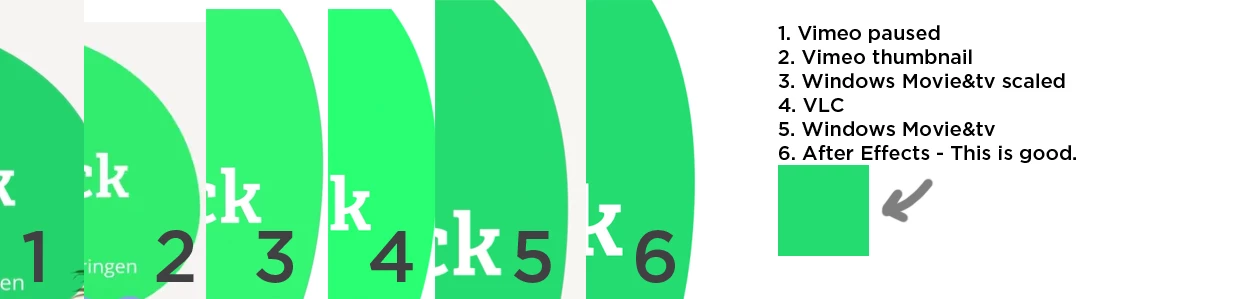
I work on Windows 10 and my client has a Macbook. Sometimes when it looks good on my windows it still looks bad on his Macbook.
Next to that. When I upload it to Vimeo. In the thumbnail I see the oversaturated green, but when I play the video I see the almost good green. If I download the HD1080p version I get the good green too. If I download the Original I get the oversaturated green.
I have changed the Project settings/Video Rendering and Effects and have exported different versions.
I have exported in 8bit, 16bit and 32bit.
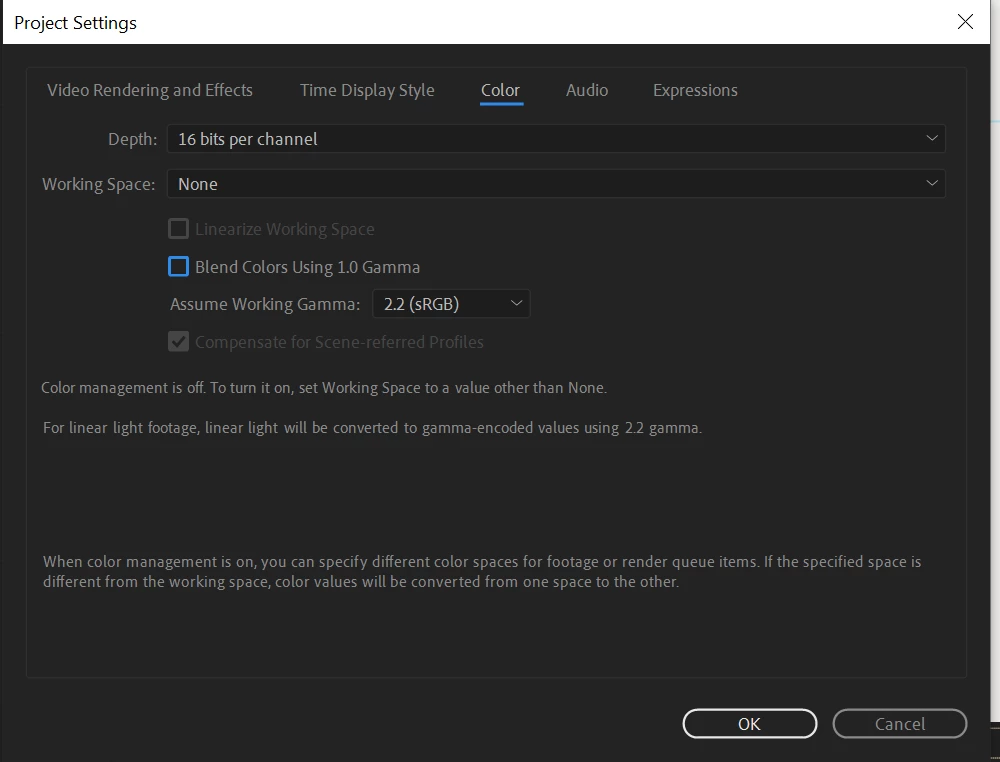
I have changed the Project settings/Color and have exported different versions.
I have exported with After Effects and Media encoder. H264, quicktime and avi.
When import it back into After Effects it looks good.
This is my standard setup for Color:
Does anyone have an idea what is going on? Maybe my graphics cards? Especially the vimeo thumbnail and HD1080p is super wierd.
 AdChoices