Answered
Color Pallet AE 2018
Hello,
For some reason I am getting two different types of color pallets.
I am not confertble with pallet (1).
Is it possible to change to pallet (2) for every color selector through out the all AE ?
Thank You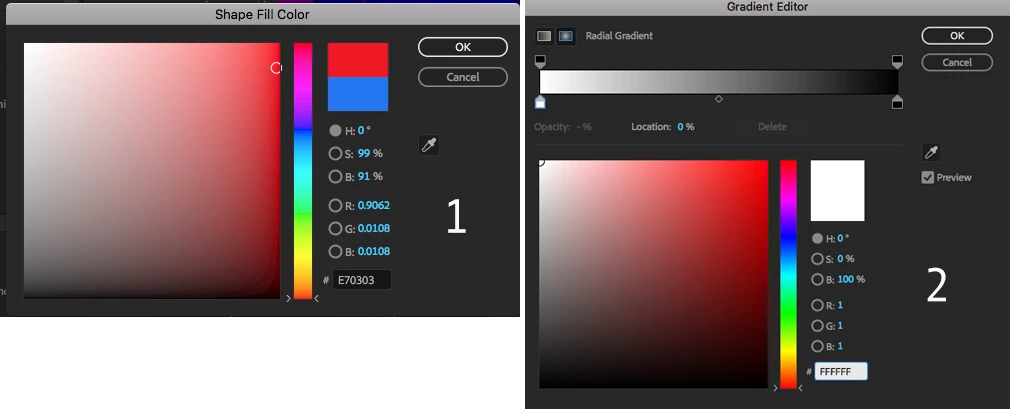

Hello,
For some reason I am getting two different types of color pallets.
I am not confertble with pallet (1).
Is it possible to change to pallet (2) for every color selector through out the all AE ?
Thank You
#2 is the gradient color selector, so will only be available when you're creating gradients. Those are otherwise the same color picker.
Already have an account? Login
Enter your E-mail address. We'll send you an e-mail with instructions to reset your password.
 AdChoices