Participant
September 19, 2019
Answered

Color Picker has changed

  • September 19, 2019
  • 3 replies
  • 4979 views

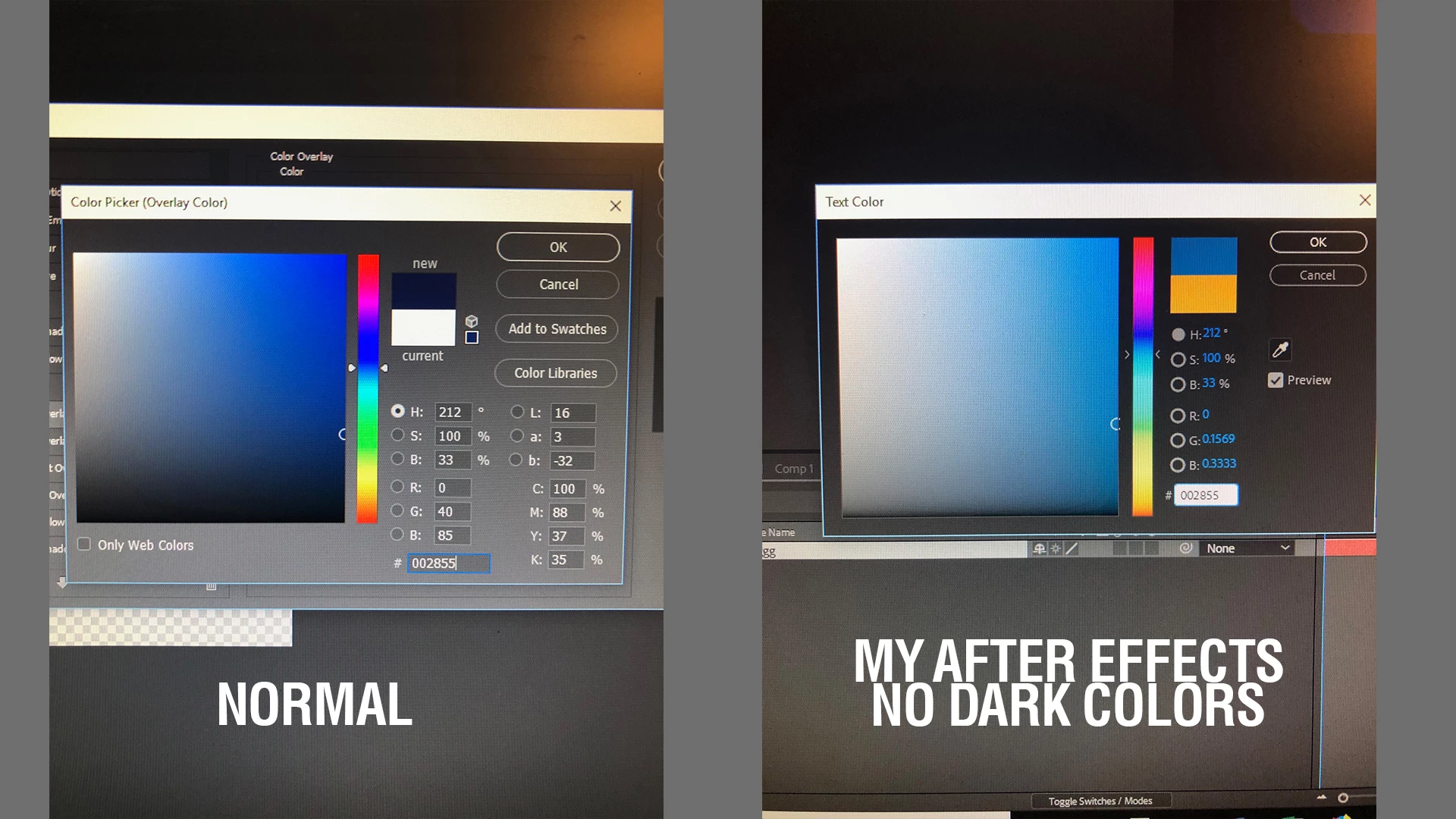
In my after effects, the Color picker has changed, and I have no idea how to restore it to normal. I have attached a photo to compare what I mean.


On the left you will notice my picker ( from Photoshop) is normal with all the dark coloros for a hex code 002855.


On the right, my color picker in After effects CC 2017, the color picker is very light in nature. Same Hex Code. I have no idea how it defaulted to that or how to change it back. 


Any help is appreciated!
 

    This topic has been closed for replies.
    Correct answer OussK

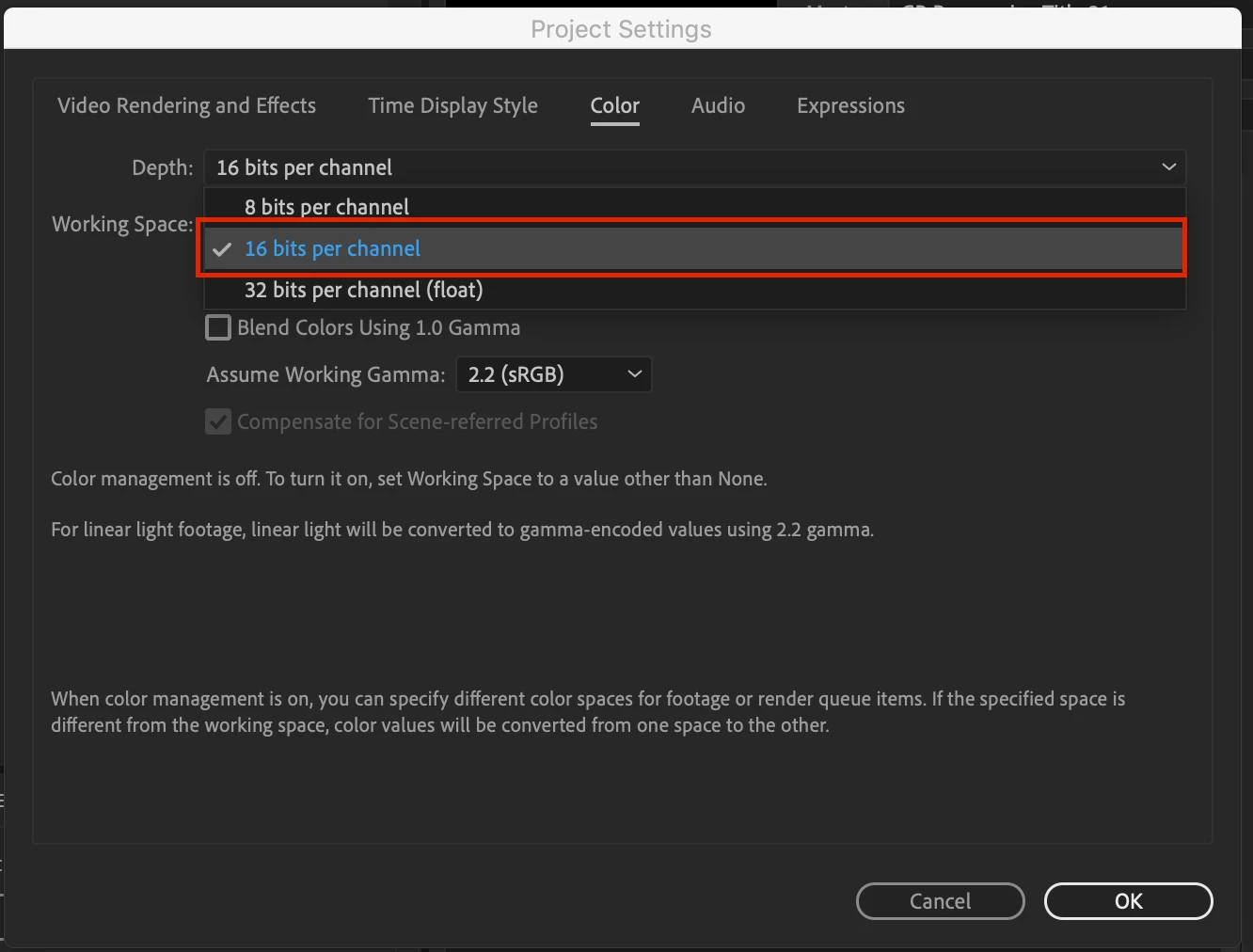
    It look like you work on 32 bit project so try to use 16 or 8 bit , you can do that from file/project settings

    3 replies

    Participant
    August 8, 2021

    Change the working space setting too, 

    mine is 8 bits per channel, sRGB IEC61966-2.1

    OussK
    Community Expert
    OussKCommunity ExpertCorrect answer
    Community Expert
    September 19, 2019

    It look like you work on 32 bit project so try to use 16 or 8 bit , you can do that from file/project settings

    Participant
    September 22, 2020

    I've changed my color depth to 8 and 16 and it is not alleviating the weird color picker described above.  I can't figure out how to take it back to normal.

    Participant
    January 7, 2024

    Hello, the same thing happened to me. I solved it this way. Maybe you can try like that.

    You can see ''Assume working gama'', under the color settings. Top item should not be selected. (linearize working color space)


    Sorry, my english's really bad, i hope i can explain it:)


    Mylenium
    Legend
    September 19, 2019

    Apples and oranges. No point in comparing AE's color picker to PS when AE doesn't even support some features. The rest comes down to that simple - well actually complicated - thing called color management. You have to read up on how PS basically always uses CM vs. AE not using any CM unless you switch it on and then all that good stuff about monitor profiles and so on. The short answer is that PS is aware of your screen profile and color settings, whereas AE is not, hence PS will spit out what it things is a corrected color whereas AE is giving you a palin unmanaged sRGB value. No easy answers here, but educating yourself really makes this a non-mystery. Start by doing the basic steps: Un-mistweak your monitor, reset color profiles at the system level, check the relevant CM settings in both programs and revert to factory defaults etc..


    Mylenium