Answered
Command W
I accidentally clicked command w and everything is deleted in my timeline. what do I do?
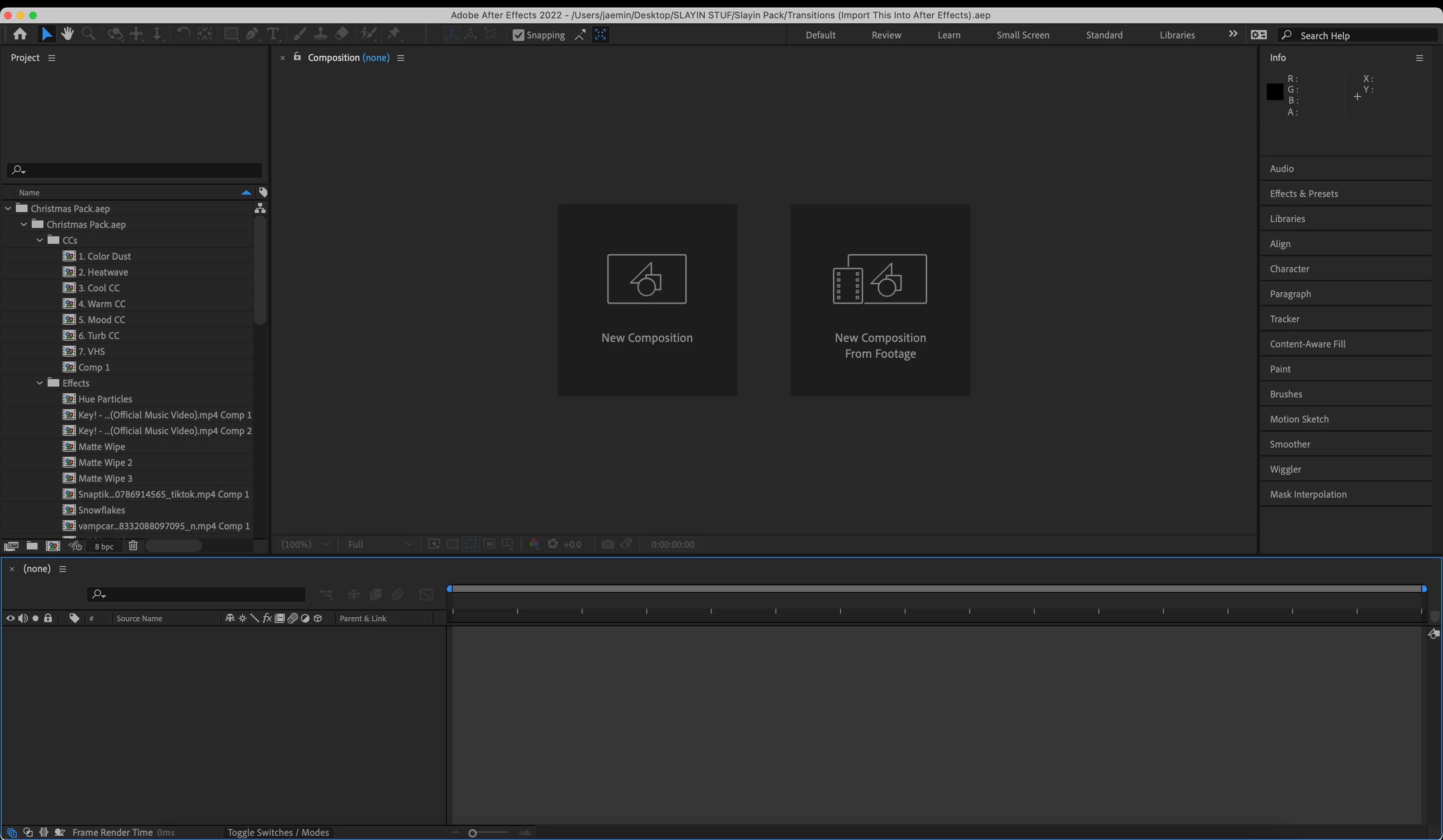

I accidentally clicked command w and everything is deleted in my timeline. what do I do?
Try changing workspaces or resetting the current workspace using the Window menu.
If that does not return the timeline to the UI, check the Project Panel for the Comp. If you cannot open the comp and see a timeline, then you deleted it. Cmnd + w closes the current Panel; it does not delete anything.
Already have an account? Login
Enter your E-mail address. We'll send you an e-mail with instructions to reset your password.
 AdChoices