
Compositing 3D Renders in After Effects – Edge transparency issues
Hi everyone,
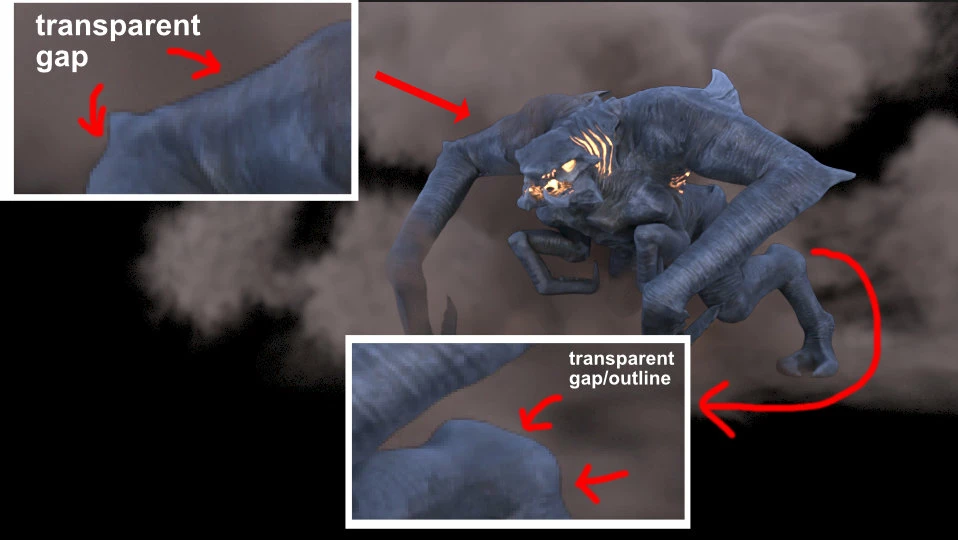
I’m working on a 3D animation in Blender and using After Effects for compositing. My workflow involves rendering different scene elements as separate layers and then recombining them in After Effects. However, I’ve encountered an issue where a very faint outline appears at the edges of the layers when composited. It’s an area of transparency about 1-2 pixels thick.
This may not be a Blender-specific issue, as it seems to be related to how holdout mattes generally work. I also discussed this on the Blender forums (link to discussion). Additionally, it’s not as simple as switching the alphas to premultiplied, as doing so results in a severely distorted alpha.
Has anyone experienced this before, and is there a way to fix it inside After Effects? Any suggestions would be greatly appreciated!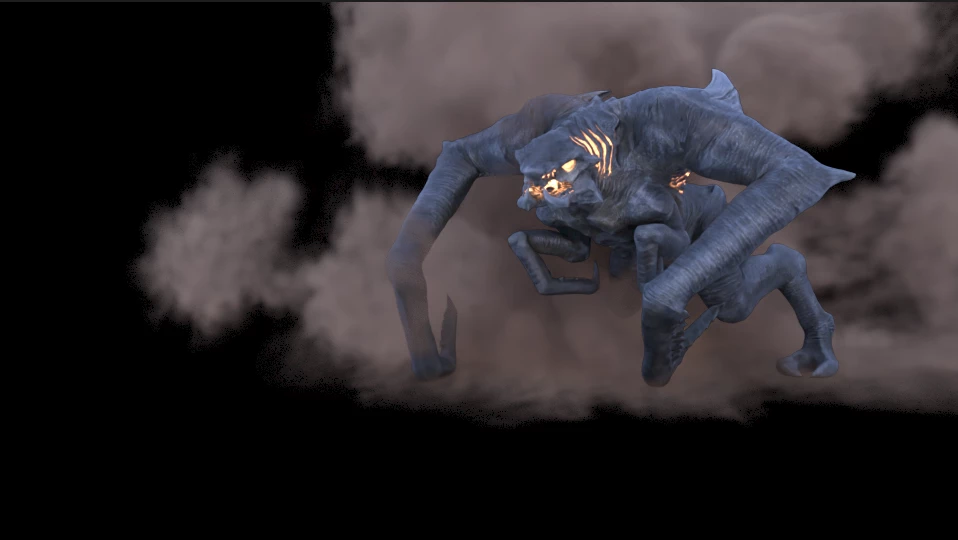



 AdChoices