Participant
September 22, 2023
Question

compositing 8bit 3d frames with motion blur - bright outline

  • September 22, 2023
  • 1 reply
  • 382 views

We deliver our 3d rendered frames as linear EXR for compositing. Additionally, we convert EXRs to 8bit TIFFs applying OETF (sRGB Gamma).


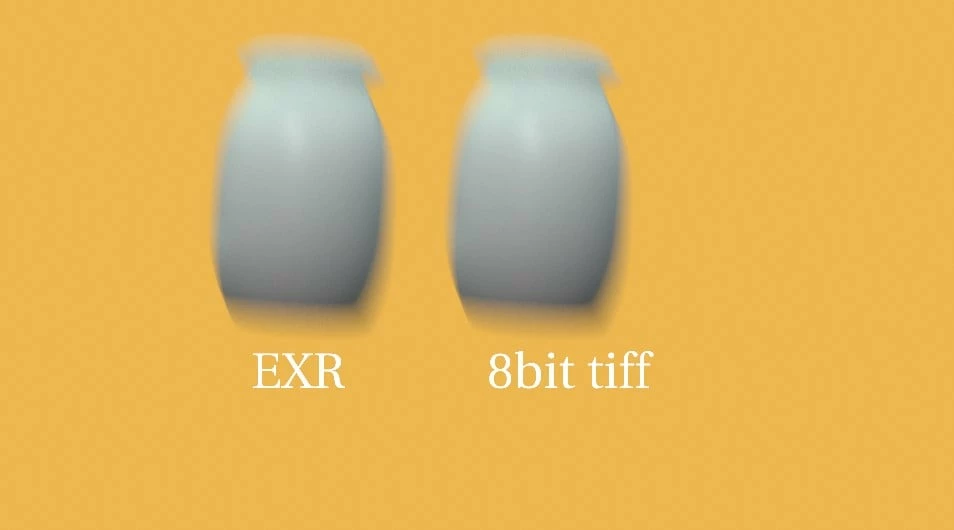
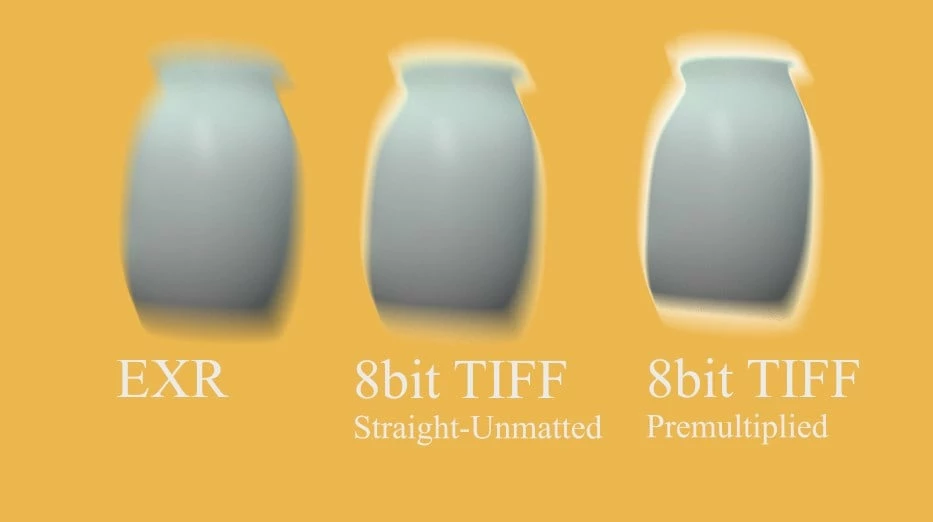
I have noticed that AfterEffect incorrectly composites 8bit files if there's significant motion blur on objects - there's a bright halo. EXRs are handled OK.

For comparision, Nuke behaves OK for both EXRs and 8bit TIFFs.


We use oiiotool for conversion:


oiiotool ./in.exr --tocolorspace "sRGB" -d uint8 -o ./out.tif


I attach example EXR and TIFF file: http://cgarea.com/after_fx_8bit_example.zip 


Can anyone advise ?


AfterFX vs Nuke:
This topic has been closed for replies.

1 reply

Community Manager
September 22, 2023

Hi there,


Not quite understanding the functional nature of this report.
Is the issue that you are finding the 8bit TIFF ouput from AE incorrect after it is processed by oiiotool or are you also seeing the reported bright outline before you process the TIFF output with oiiotool?

I cannot reproduce this behavior in a simple test, just evaluating the output directly from AE.

Please provide more details about the the exact steps in your workflow. An AEP that reproduces the issue would be helpful as well.

michal_frAuthor
Participant
September 23, 2023

step 1:

render 3d scene from maya/arnold.

result: frame.exr


step 2.

convert EXR to TIFF: oiiotool ./frame.exr --tocolorspace "sRGB" -d uint8 -o ./frame.tif

result: frame.tif


step 3:

In AE drop frame.exr onto orange solid

result: correct composite


step 4:

In AE drop frame.tif onto orange solid

result: composite with bright halo - incorrect/different than step 3


I'm not at my workstation now so no AEP, but just download EXR and TIFF from http://cgarea.com/after_fx_8bit_example.zip and drop to AE

Participant
September 28, 2023

Are these steps sufficient ?