


Participant
November 10, 2023
Answered

Composition does not show up in Media Encoder when adding to render queue

  • November 10, 2023
  • 3 replies
  • 959 views

Hello community,


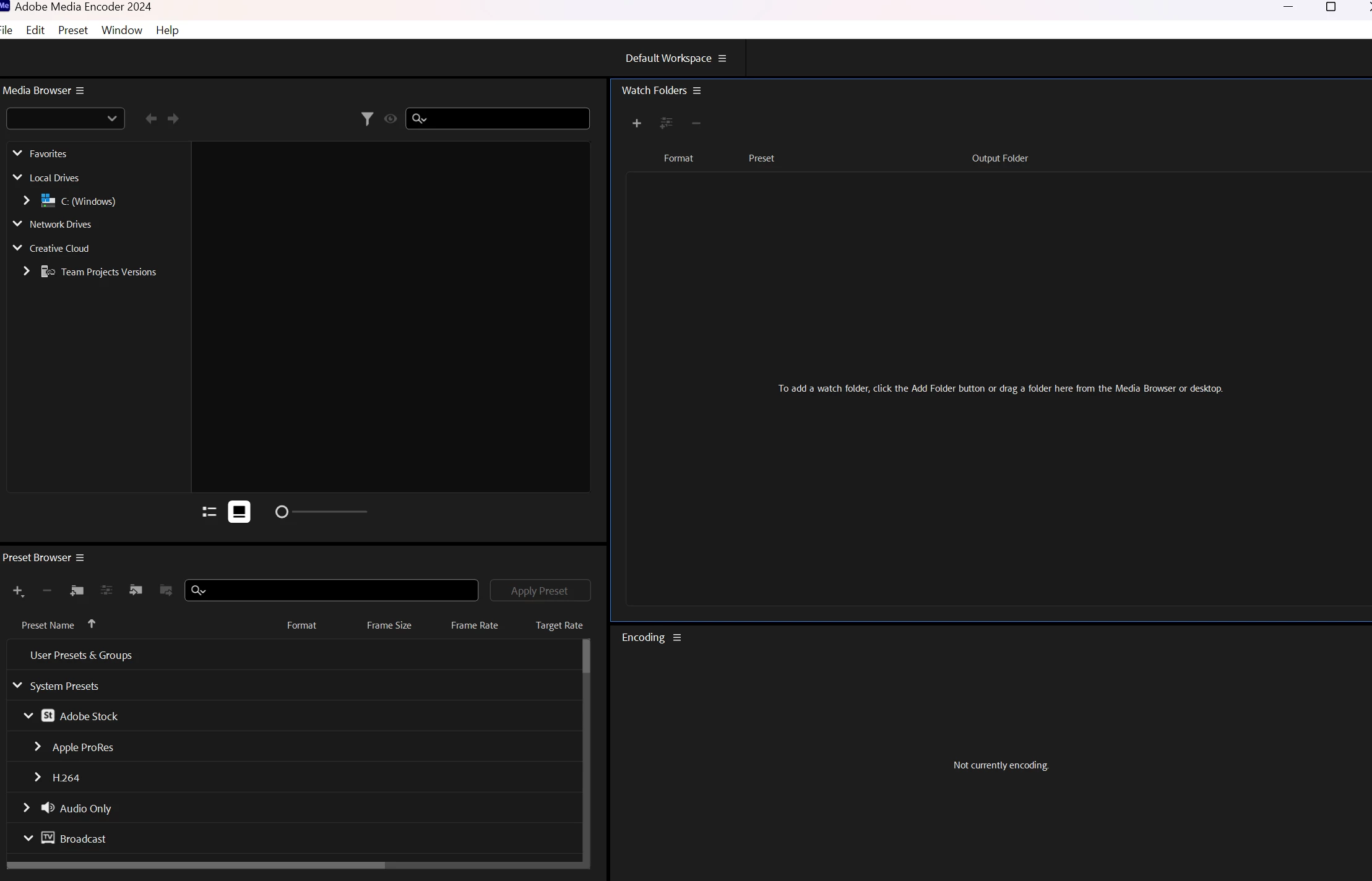
When click add to Media Encoder queue ( or CTRL + ALT + M), Media Encoder launches, but the video I want to render does not show up in the box on the right. Normally it would be there after a few seconds waiting.

I have waited for 15 minutes now and it's still not there. I have tried re-installing adobe after effects and adobe media encoder. They are both the same (latest) version.  I also tried other files that previously DID work, but they also dont show up in adobe media encoder.

How do I get the video to show up in the right box where I can change the export format and the locatiions etc?
 

Thank you in advance for any help 🙂


This topic has been closed for replies.
Correct answer Paul Uu

You have the Queue panel closed. You're looking at the Watch Folders panel.


Try this:
1. Go to the Windows menu.

2. Make certain that Default Workspace is checked.

3. Then select Revert Workspace

3 replies

Participant
November 11, 2023

Hahaha this is so stupid of me There they all are haha

Thank you for helping me!

Paul UuCommunity ManagerCorrect answer
Community Manager
November 10, 2023

You have the Queue panel closed. You're looking at the Watch Folders panel.


Try this:
1. Go to the Windows menu.

2. Make certain that Default Workspace is checked.

3. Then select Revert Workspace

Participant
November 10, 2023

I btw can add it manually by clicking on the + , but where is the green "start" button? It normally was in the top right.