Participant
October 31, 2021
Question

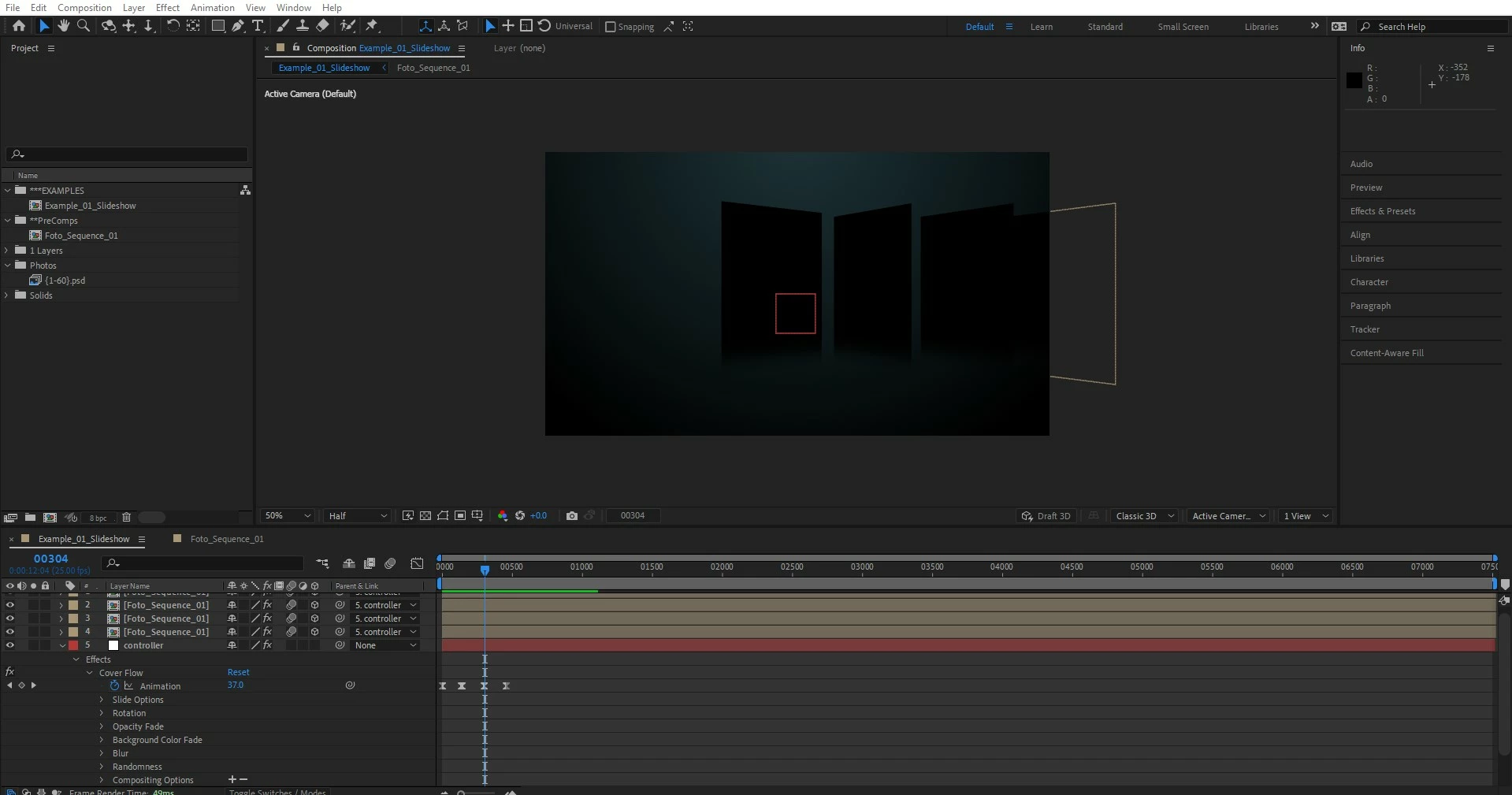
Composition in Composition shows up Black

  • October 31, 2021
  • 1 reply
  • 204 views

Hello! 
I've been stuck trying to figure how to get my composition to show up. To be more specific, the black squares are photo frames of the photo sequence composition inside the main composition. I know this worked before, but it doesn't show up, only black squares after doing something. I appreciate any help you can provide.
This topic has been closed for replies.

1 reply

Community Expert
November 1, 2021

Not enough info, but maybe you have a light that is behind your 3d layers. Also, your image sequence duration's is 60 frames only and you are at frame 304, have you enabled time remapping on that image sequence?


Kari5D55Author
Participant
November 1, 2021

I have enabled time remapping, so each black box is a frame. I do have a spotlight that I totally forgot about! I'll check on that and I'll let you know! 

ShiveringCactus
Community Expert
Community Expert
November 1, 2021

If you don't need the spotlight, you can delete it, but if you do need it in the scene, then each 3D layer property's has a Material options section.

If you expand that, there's an option to ignore lights and another to ignore shadows.

However, if you want the layers responding to the spot light, you'll probably need to add an omni light to brighten the scene.