
Participant
August 23, 2017
Answered

Composition is still transparent even though I choose black?

  • August 23, 2017
  • 1 reply
  • 1341 views

I am quite new to After Effects and I have looked at many tutorials but for some reason my composition colour will not change, it just stays transparent.

As you can see my background colour is set as black. However, once I hit "ok", this happens..
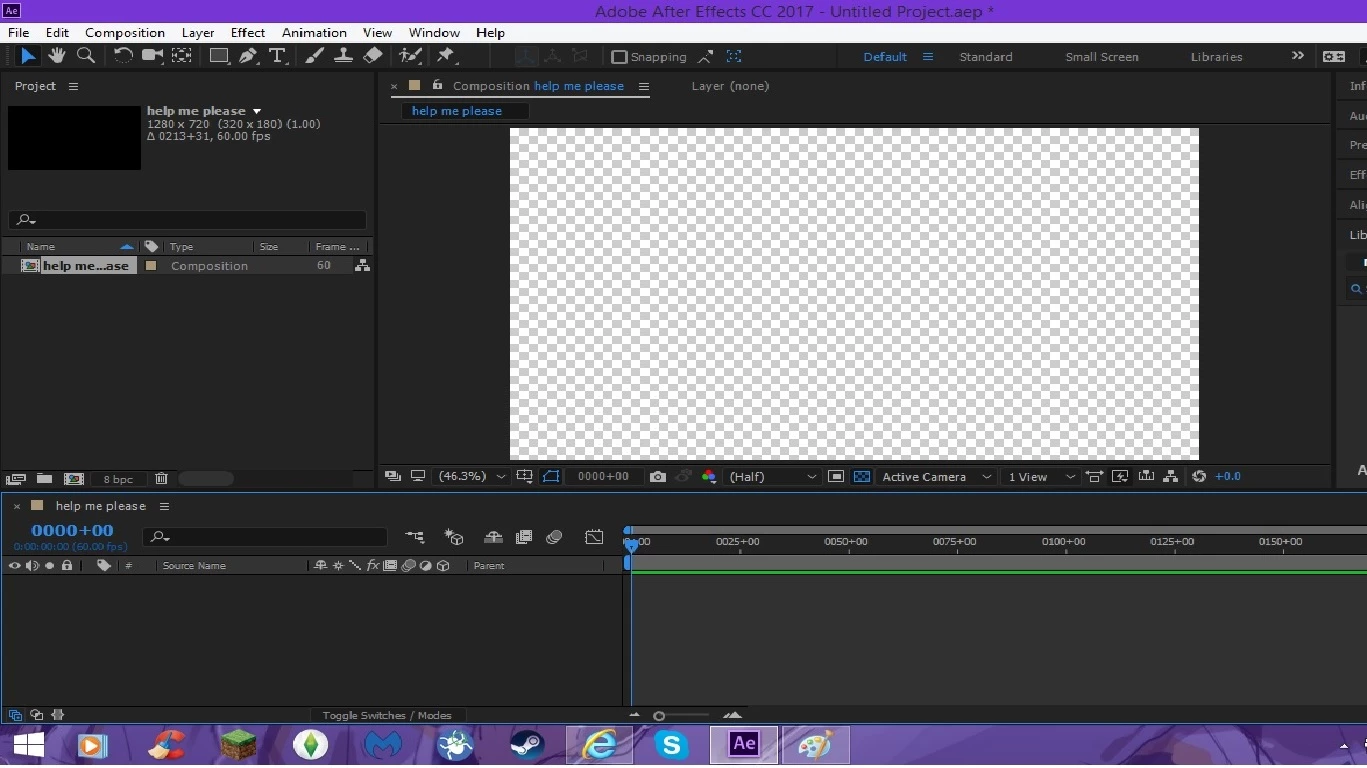
I don't know if this is a bug or a glitch but no matter how many times I try it doesn't work. I even try changing the background colour to red, blue, etc.. and it still comes out like this?

    This topic has been closed for replies.
    Correct answer Mohammad.Harb

    The button "toggle transparency Grid" is Turned On.

    You need to Turn it off.

    the button is Located under the composition window next to "Active Camera"  it Looks like a checkerboard .

    1 reply

    Mohammad.Harb
    Community Expert
    Mohammad.HarbCommunity ExpertCorrect answer
    Community Expert
    August 23, 2017

    The button "toggle transparency Grid" is Turned On.

    You need to Turn it off.

    the button is Located under the composition window next to "Active Camera"  it Looks like a checkerboard .

    Participant
    August 23, 2017

    OMG well that was easy XD

    Thank you so much!