
Participant
February 26, 2025
Answered

Composition panel not rendering on my Windows device with both an Intel Integrated GPU and an NVIDI

  • February 26, 2025
  • 1 reply
  • 463 views

So I have a new PC with

  • Intel® Core™ i9-14900K processor
  • NVIDIA® GeForce RTX 4070 Ti Super - 16 GB
  • After Effects 25.1.0 (build 68)


When I start After Effects with a new project and I create a new composition with a white background:
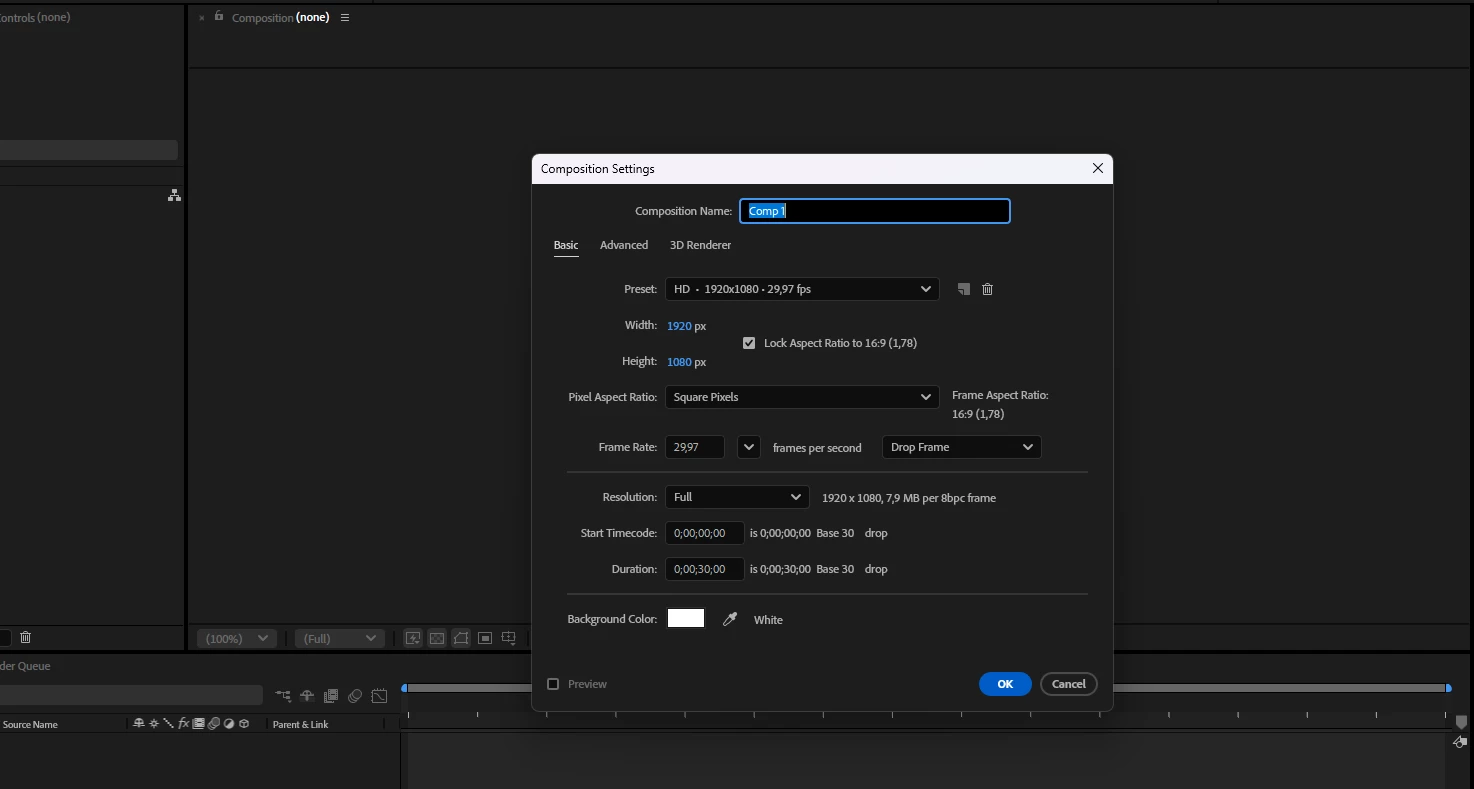
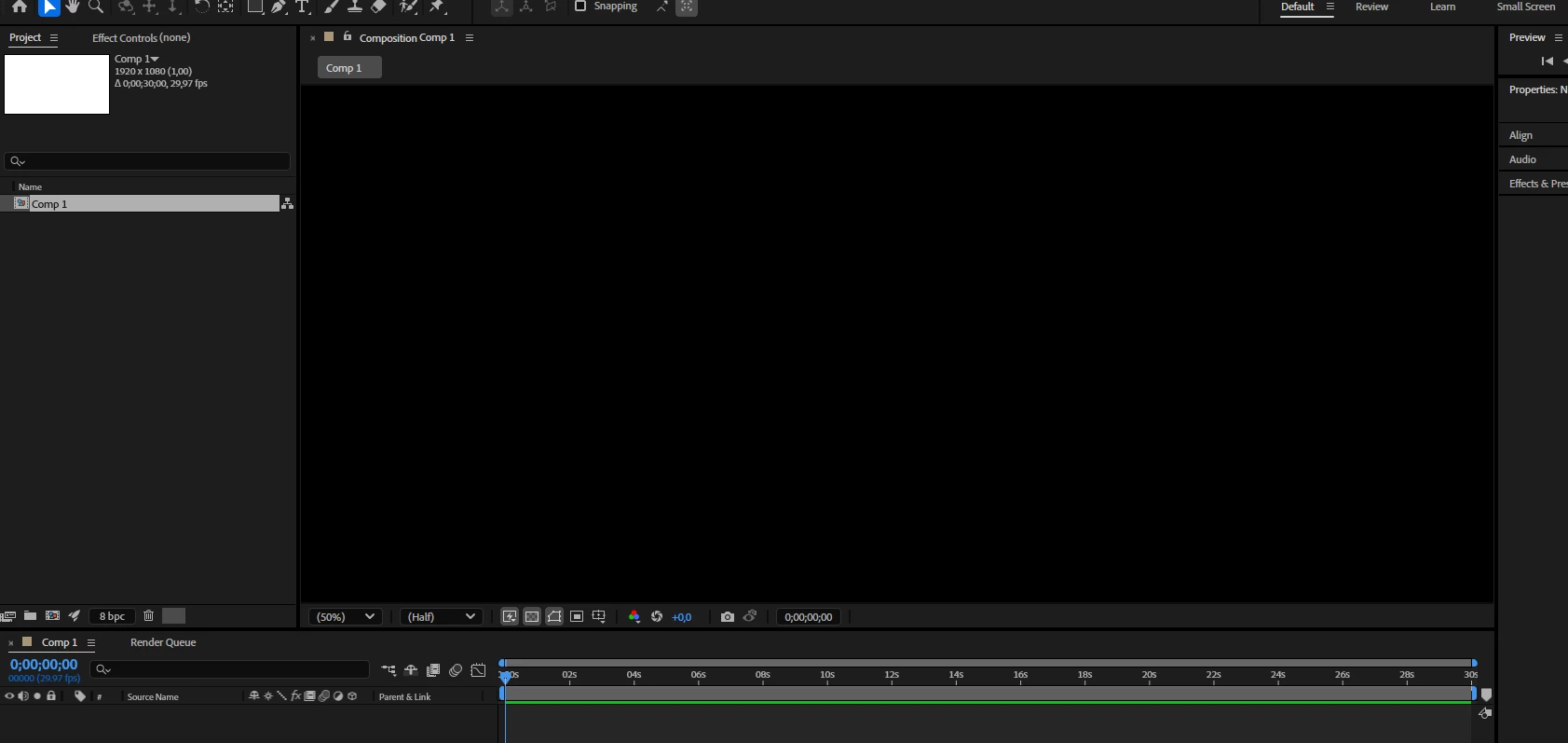
I get the following result:
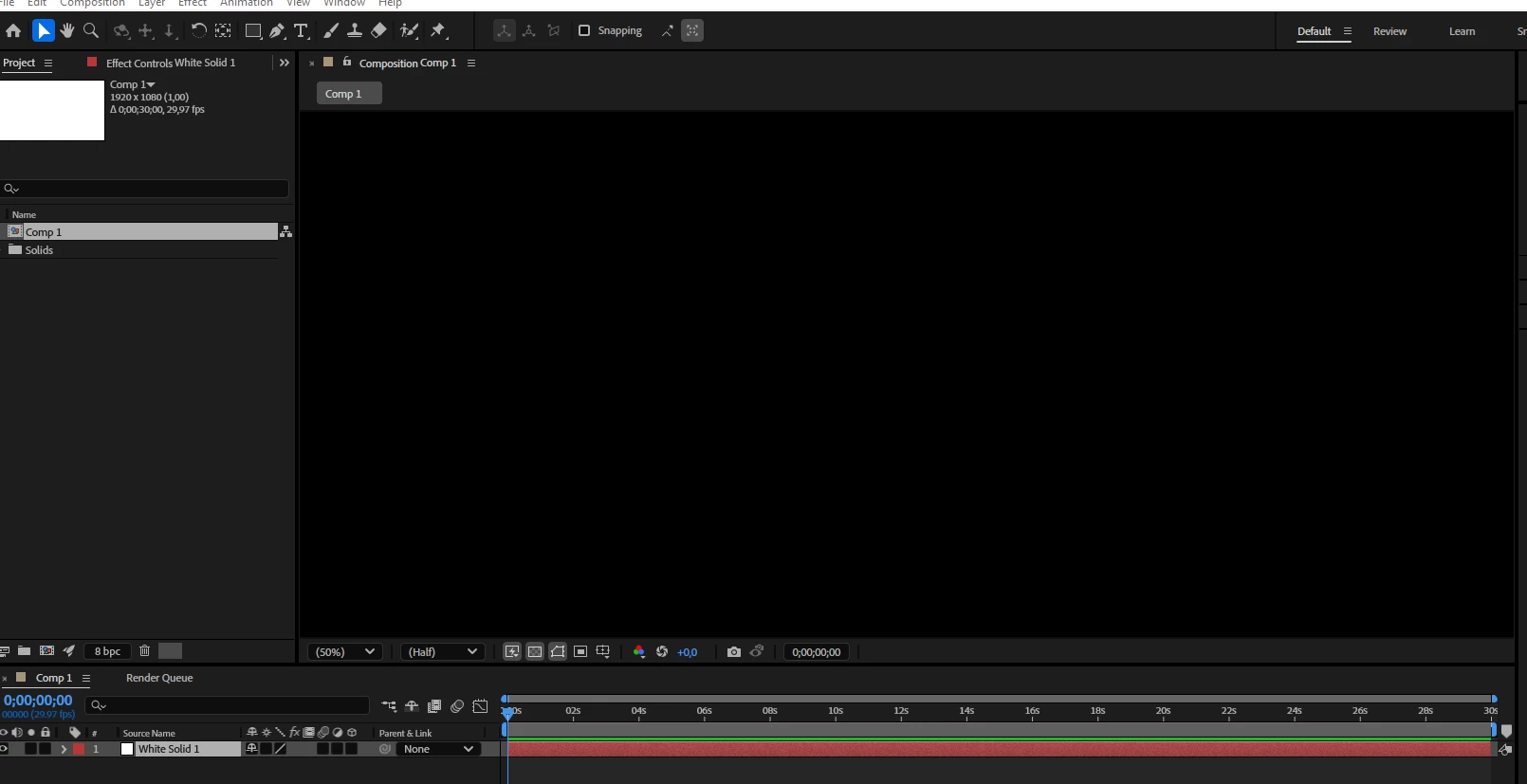
Even with a white solid layer:

It looks to me that I encounter this known issue: Known issues in After Effects
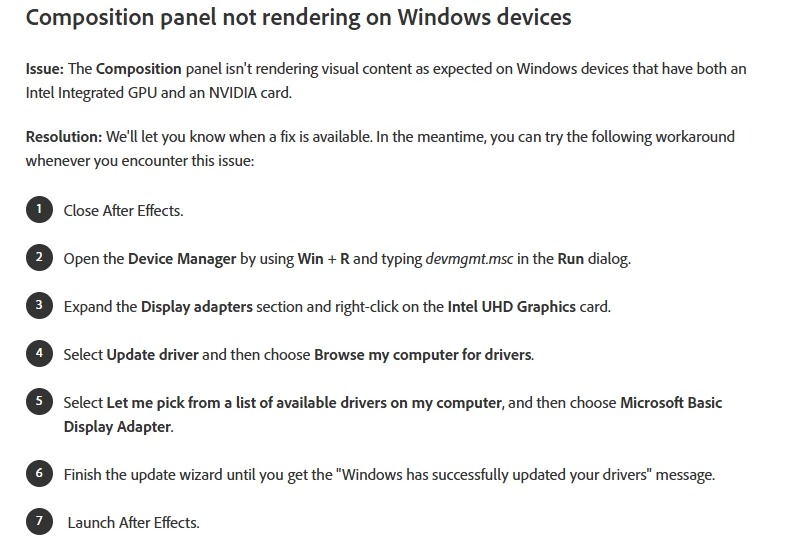

The resolution do works for me but it feels like I'm not using the full potentiol of my system then. 

Is there any update about this known issue? I see the last update time of the page is 14 nov. 2024.

Correct answer Dennis35178580mryd

Thanks for explaining.

You mentioned this is a new PC. Please ensure that the available Windows updates are installed. For testing, try installing an older version of the Nvidia GPU and disconnecting the secondary monitor. It looks like a driver issue to me.

Report back.


Thanks,
Nishu


Good news, the problem is solved.

I first tried various drivers. Coincidentally, new ones had also been released yesterday. But this did not solve the problem.

Disconnecting my other screens did not solve it either.

Then I wanted to reinstall After Effects. And the strange thing was that After Effects could not be found in installed apps in Windows. So then I uninstalled the Creative Cloud application after effects and reinstalled it. Then I started it and it did not work at first. But then it started initializing the GPU (or something like that, it went quite fast). And then it worked. Even with the Intel GPU on.

Thanks for the quick response and thinking along!

1 reply

nishu_kush
Community Manager
Community Manager
February 26, 2025

Thanks for writing in, Dennis. Glad to hear that the workaround works for you. As far as I understand, your Nvidia GPU is more capable than the integrated GPU, so most programs would use your dedicated GPU.

This issue is related to the Intel GPU driver. The After Effects product team is actively working on fixing it.

Hope it helps. Feel free to reach out if there are any other questions.


Thanks,
Nishu

Participant
February 26, 2025

Hi Nishu,

Yes the Nvidea GPU is much faster but to let the workaround work I have to do the workaround steps for my Nvidea drivers and not for my integrated GPU. And after a simple benchmark test before and after the workaround steps on my Nvidea drivers I'm seeing a decrease in performance off 98%. So this is not an acceptable workaround.


Can you please tell me if and (if possible) when this bug will be resolved?

nishu_kush
Community Manager
Community Manager
February 26, 2025

That changes the story. The bug is with the Intel GPU driver. If disabling the Nvidia GPU is solving the problem, then it's not the known issue you're hitting. Try installing the latest Nvidia GPU Studio Driver from their website. If you get the same issue, then try changing the driver of the Intel GPU as suggested in the known issues article.

Let me know the outcome.


Thanks,
Nishu