Participant
April 2, 2021
Question

composition problem

  • April 2, 2021
  • 2 replies
  • 158 views

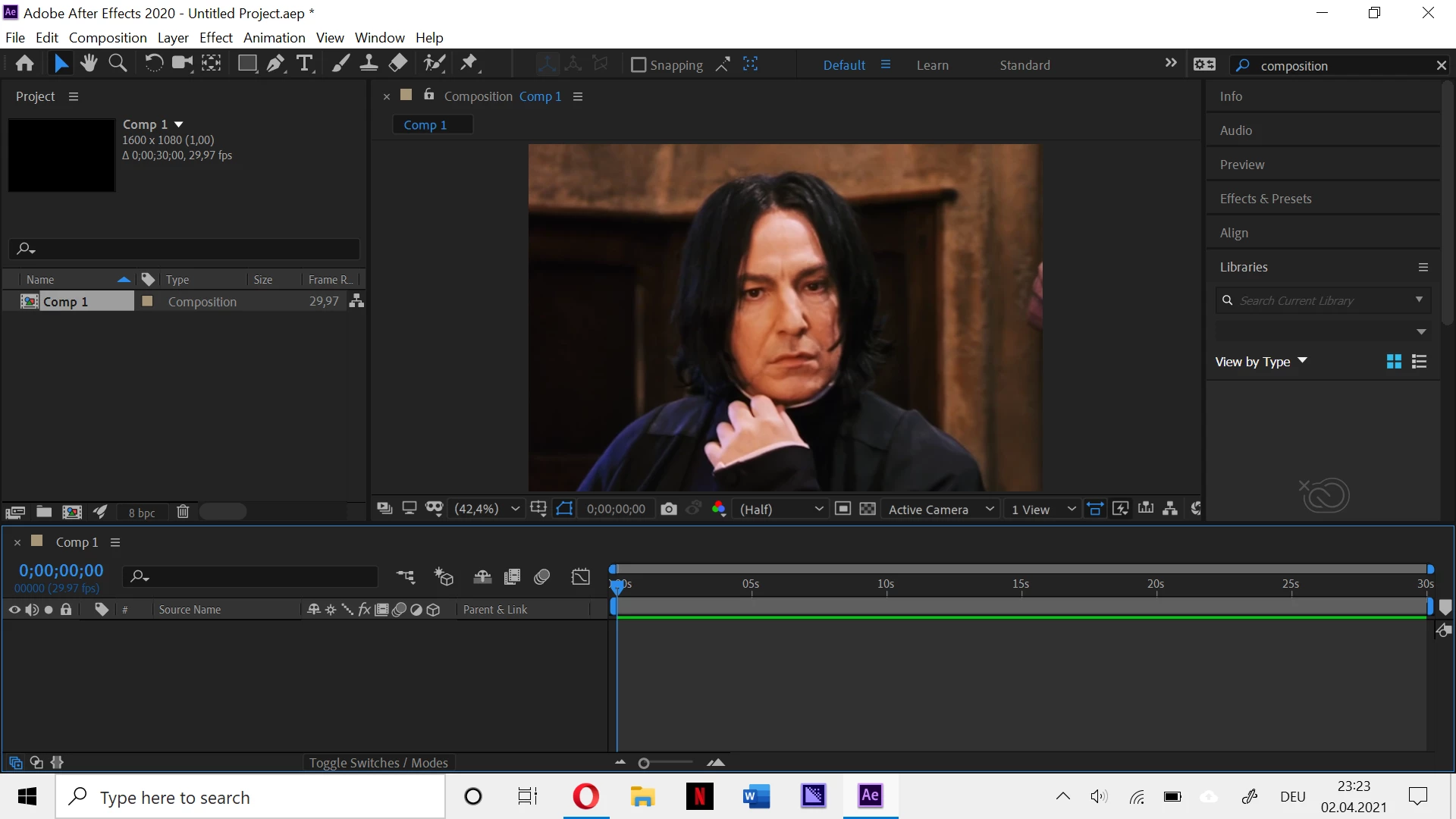
Hello, so I have a problem. I am an Instagram Editor and I was doing an edit of Professor Snape, from the Harry Potter Movies. And while I was doing a Transition, suddenly my composition is him. It Froze, I guess? I am not sure. I've tried everything, re-downloading, watching tutorials, deleting the edit itself or deleting all the scenes I used. But nothing. I am so frustrated. I just hope that someone can help me. The thing is, I use the size 1600x1080 and when I am using, as a example: 1080x1080 the compositon is black again. But I need the size where Snape's face shows up. (1600x1080). So can someone please help me? 

(you can see that I don't have any videos or photos in the project panel)

If yes, thank you for taking your time 🙂 
 

This topic has been closed for replies.

2 replies

nishu_kush
Legend
April 3, 2021

Hi jasmin malfoy,


Thanks for reaching out.

Did you try Rick's suggestions? If they didn't help, here's what you could try:

Go to After Effects Preferences > Display > uncheck Hardware Accelerated Composition Layer and Footage Panels.

Let us know if it brings any change.


Thanks,

Nishu

Community Expert
April 2, 2021

This is the second report I have seen where the timeline disappears on a Windows machine. I suggest you start by purging everything using the Edit menu then check preferences and Project settings for the GPU settings.


If that does not work, close AE, Reboot, restart, and if that does not fix the problem try holding down Shift + Alt/Option + Ctrl/Cmnd and resetting all preferences. If that does not work try updating your graphics drivers.