
Participant
January 12, 2020
Answered

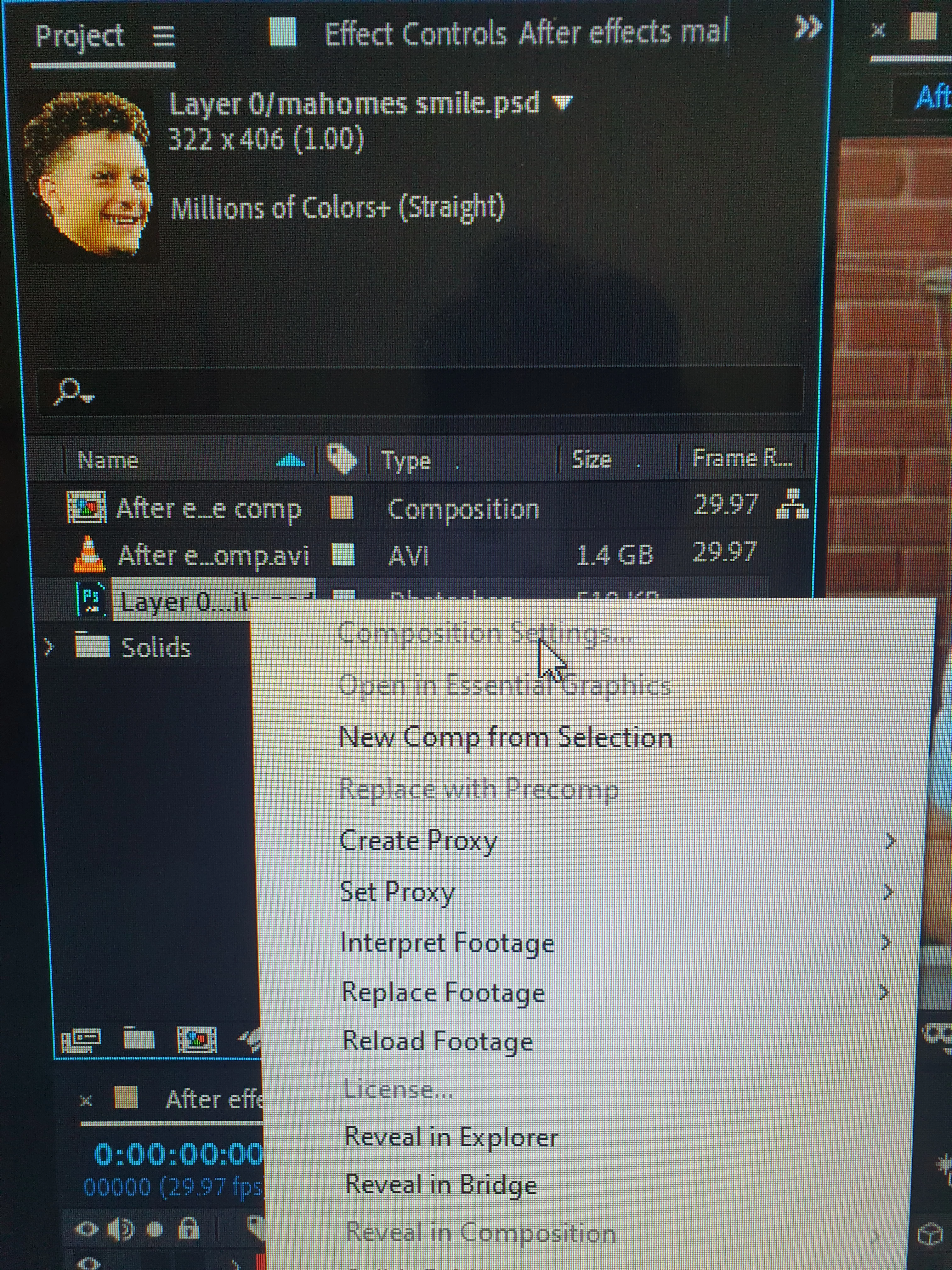
Composition Settings grayed out
  • January 12, 2020
  • 2 replies
  • 6054 views

Hi, I imported this photoshopped picture (322x406) I imported into After effects and Im trying to match it to 1920x1080 of my video because its not motion tracking accurately when I use mocha. Problem is, when I right click the click the photo, "composition settings" is grayed out. It seems I need to use the recompose feature, but after watching about 15 youtube videos I still dont quite get how to use the precompose for the picture, as it seems to create a new layer. Im quite new to this, any help would be greatly appreciated! TIA


Correct answer Mike_Abbott

The reason that's grayed out is that you are trying to 'adjust the Composition settings' for something that is NOT a composition. You're right clicking on a Photoshop layer.

After Effects is not a program you can operate by just noodling around. It seems you don't understand the difference between source material (footage) and compositions. That's absolutely basic and fundamental. I'd therefore suggest you start here and follow a few introductory video tutorials:

https://helpx.adobe.com/support/after-effects.html

2 replies

Mike_Abbott
Mike_AbbottCorrect answer
Legend
January 12, 2020

The reason that's grayed out is that you are trying to 'adjust the Composition settings' for something that is NOT a composition. You're right clicking on a Photoshop layer.

After Effects is not a program you can operate by just noodling around. It seems you don't understand the difference between source material (footage) and compositions. That's absolutely basic and fundamental. I'd therefore suggest you start here and follow a few introductory video tutorials:

https://helpx.adobe.com/support/after-effects.html

Participant
August 23, 2022

Hi ,

I am trying to do a drop shadow and I watched the tutorial below but when I got in my PNG scequence 

and tried to use the "orientation option" its grayed out and if  you are saying " you are trying to 'adjust the Composition settings' for something that is NOT a composition." then how is this person doing it in the link below.

ist working with hip but when I tried its graying out the "orientation option". 


Participant
August 23, 2022

sorry I forgot to send the link here it is:

After Effects Tutorial : Drop Shadow to 3D objects - Bing video

Community Expert
January 12, 2020

When you are In the import window fircthexinage please make sure that you have switched from footage to composition. Also a second window may appear when importing the image and make sure it says composition and not footage also.