Participant
December 8, 2021
Answered

Composition window doesn't display anything

  • December 8, 2021
  • 3 replies
  • 6509 views

Hello, I'm having troubles in Adobe After Effects 2022 with the Composition Window.

When I create a new composition in a new project or try to open any project, the Composition Window doesn't display anything. So I can't see any element at all in the screen.

I've tried installing older After Effects versions, and fitting the zoom to 100%.

This works well in other laptop I have, so I guess is something related to the settings or RAM.
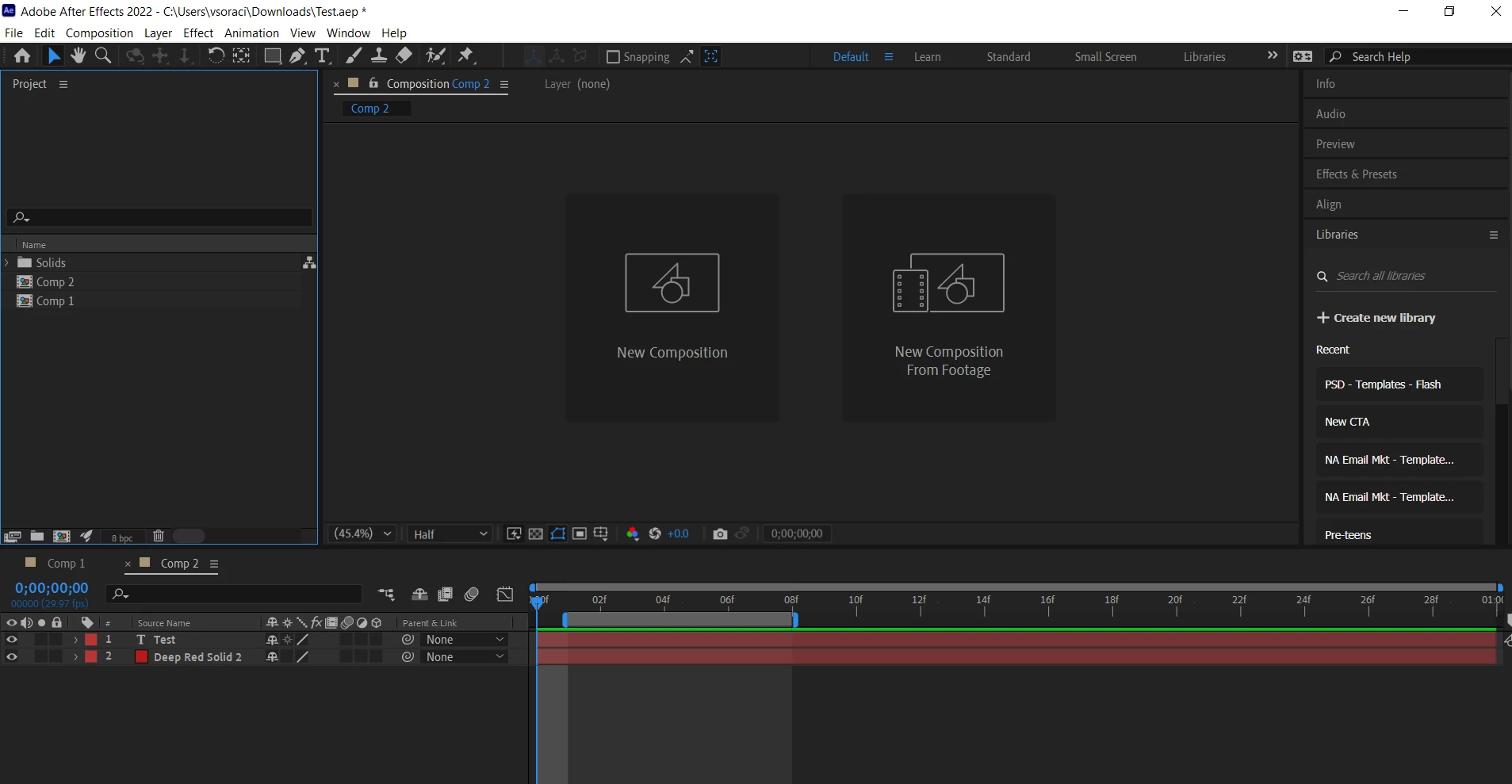


Hope you can help me.

Thanks in advance!


Vanesa

Correct answer Vanesa5CD4

Finally I could solve this issue!!

It seems that Intel drivers weren't installed correctly yesterday. Today I noticed that there was an update available, so I re-installed it. And now it works well.


Thanks very much to everyone for your help.

3 replies

Vanesa5CD4AuthorCorrect answer
Participant
December 8, 2021

Finally I could solve this issue!!

It seems that Intel drivers weren't installed correctly yesterday. Today I noticed that there was an update available, so I re-installed it. And now it works well.


Thanks very much to everyone for your help.

nishu_kush
Legend
December 8, 2021

Hi Vanesa,


Sorry for the trouble.

I had a similar issue with the current release of After Effects and updating the Intel GPU driver fixed it for me.

Let us know if it helps.


Thanks,

Nishu

Participant
December 8, 2021

Thanks Nishu!

Yesterday I tried also updating the Intel GPU driver, but still doesn't work 😞

Jose Panadero
Community Expert
Community Expert
December 8, 2021

Try to deactivate hardware acceleration for composition panel.  Enter into After Effects Preferences (Under Edit menu) and choose Display > Deactivate Hardware Accelerate Composition, Layer and Footage panels option. Then go to Edit > Purge > All memory and disk cache.


Other things you can try:


- If you are using a dual monitor setup, try to move the composition panel to the other monitor

- Deactivate hardware acceleration for video processing and render under File > Project Settings

Mylenium
Legend
December 8, 2021

Check your hardware acceleration settings and graphics driver. This behavior typically indicates an issue there.


Mylenium