
Participant
January 12, 2019
Answered

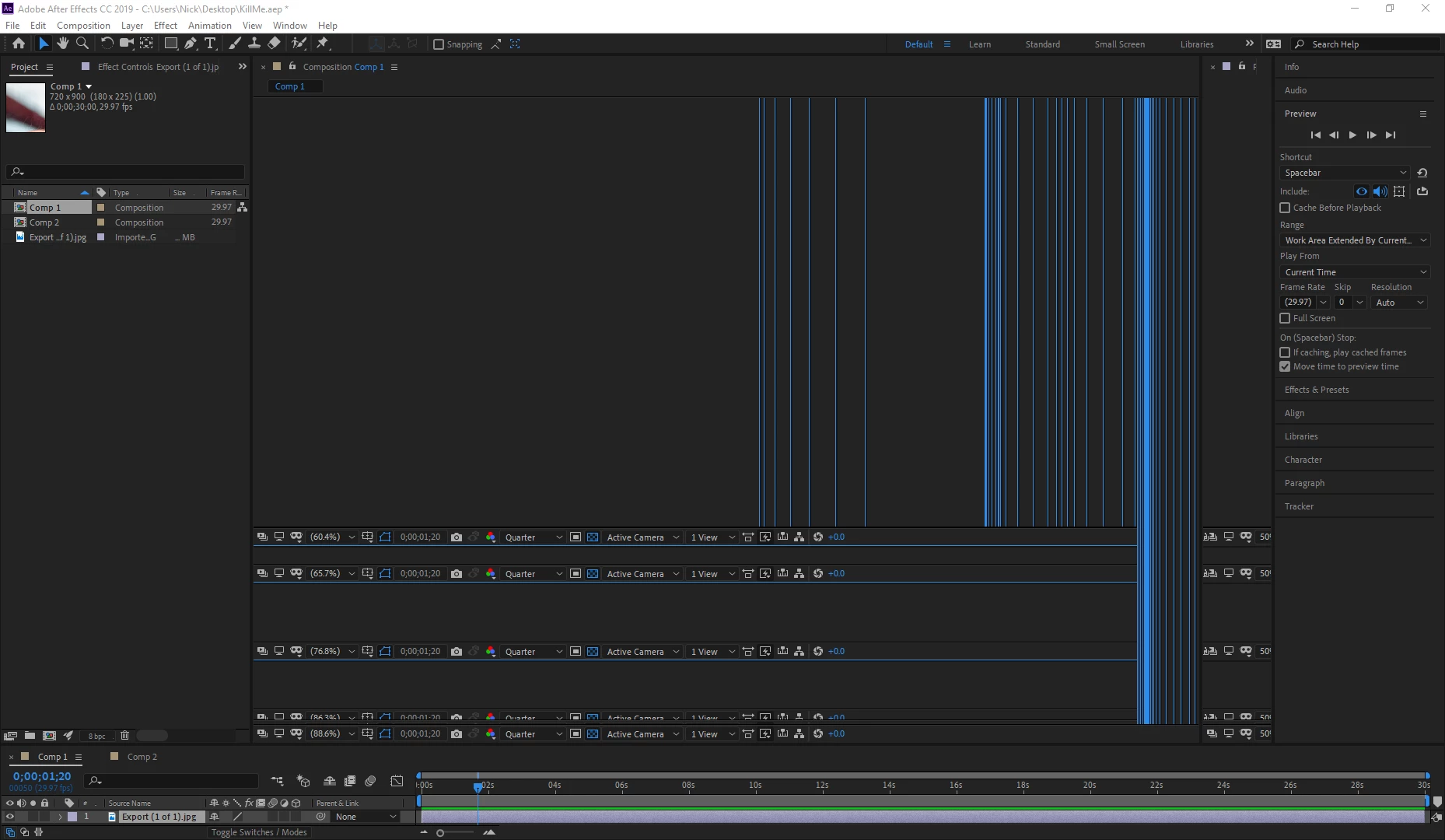
Composition window empty/not updating - AE CC 2019

  • January 12, 2019
  • 6 replies
  • 4171 views

I just launched After Effects again for the first time in a couple months just to make a very quick and basic edit. Unfortunately whenever I create a composition the window just won't update and when I resize it just goes haywire. Moving the window around to different parts of AE doesn't fix the problem, neither does restarting the program or my computer. Reinstalling to a different drive didn't change anything. What's in the composition doesn't seem to matter, I've tried it at full res, low res, even with an empty comp and the problem is exactly the same. I checked my hardware and everything is fine, nothing is being throttle, overheated, etc.
    Correct answer OussK

    Try to stop the GPU accelerator, File/Project settings/video rendering and effects/Mercury software only

    6 replies

    Known Participant
    February 3, 2025

    I'm also having the same issue. I had the same issue a week ago and could fix it by cleaning the database and emptying cache, but this time nothing I do does anything.

    Participant
    November 5, 2024

    I am also having this issue in the 2025 version...

    paul.os
    Participant
    July 28, 2023

    I have the same issue.

    MaxAppian
    Inspiring
    May 5, 2023

    I am also having this issue.  Swapping the video rendering does nothing.  Have restarted everything.  Have emptied the cache multiple times.  Have tried importing the project into a new AE project file.  Only thing I can think of that I havent tried is reinstalling- and I am loathe to do that since I'll have to reinstall everything else too.

    Participant
    December 31, 2020

    It's almost a year later but I've been having a similar problem in AE 2020 (composition window not updating) and found this thread.

    I tried the suggested fix under File->Project Settings->video rendering and effects but my settings were already on Mercury Software only so I went the other direction and switched it to Mercury GPA Software (Metal). That fixed my issue!

    Fingers crossed it'll stay fixed. AE is so unpredictable.

    Participant
    December 31, 2020

    update: not a lasting fix. It works for a few minutes after toggling the Mercury setting and then the comp window stops updating again 😞

    OussK
    Community Expert
    OussKCommunity ExpertCorrect answer
    Community Expert
    January 12, 2019

    Try to stop the GPU accelerator, File/Project settings/video rendering and effects/Mercury software only

    Participant
    January 14, 2019

    Opened again to try this, but it randomly started working again. If it happens again though I'll try that, thanks.