Composition window glitch - Freezing and won't let me move or edit graphics
I recently got a new laptop with the newest version of windows installed onto it (Windows 11). I'm trying to use After Effects on it, but it's doing this frustrating thing where it will work just fine for a minute or two before the composition window glitches out and freezes, not allowing me to move elements around in the frame. All the other functions still seem to work despite not being able to see the changes being made in the preview window. After another minute, it'll also start doing this glitch where the composition window won't even show anymore.
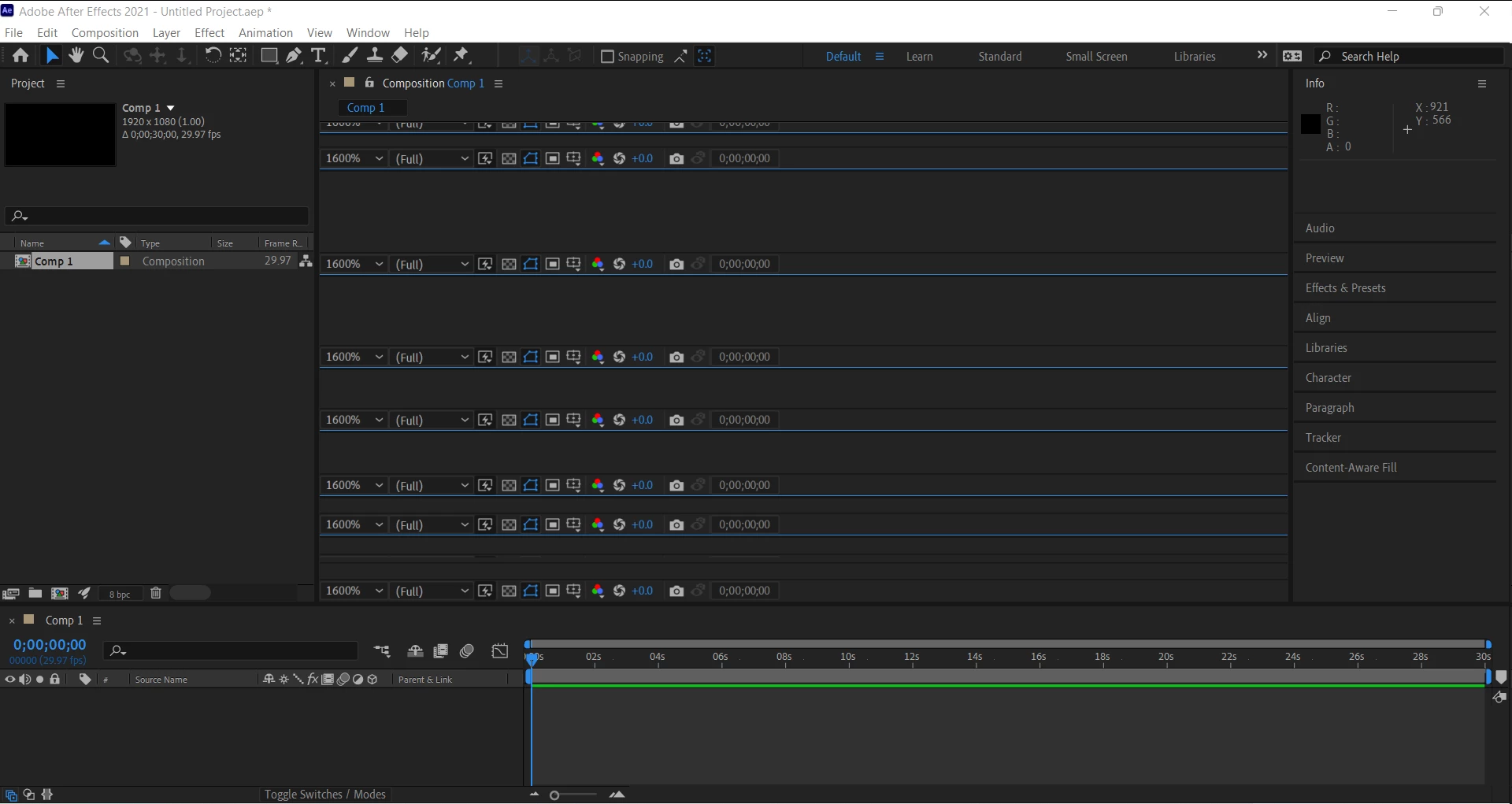
I've tried uninstalling and reinstalling the program, restarting my laptop and updating it, switching the video rendering and effects, lowering my computer resolution, clearing my cache, and installing older versions of After Effects to no avail. I've also been looking through the forums, but it feels like people are only have composition window freezing issues when trying to play animations and not just editing graphics in general. If anyone has anything for me to try out to fix this, I'd really appreciate it since I need to use this for class!!!
 AdChoices