
Confusing using xspline and surface in Mocha bundled with AE
I don't know where to post this question. I have posted this question in borisfx forum but i still don't know the problem i have.
I see on my AE there is boris mocha plugin bundled with this software, so i try and i'm beginner of it. I still can not figure out, it just en xspline and surface. Just this two basic. Hopefully many expert here give me some of guide.
So, here are my problem :
=====
I have just made amazing xspline tracking, when my xspline become untidy i adjust it. When i adjust this xpline it will automatically create a new keyframe.
Below is the image :
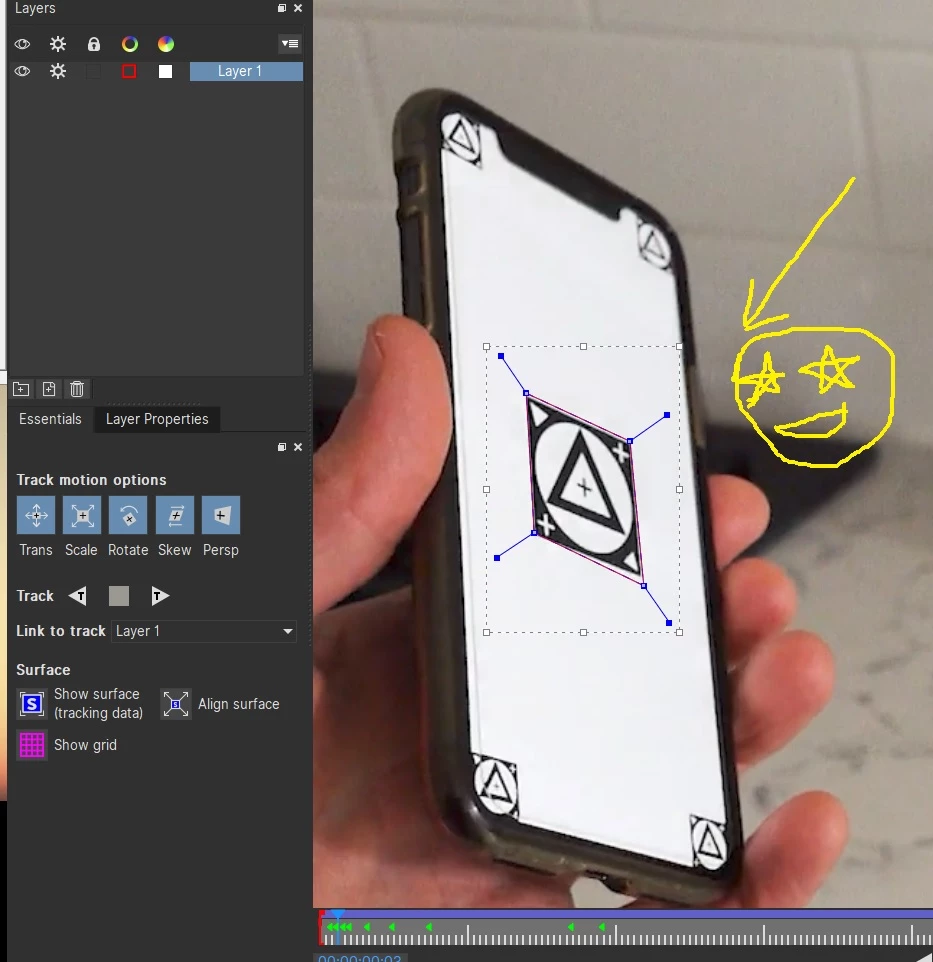
Now, when i activate surface tool, i see my surface is flip. Everytime i fix my xspline my surface still flip.
Below is the image :
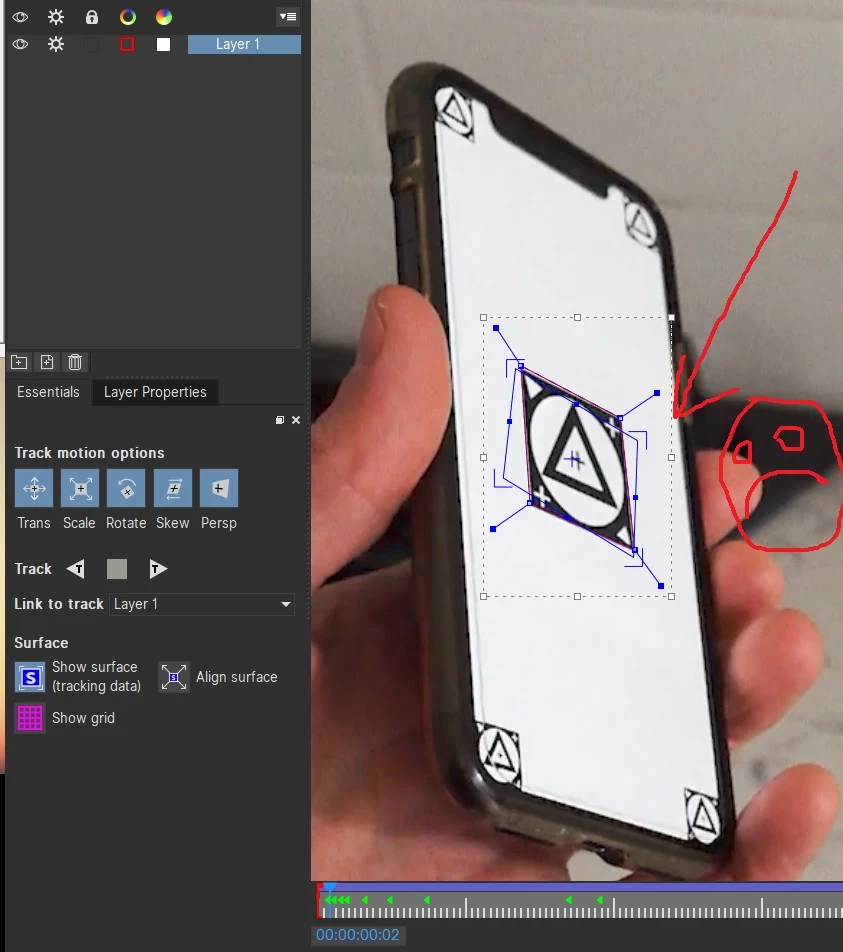
So, what the problem with my tracking???
In here i don’t touch or adjust surface. Should i just let this surface flip?
Now, i try to fix the surface on the frame when it begin flip by drag its corner to fit with rectangle image.
Below is the image :
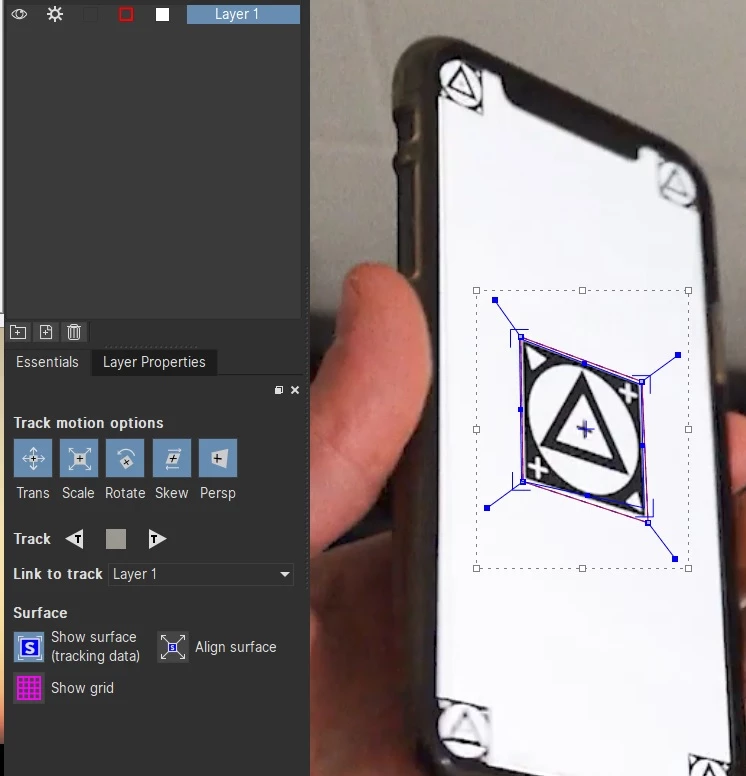
this is if i touch and fix the surface. Ok its done.
But when i go to previous frame and another previous frame, the surface begin untidy too.
the image below :
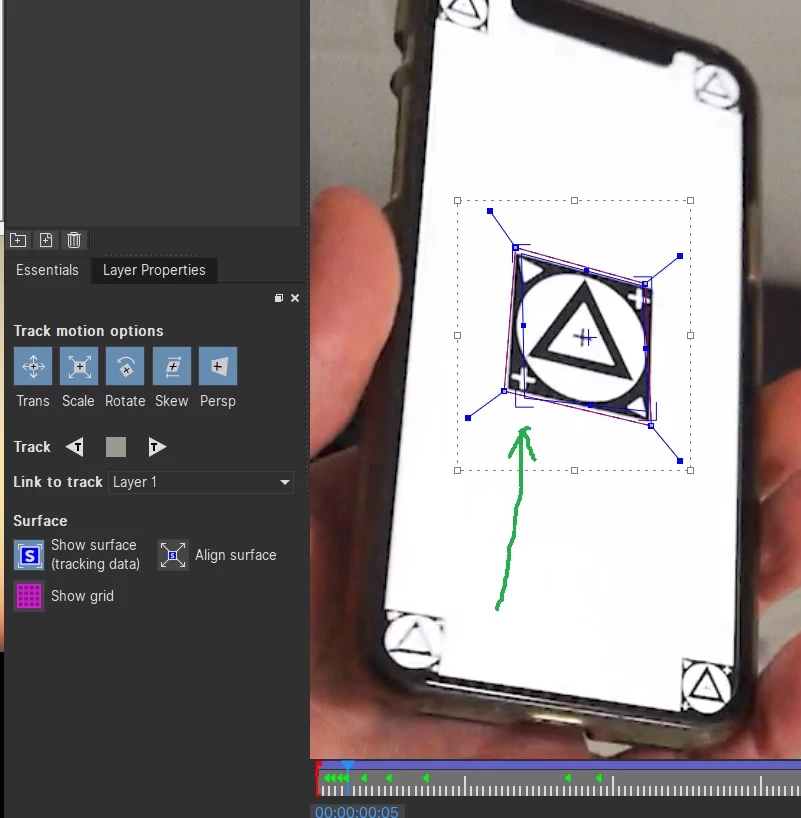
This is why i still confuse with surface and xspline. I see many basic tutorial out there also fix the surface if the surface begin flip. And the result is great. But why not with my tracking?
Honestly i'm stuck with this basic thing along day, thanks.
 AdChoices