



ionisity
Participant
Nov 16, 2021 8:23 PM UTC
Answered

Content aware fill not working

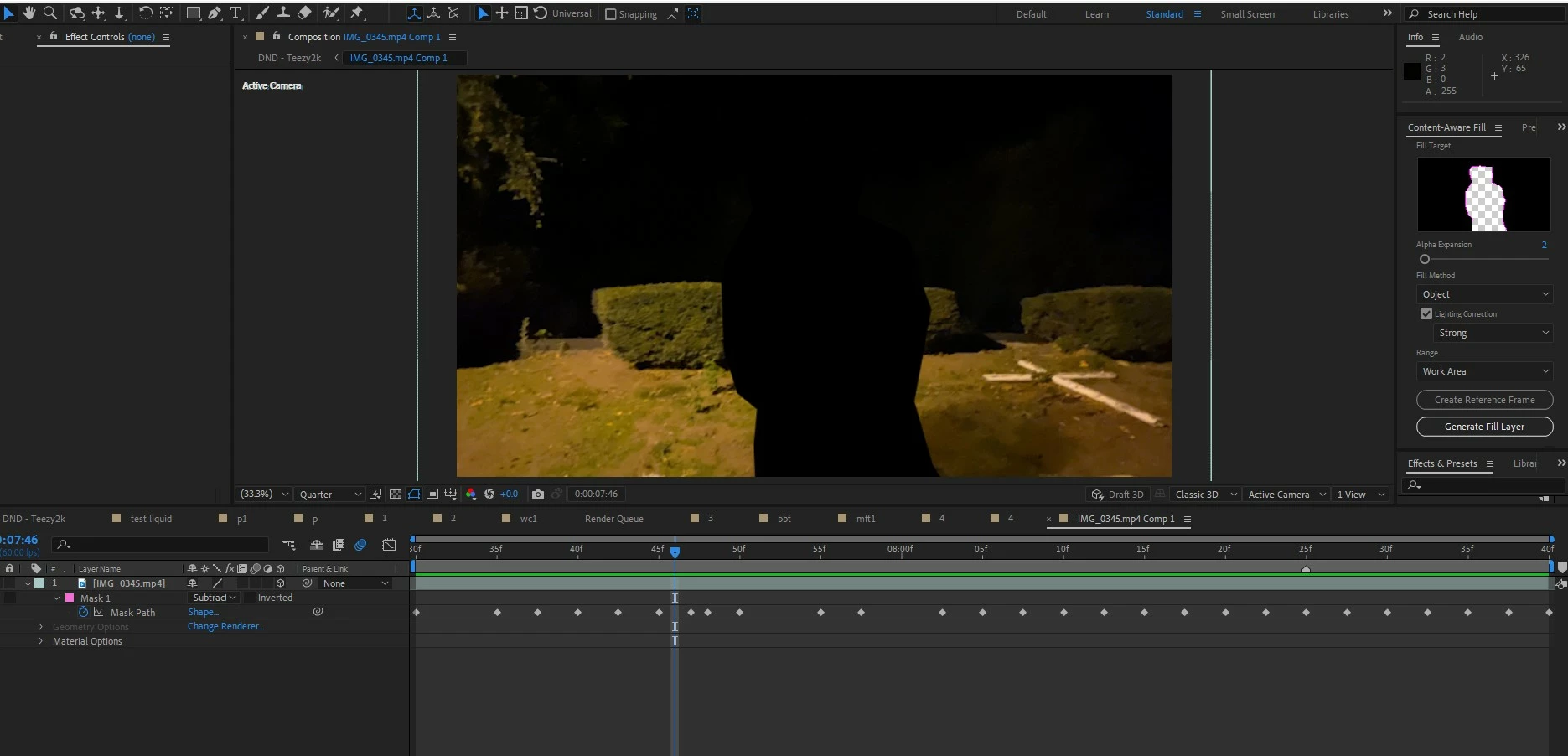
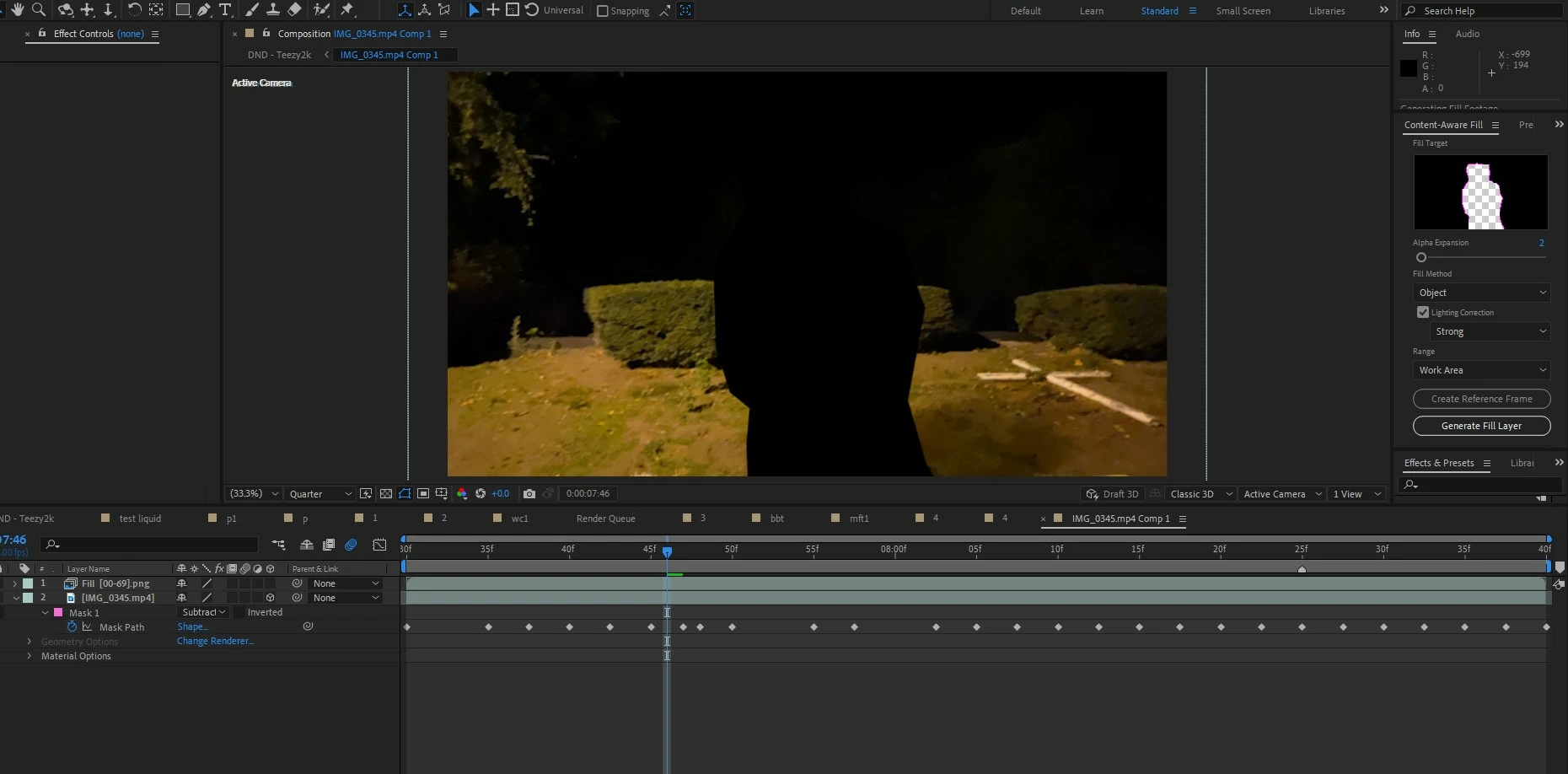
(AE 2021) trying to content aware fill a subject out of this footage but all it does id generate a fill layer that completely empty, practically useless. Ive watch many tutorials and I follow their instructions exactly yet i get the same error. I've also tried an older version of AE and it still doesn't work. I've only seen one other person online with this issue and that question is unanswered. I'd appreciate if I could get some help.


Heres some before and after images, as you can see the fill layer is there but its a png for some reason and it does absolutely nothing
 

James23194542fb9zCorrect answer
Participant
Sep 11, 2023 9:54 AM UTC

why is Content aware fill not showing in panel?


Saw this solution on Reddit for the same problem: https://imgur.com/a/vTDAXiU - Credit u/sskaz01

10 replies

Participant
May 16, 2023 9:08 PM UTC

I know I'm late but I've been having the exact same problem and don't know how to fix it: Did you get the solution to your problem?

Translate
ShiveringCactus
Community Expert
Community Expert
May 20, 2023 1:14 PM UTC
quote

I know I'm late but I've been having the exact same problem and don't know how to fix it: Did you get the solution to your problem?


By @Cesar29868449nve2

Can you post a screenshot of your workspace, it really does help identify the issues.

Translate
Participant
Aug 31, 2023 8:29 AM UTC


Translate
ShiveringCactus
Community Expert
Community Expert
Nov 17, 2021 9:58 AM UTC

It doesn't look like you've used a reference frame (apologies if you have and I'm missing it), typically with content-aware fill the more info you have give AE the better.   In this case a reference frame could be used by AE to help fill in the blank space.


Edited to say - you can then bring this into Photoshop and fill in the space, then back in AE the software can use the still as a guide (or reference)

Translate
Community Expert
Nov 17, 2021 3:18 AM UTC

That is a huge hole to fill. You are going to have to create a fill using Photoshop. Have you gone through the user guide on content-aware fill? Photoshop couldn't fill that hole automatically. There is just not enough surrounding information.

Translate
Roland Kahlenberg
Legend
Nov 16, 2021 9:08 PM UTC

Have you tried viewing the created Fill Layer in the Layer Panel? Does it look OK there? Have you checked the Fill Layer's Transform properties to ensure nothing untoward has been introduced? I just noticed your plate is a 3D layer. Is there a reason that it's a 3D layer? What happens if you set it to 2D and re-apply CAF and follow this with a Nesting routine and then turn the nested comp into a 3D layer; does this create expected results with a more refined and structured workflow?

Translate
Very Advanced After Effects Training | Adaptive & Responsive Toolkits | Intelligent Design Assets (IDAs) | MoGraph Design System DEV