kwindmiller
Inspiring
July 14, 2017
Answered

Continuously Rasterize Error

  • July 14, 2017
  • 4 replies
  • 10812 views

When I use click the Continuously Raster setting for my vector layer, my animation glitches. It only happens if I apply rotation, and it only happens if the Continuously Rasterize button is selected.

About halfway between the two keyframes, all or a portion of the vector graphic will disappear then reappear at the end keyframe.

My vectors are directly imported from Illustrator, and this animation could not be simpler — no 3D, no filter. I just want to rotate and move a small layer.

This happened suddenly. I've never had this issue before. I am using CC 2017.

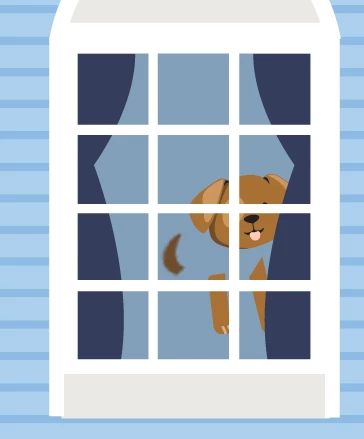
See attached images. Dog sitting by window, then dog jumping.

    This topic has been closed for replies.
    Correct answer kwindmiller

    I increased the size of the dog graphic in my Illustrator art board to be closer in size to what it is in the AE file.

    4 replies

    funny_Gazelle98C6
    Participant
    November 29, 2017

    if it's in a composition, turn off the rasterize button of the layers inside the composition, and only turn on the rasterize button of the composition. worked for me.

    Kevin J. Monahan Jr.
    Community Manager
    Community Manager
    August 2, 2017

    Hi kwindmiller,

    Are you still facing this problem? If not, let us know how you solved it. If so, please let us know so we can assist you further.

    Thanks,

    Kevin

    Kevin Monahan - Sr. Community and Engagement Strategist – Adobe Pro Video and Audio
    kwindmiller
    kwindmillerAuthorCorrect answer
    Inspiring
    August 3, 2017

    I increased the size of the dog graphic in my Illustrator art board to be closer in size to what it is in the AE file.

    Szalam
    Community Expert
    Community Expert
    July 14, 2017

    Do you have any Puppet Pins applied anywhere?

    kwindmiller
    Inspiring
    July 14, 2017

    No, it's an object that moves from left to right, rotating slightly. That's it.

    Roei Tzoref
    Legend
    July 14, 2017

    so this only happens on a collapsed precomp? is there anything applied on that precomp? narrow down you project to the most basic elements and see when it starts to break - then show it to us or possibly upload it so we can test it.

    Roei Tzoref
    Legend
    July 14, 2017
    When I use click the Continuously Raster setting for my vector layer, my animation glitches.

    any effects applied? show us your full Ae interface with timeline visible and layer selected and press UU so we can see the modified properties.

    could be a cache issue too, try edit->purge->all

    kwindmiller
    Inspiring
    July 14, 2017

    There are no effects applied, and I've purged.

    It doesn't happen within the interior comp ("OccupiedProperty"), only in the main comp ("MainHouse").