
Z_Macchiato
Participant
January 9, 2020
Answered

Convert Vertex Tool adds a shortcut

  • January 9, 2020
  • 3 replies
  • 9932 views

Hello, I would like to ask a question
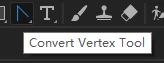
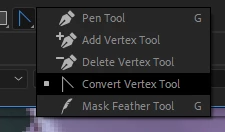
About how to add a shortcut to the Convert Vertex Tool in Ae?
Thank you!

This topic has been closed for replies.
Correct answer Rick Gerard

Select the pen tool (g) then hold down the Alt/Option key or the Ctrl/Cmnd key and you can not only access all of the Pen Tool options, but you will have the ability to draw selections around vertices, select points or handles on any visible path in the comp panel, and do just about anything you want to with the path. It makes life a lot easier. Here's my basic tutorial on creating, editing, and animating vector paths and it works with any path, even motion paths that you can see in the Comp or Layer panel. 

3 replies

georgej10572380
Participant
November 17, 2020

Has anyone found that the Alt/Ctrl functions for controlling vertexes have stopped working since the newest update? 

Community Expert
November 18, 2020

Check the Preferences/3D options. It's all in the New Features announcements. 

Veronika Yurchenko
Participating Frequently
October 7, 2020

Hello Rick, I'm a bit lost for answers, so I used to have my Covert Vertex tool work as normal before but recently it lost its little handles. I can sort of control the angle of the curve by moving the curser up and down but its doing it in a symmetrial way on both sides which isn't ideal for rotoscoping.

Any idea how can i get them back? I tried pressing Alt+Option and Ctrl +Cmnd but they haven't come back.

Thank you in advance for all your knowledge!

Veronika

P.M.B
Legend
October 7, 2020

Grab (click on) one of the tangent handles and the press and hold ALT to break the tangent.  Then you should be able to move each handle (tangent) indenpendently of the other.

~Gutterfish
P.M.B
Legend
January 9, 2020

tapping G repeatedly should cycle through all the tools in the menu.  Same is true for all the multi tool menus.  Although I see in your screenshot that only the pen a feathering tool are showing the hotkey.  Does tapping G only cycle through those two tools for you?

~Gutterfish
Z_Macchiato
Participant
January 9, 2020

Yes, when I use the G key, I only switch between pen and feather
Cannot switch to Convert Vertex Tool

Rick GerardCommunity ExpertCorrect answer
Community Expert
January 9, 2020

Select the pen tool (g) then hold down the Alt/Option key or the Ctrl/Cmnd key and you can not only access all of the Pen Tool options, but you will have the ability to draw selections around vertices, select points or handles on any visible path in the comp panel, and do just about anything you want to with the path. It makes life a lot easier. Here's my basic tutorial on creating, editing, and animating vector paths and it works with any path, even motion paths that you can see in the Comp or Layer panel.