Participant
January 14, 2021
Answered

Copy and flip an animation

  • January 14, 2021
  • 2 replies
  • 3331 views

Hello Guys!


I need your Help with an Animation i made.

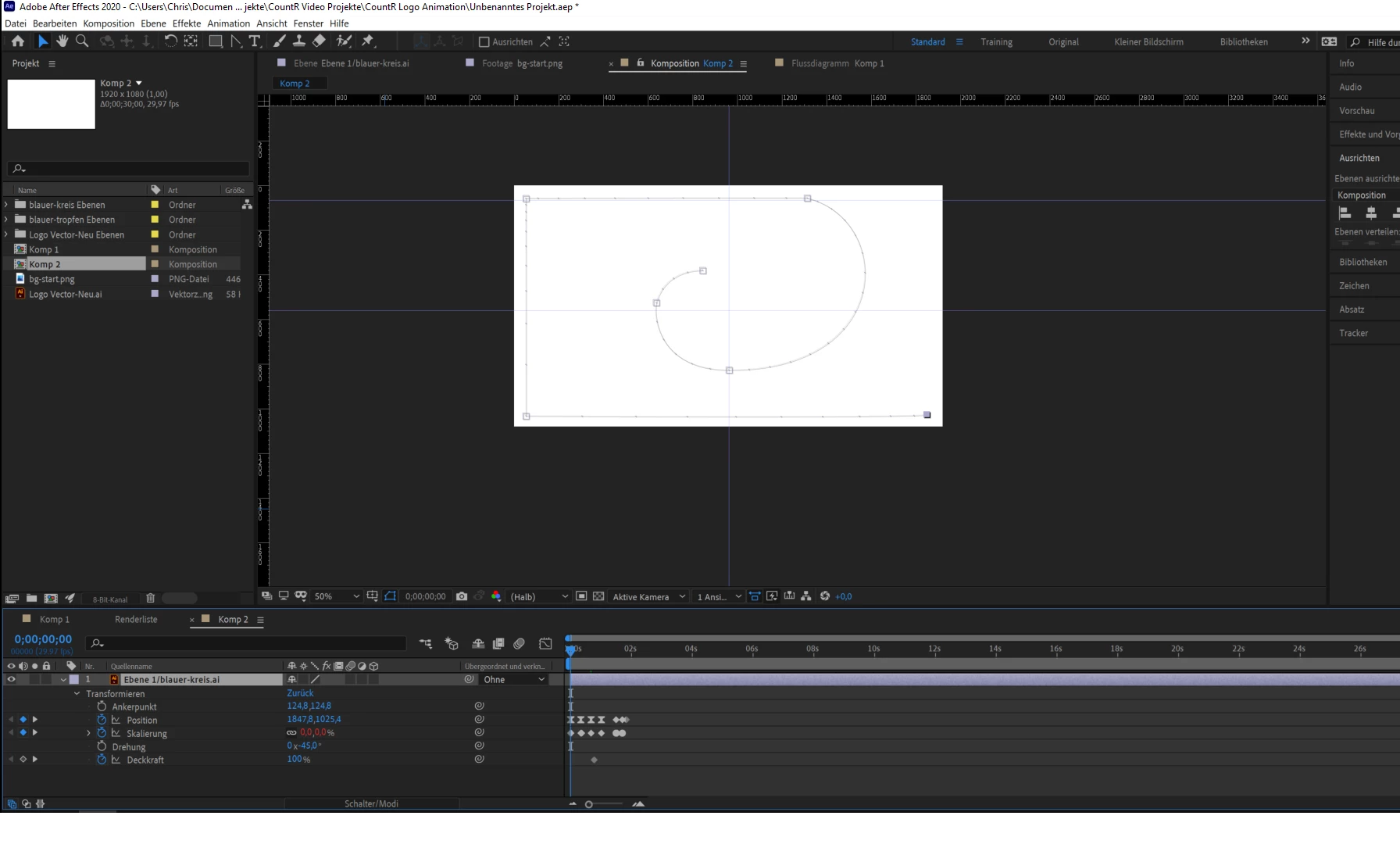
I want to copy(this is no problem 😉 ) and then flip my Animation so that i have it twice but different directions without place every transformation per hand again.

Do you know how this is possible? Anytime i'll take the transform action it only take the layer that is animated but i want the layer with all the animation on it to flip.


Hope anyone can help! 😕😕

here an Image of my Animation that i'll like to flip:
This topic has been closed for replies.
Correct answer Jose Panadero

You can Precompose this layer (Layer > Precompose and select the Move all attributes into the new comp option). Then set the horizontal scale for this precomp to -100. There is some other options but maybe this is the easiest way to do it.

2 replies

Community Expert
January 14, 2021

If I understand correctly you need to copy-paste the keyframes and then reverse those pasted keyframes in the timeline. If so: press " u" to reveal animated properties, select all the keyframes and copy (ctrl + c), move the time indicator where you want to reverse the animation and paste the keyframes (ctrl + v), then right-click on any highlighted keyframe of the pasted ones and choose: keyframe assistant > time reverse keyframes. You may need to adjust the timing of each property to achieve the desired result.
Personally, I use a free script called "Motion Tools MDS" from Motion Design School to get the exact reverse of my keyframes directly

Community Expert
January 14, 2021

Another solution is to precompose, and then simply use time remapping to reverse the direction at the desired time

Jose Panadero
Community Expert
Jose PanaderoCommunity ExpertCorrect answer
Community Expert
January 14, 2021

You can Precompose this layer (Layer > Precompose and select the Move all attributes into the new comp option). Then set the horizontal scale for this precomp to -100. There is some other options but maybe this is the easiest way to do it.

Participant
January 14, 2021

Hey Jose, thanks for your reply!

But this isnt work for me 😞 if i precompose this layer and set the scale to -100 its only chance the first animation step and not the whole animation. I dont know if my screenshoot fromt your step help to understand but here it is:


So maybe you can tell me another solution? that would be very nice!

Participant
January 14, 2021

*change not chance xD