


Known Participant
July 27, 2021
Question

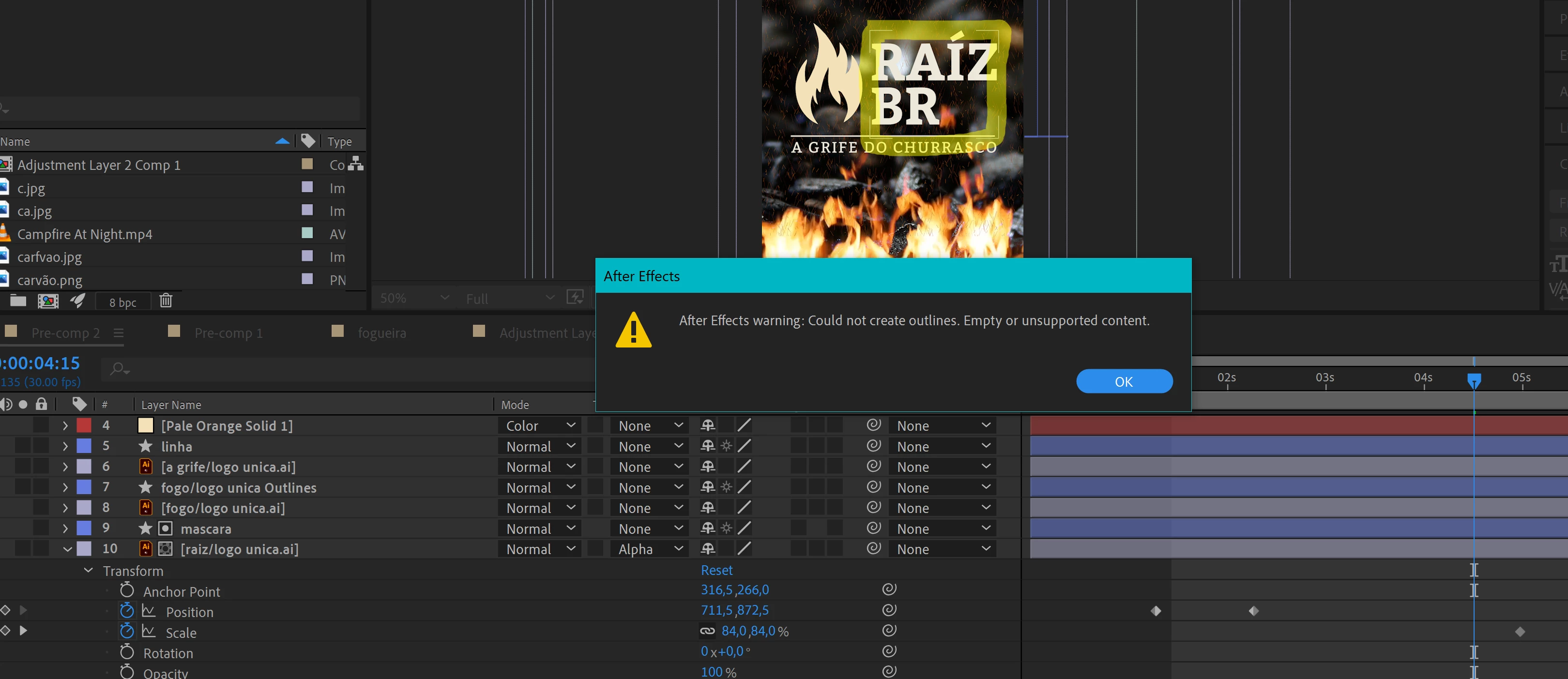
Could not create Outlines: empty or unsupported content

  • July 27, 2021
  • 5 replies
  • 12840 views

Hi  everyone! I click on Create Shapes From Vector Layer but this appears and I dont know why, there is no effects other than position and scale in the layer. If anyone could tell me other option that would be how to create a clipping mask in that pale orange solid 1 color for that one vector I would appreciate! (Because the solid color in color mode changes everithing and i just wanted to change the logo collor)
5 replies

Participant
September 23, 2023

Mylenium
Legend
July 28, 2021

Your text is paragraph text, which won't convert to outlines. You have to use regular line text.


Mylenium

ShiveringCactus
Community Expert
Community Expert
July 28, 2021

Looking at what you're trying to achieve, would it not be simplest to draw a rectangular mask to the layer to isolate the text.

Duplicate this layer and set this layer's mask to subtract.

This would split the logo into the icon and text and allow you to colour the text like you want.

Leticia22Author
Known Participant
July 28, 2021

Hi! Thanks for answering!

I already have the logo splitted, and i could create a shape layer from the fire and chage its color, but could not do the same with the ´´raiz br´´, any other way i could color a illustrator file without tutning into a shape?? (Trying with solid color in color mode but coudn´t find a way to do it like clipping mask)
Thank u again : )

Mylenium
Legend
July 28, 2021

Agree with Rick. You need to go back to Illustrator. Chances are your artwork is grouped oddly or has some appearance stuff that AE is not able to re-create when converting, which pretty much is anything otehr than basic fills, strokes and compound paths. anythine else, from gradients to knockout groups to using drop shadows may prevent conversion as even in AI those effects are ultimately rasterized into pixels.


Mylenium

Leticia22Author
Known Participant
July 28, 2021

Thats my AI, i coudn´t figure it out what the problem was but i will just change the color here anyway! Thank you Rick and Mylenium


Community Expert
July 28, 2021

You have to check your AI file. Raster effects prevent vectors from being created in After Effects. As far as I know, there is no bug. Your AI file probably was not properly prepared. To prepare an AI object for conversion to a shape layer it needs to be on a separate layer, have no gradient fills or brush strokes, have no raster effects like drop shadow, and not have clipping paths or embedded images. You should also have 'snap to pixel' turned on and pixel preview to check the edges are lined up with the pixel grid. 


Why are you converting the vector layer to a shape layer? The only reason to do so is to animate the actual vector path or the fill, or the gradients and AI gradients will not be converted. You end up with a gray layer, to use shape layer animators, or to use the C4D rendering engine to extrude the layer. 

Leticia22Author
Known Participant
July 28, 2021


Thats my AI, i coudn´t figure it out what the problem was but i will just change the color here anyway! Thank you Rick and Mylenium