
Participant
March 6, 2020
Question

Couldnt control effect parameter with expression and sliders, and it locks to 0 or 100 value
  • March 6, 2020
  • 1 reply
  • 765 views

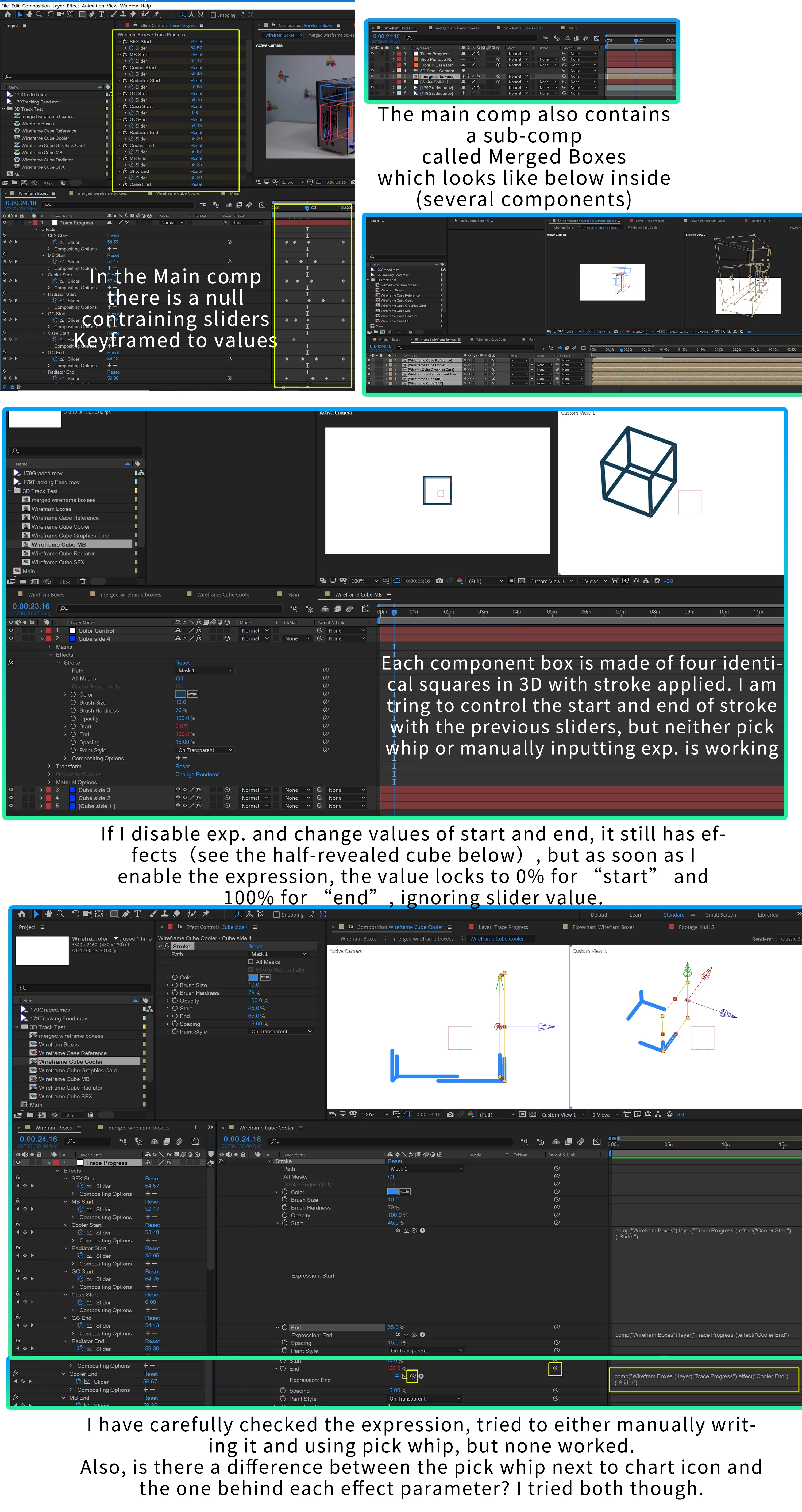
the detailed description and screenshot is attached above. Basically I couldnt control the parameter with the slider linked to it, no matter how I linked it (I tride writing the expression, using pick whip tool). I also check spelling (the "boxees" typo was identical when referenced). I also tried to reset almost everything (deleting keyframes and parenting relationships), but I just could'n let the sliders control this specific parameter of stroke start/end.


I'm new to this community so my apoligies if anything is not conforming to the courtesy here. Genuine thanks to anyone helping, as this error has driven me soooo crazy for its seeming simpliness and difficulty to troubleshoot.

This topic has been closed for replies.

1 reply

Dan Ebberts
Community Expert
Community Expert
March 6, 2020

It's hard to tell from your screenshots, but if your precomp doesn't start at time = 0 in the main comp, your expression will have to compensate for the offset startTime. What expression are you using?


Dan

Participant
March 6, 2020

Thank you for your reply! The expression is the one generated when you link certain parameter to another layer as parent or to a expression control, like this one in Slider. I used the same kind several times, and here is an example of it:


thisComp.layer("Cube side 3").effect("Stroke")("End")


Because there is no time settings inside the expression, may I assume that you are suggesting that at the keyframes I set were not aligned right? But if I go back to the main comp and place the time indicator at the section where keyframes are, the stroke effect is still not controlled by the value of slider keyframes.


May I know how the timeline "inside" precomps are aligned with the mina comp? I thought the position of time indicator inside any comp would be corressponding to the point in time when that position (frame) of the precomp is shown in the main comp.

Dan Ebberts
Community Expert
Community Expert
March 6, 2020

The situation I'm talking about is where you have an expression in a nested precomp that refers to a control in the main comp (which doesn't appear to be what you're dealing with, based on your example expression). In that case though, if your precomp layer in the main comp has been moved in the main comp's time line so that it doesn't start at time 0, the times won't match up so you need to adjust the expression in the precomp from something like this:


comp("main comp").layer("controls").effect("Slider Control")("Slider");


to something like this:


C = comp("main comp");
ctrl = C.layer("controls").effect("Slider Control")("Slider");
L = C.layer(thisComp.name);
ctrl.valueAtTime(time + L.startTime)


Dan