
Participant
January 24, 2019
Question

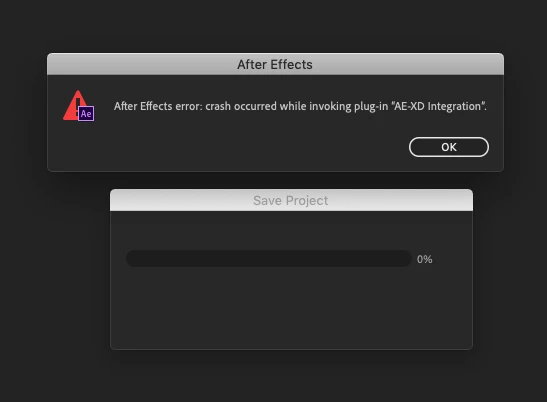
Crash occurred while invoking plug-in "AE-XD Integration".

  • January 24, 2019
  • 13 replies
  • 8969 views

Hi.

I get the following error each time I try to save, or AE tries to auto-save my project.

It happens after I have imported stuff from Adobe XD using the Import -> After Effects function in XD and then saves the AE file.

After Effects error: crash occurred while invoking plug-in "AE-XD Integration".

Is there a fix for this issue?

I'm running Xd: 14.0.42.14 and AE: 16.0.1
13 replies

Participant
March 4, 2019

I have the same problem. It's very frustrating! I think it occurs when XD assets include images. On save, AE moves these files out of temp storage and into the path of the AE project, I think this might be triggering the error. Workaround is to save the AE project as soon as the XD assets are loaded. Then it seems to be okay from then on.

MacOS 10.13.6

AE 16.0.1

XD 16.0.2.8

Participant
February 9, 2019

I had this same problem this morning... even when simply trying to open AE from scratch (as opposed to an already created file)... then I wondered if I should just reinstall it, and when I went to Creative Cloud it had been stalled in the middle of an Update... when I refreshed the update and it finished doing its thing I no longer get the error.

Mylenium
Legend
January 24, 2019

You need to be a lot more specific and explain what features and functions you are actually using in your XD project. Such crashes typically indicate that you already went to far ahead and created a specific structure that heavily relies on states and script functions that AE can't simulate, anyway. Similarly, odd cyclic loops with embedded Photoshop Smart objects or simply too large a canvas can crash AE easily. in any case, a lot more info is required.

Mylenium