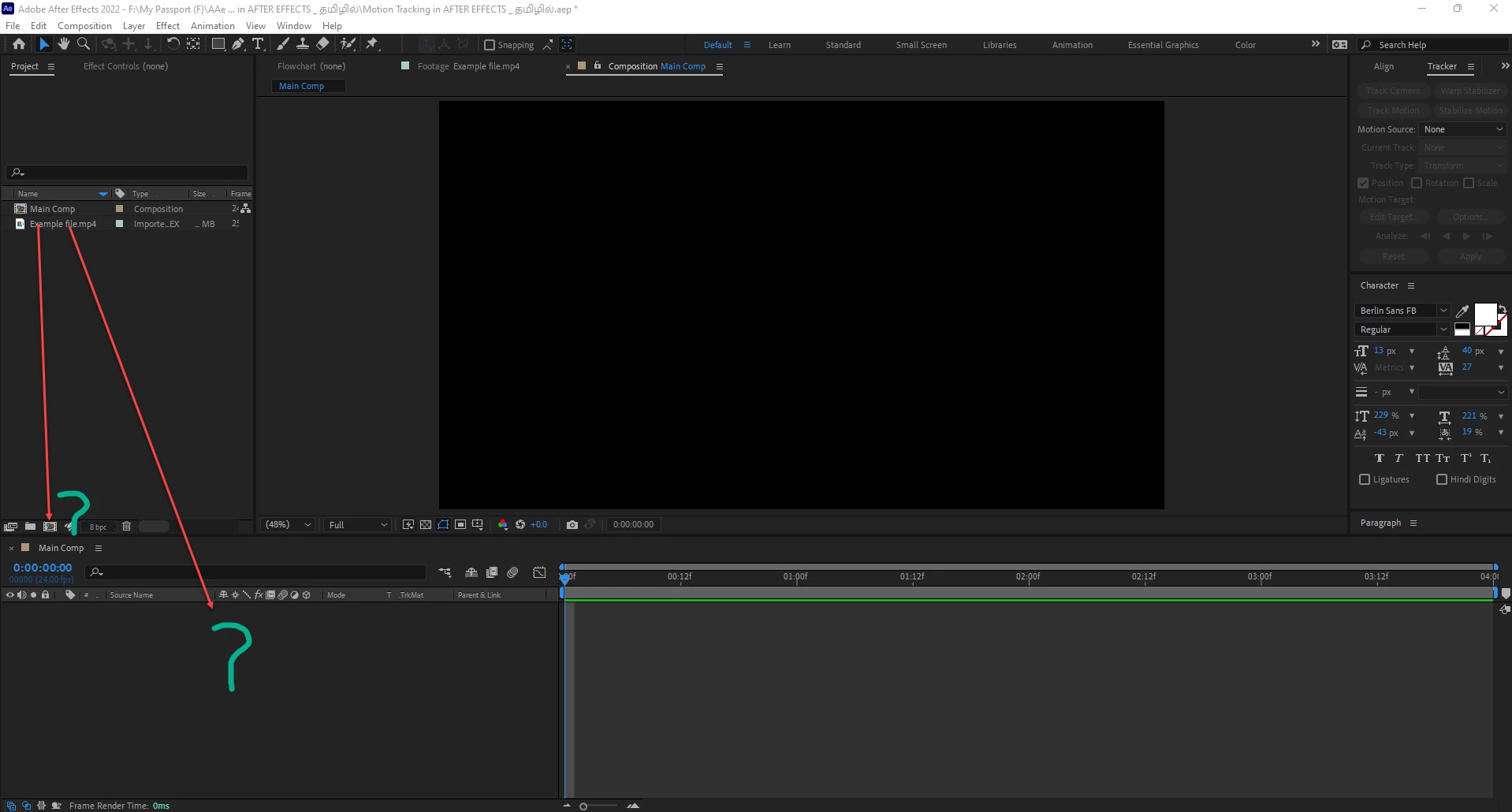
Dragging a video onto the New Comp button creates a new Composition that matches the settings (dimensions, frame rate, duration, etc.) of the video clip. Any settings the footage doesn't have is inherited from the last comp settings you created or edited. This is true if you drag an audio or image file onto this button as well.
Dragging a file into the empty timeline panel or right–clicking a file in the Project panel and choosing New Comp from Selection will have the same result.
Dragging a video into an existing comp will simply add that video as a new layer in the composition. None of the comp settings would change.


 AdChoices