

Answered
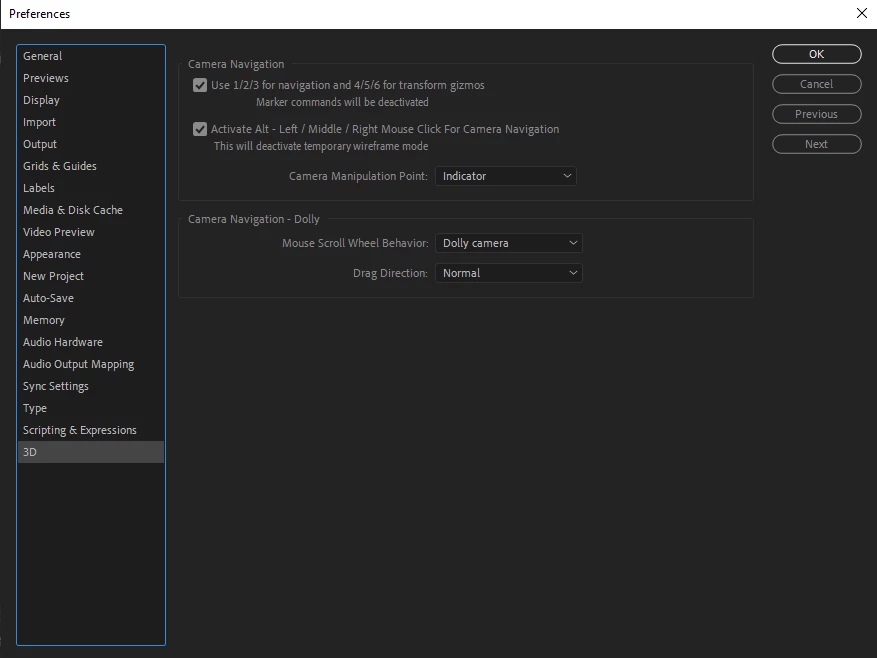
Create composition markers not working after update
I can't use shortcuts to create composition markers after update program
Shift + a number key (0-9) not working.
Please help me

I can't use shortcuts to create composition markers after update program
Shift + a number key (0-9) not working.
Please help me
Already have an account? Login
Enter your E-mail address. We'll send you an e-mail with instructions to reset your password.

 AdChoices