
Create Shape From Vector Layers creates extra GROUPS and MERGE PATHS
Hi, there!
Here's the thing. When I convert Illustrator layers to vector shapes, most of the times it generates a group (called "Group 1" as his parent) and a Merge Paths. One of the paths from this group has a square sized as the original Artboard.
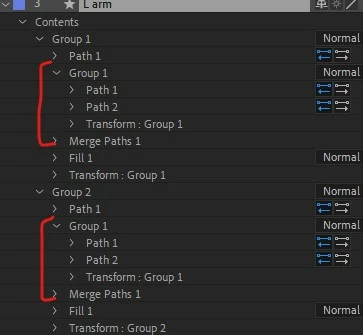
This is really awkward because not only I have more unnecessary paths and groups but also becomes more difficult to animate since I have several squares for each character's layer.
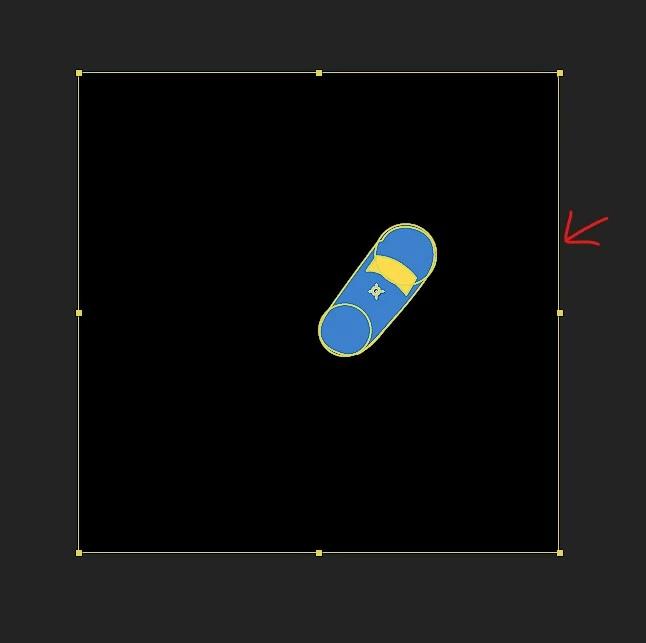
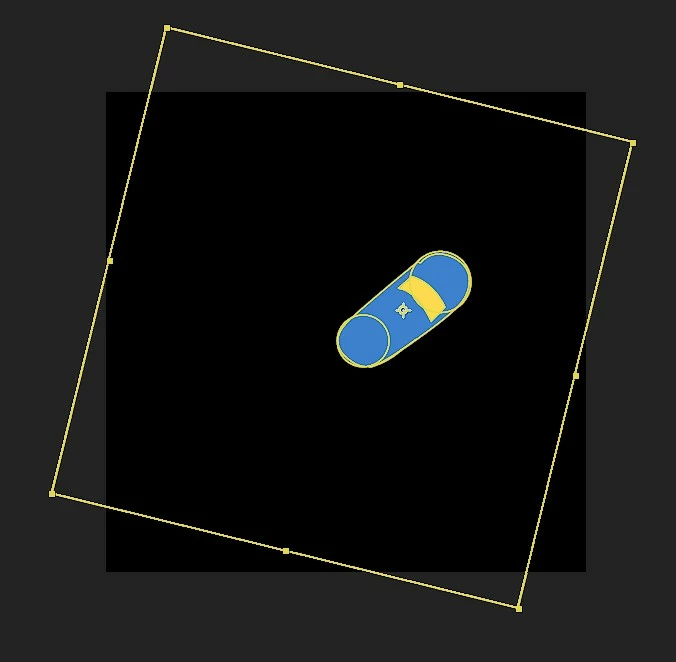
So, from there, there's a "solution":
• Using the search bar and typing "group".
• Select one by one the extra groups and delete them.
• Using the search bar and typing "merge".
• Select one by one the Merge Paths and delete them (this last one maybe is not neccesary but if I don't delete them there are remains of junk things in every layer).
So I work in projects with 30 characters. Each one have 20 to 25 layers. Each layer creates 2 to 10 "Group 1". Let's make the math. This takes me a lot of time and frustration!
I believe this is a kind of bug here. Anyways, I hope there's a definitive solution for this!
Thank you in advance!


 AdChoices