ThordTokle
Participant
January 24, 2018
Answered

Create Shapes from Vector Layer ERROR

  • January 24, 2018
  • 2 replies
  • 10512 views

Hi!

I have been tasked to try and learn After Effects and make a moving illustration of a saxophonist.

I have not tried AE before, and I am trying to follow tutorials, but it gets really hard to proceed when I stumble at the very first thing I need to do!

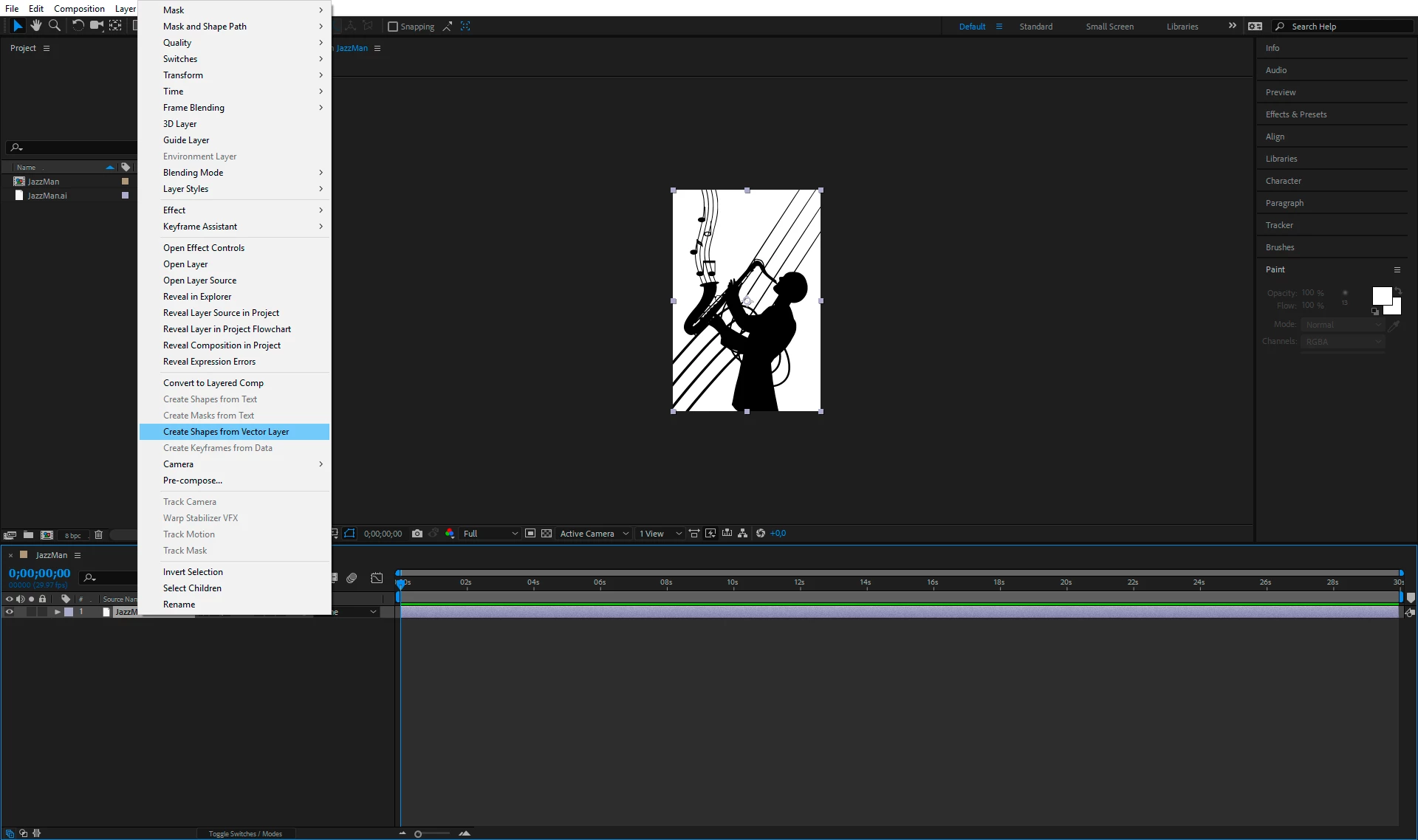
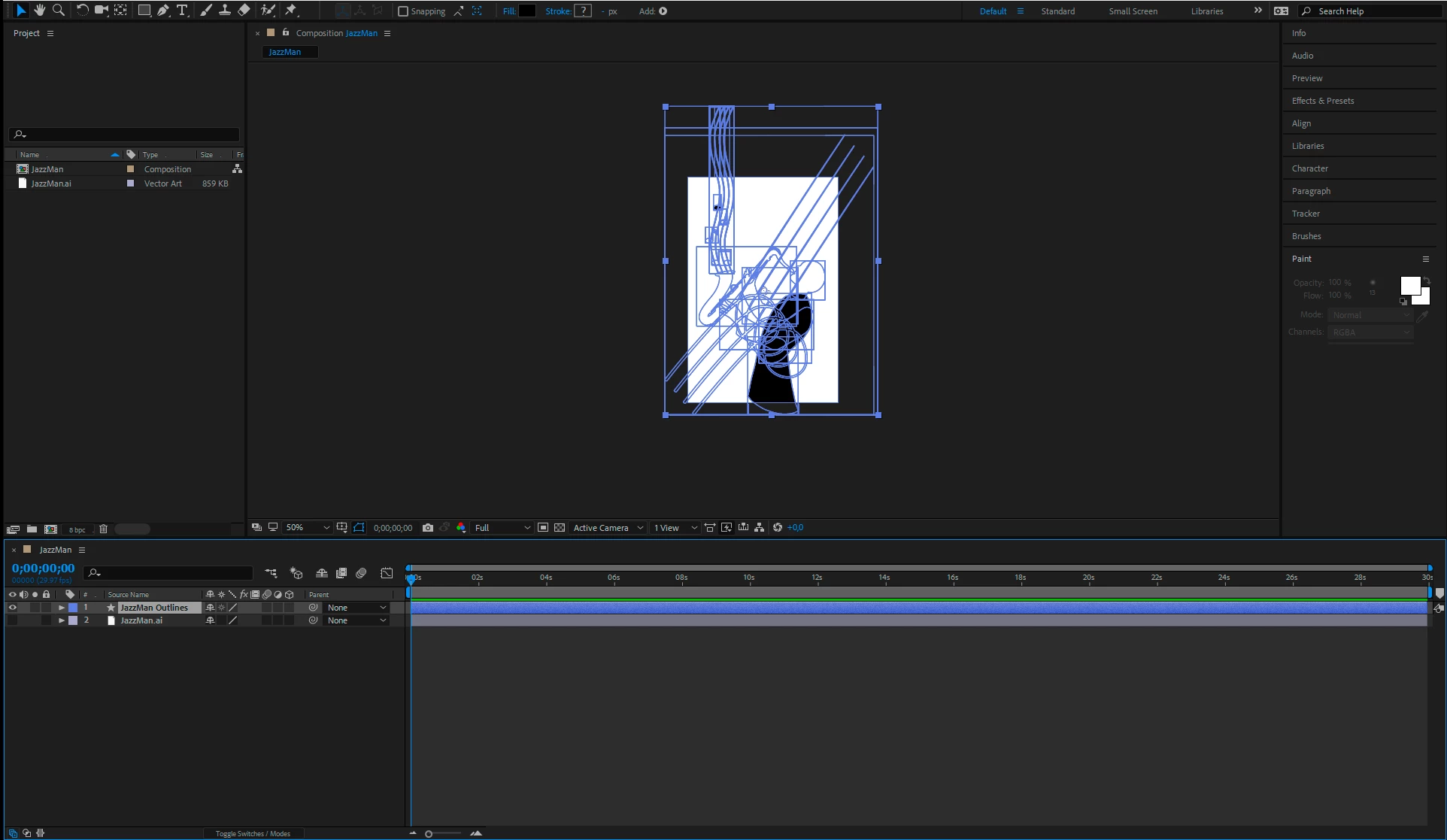
:Create Shapes from Vector Layer > And then a select few shapes goes invisible! They are not white, I've checked.

Why does this happen? The very first time I did it, it worked, but the size of everything was wrong so I changed it in Illustrator and started over again in AE, but now with this problem. What in the world is going on here?
This topic has been closed for replies.
Correct answer Jose Panadero

This happens when some paths are masked in Illustrator. If you dive down into your shape Layer, you will see that some of your paths are grouped and combined into other groups using the Merge Paths operator. You must isolate your paths out of this groups to get the desired results.

2 replies

Jose Panadero
Community Expert
Jose PanaderoCommunity ExpertCorrect answer
Community Expert
January 24, 2018

This happens when some paths are masked in Illustrator. If you dive down into your shape Layer, you will see that some of your paths are grouped and combined into other groups using the Merge Paths operator. You must isolate your paths out of this groups to get the desired results.

ThordTokle
Participant
January 24, 2018

Thanks! I got it now!

Yeah things were grouped and stuff, a mess really, haha.

Thanks!

Mylenium
Legend
January 24, 2018

Unlike artwork in AI, shape layers no nothing about compound paths or automated fill rules. Hence all paths must actualyl be closed areas, the shape layer group hierarchy possibly be reordered and e.g. Merge Paths operators be inserted to create cutouts and other stuff. You are simply working with two completely infrastructures and the more complex the artwork, the less likely it is that the automatic conversion will produce a visually identical result. as explained, it can all be fixed, you just have to put in extra work.

Mylenium

ThordTokle
Participant
January 24, 2018

Just to clearify:

My illustrations most likely have open paths which end up as shapes that are not filled and therefore rendered "invisible" in AE?