
Creating a 3D Map with PNG clipart. But 3D CAMERA is not affecting the layer I want.
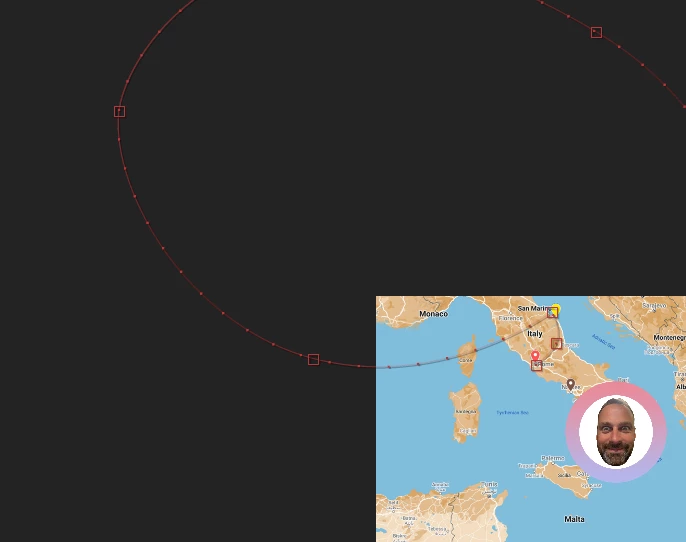
So I am trying to create a moving airplane on world map on AE and add some extra clipart on top of that that move differently.
My steps so far to do that:
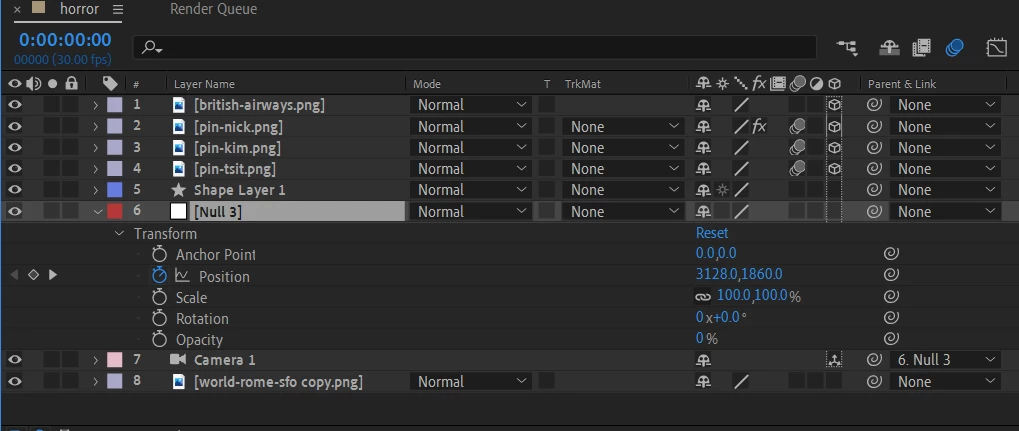
1) I created a PNG worldmap file and 4 PNG cliparts
2) I created a shape layer with PEN TOOL (because I wanted the moving dashes)
3) I copied the POSITION of the shape layer to the BRITISH_AIRWAYS_PNG - (it is following the path)
4) I wanted the camera to follow that path so I added 1 NULL object, 1 Camera and I checked the 3D icon on every object.
5) I copied the POSITION of the shape layer of the PEN TOOL (step 2) and pasted it on the NULL OBJECT
6) I linked the CAMERA to have NULL OBJECT as parent link.
7) I am trying to change the properties of the NULL OBJECT but ALL other PNG's are moving except the WORLD MAP.PNG which I want to be affected by the camera.
What I am doing wrong?
 AdChoices