
Participant
June 8, 2022
Question

Creating a mask from colors on another layer

  • June 8, 2022
  • 2 replies
  • 200 views

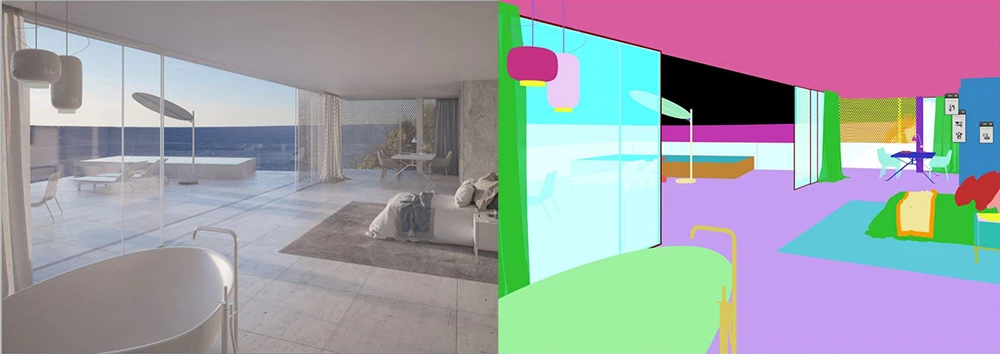
I have a rendered video with different areas like sky and water color blocked and want to select those colors so I can mask out and change the brightness of those specific areas on a non color blocked render. I do this all the time in photoshop with still renders so I was hoping there would be a way with After Effects. I am working with something like this for example. 
This topic has been closed for replies.

2 replies

Community Expert
June 8, 2022

I'm not so clear on what you need to do but you could use solids and then apply Masks to them, or directly use Shape Layers to do something similar to what you're showing.

Byron.
Mylenium
Legend
June 8, 2022

You do not select anything, you manipulate the channels to generate a matte using effects like Shift Channels, Channel Combiner and so on. It's called an RGB Matte and by extension applies to object IDs, surface IDs or Cryptmattes. Based on these few keywords you can easily look up a bunch of tutorials that explain the workflows and processes.


Mylenium