
Creating a VR rig in Cinema 4D lite, Green Output Issue
Hi,
I'm trying to create 360 VR video using Cinema 4D lite, Mettle Skybox and Cineware and have hit some issues with the render output form Cinema 4D lite. I created a rig in Cinema 4D lite that replicates that of Mettle Skybox, 6 cameras that are at 90 degrees to each other with 90 degree FOV, creating a front, right, back, left, top and bottom camera angle.
Camera Rig
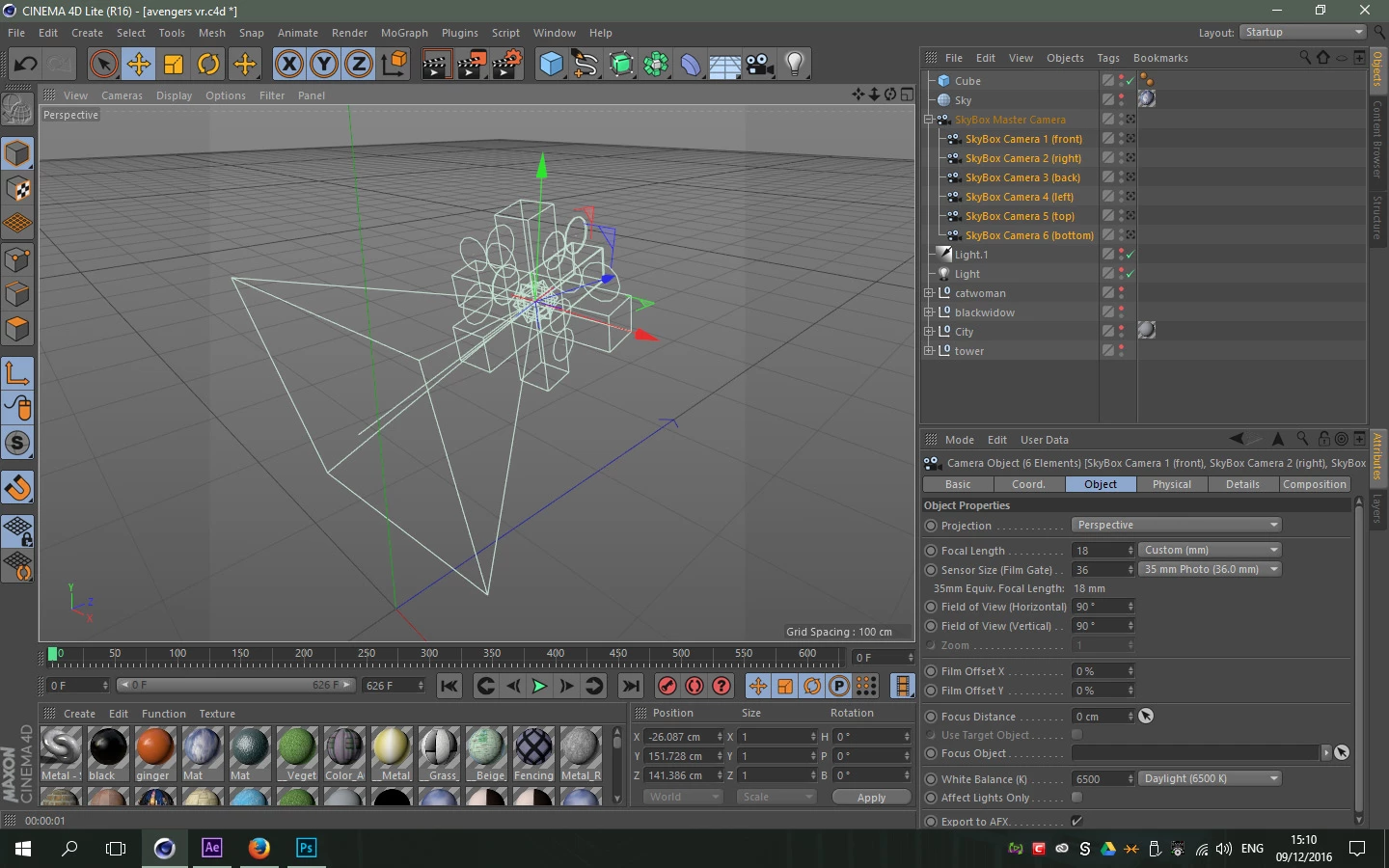
These cameras a then wrapped into equirectangular video using Mettle Skybox in After Effects and Cineware to bring in the different camera angles, and this works great! However two of the camera views (top and back) render with a green tint.
Output from AE
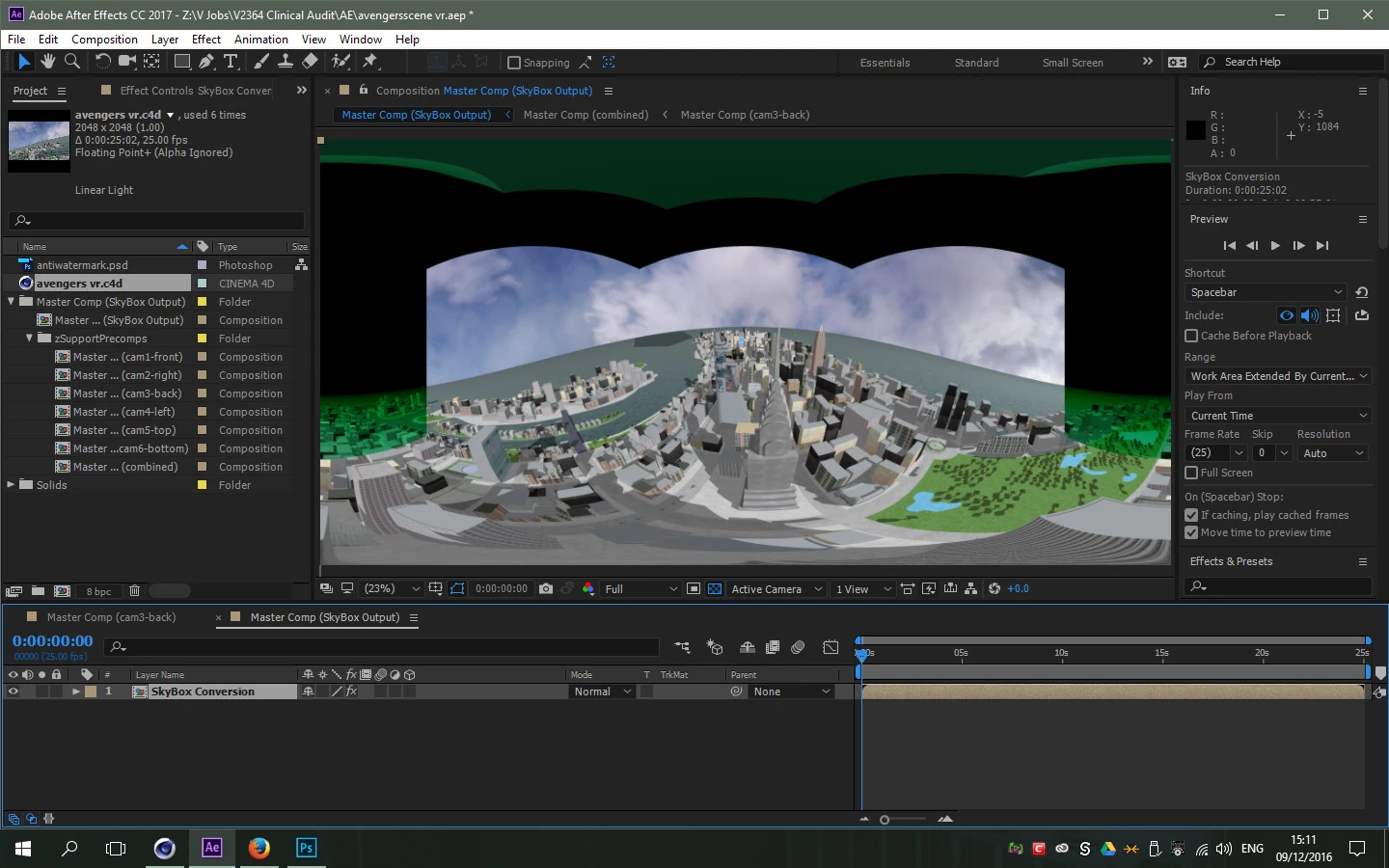
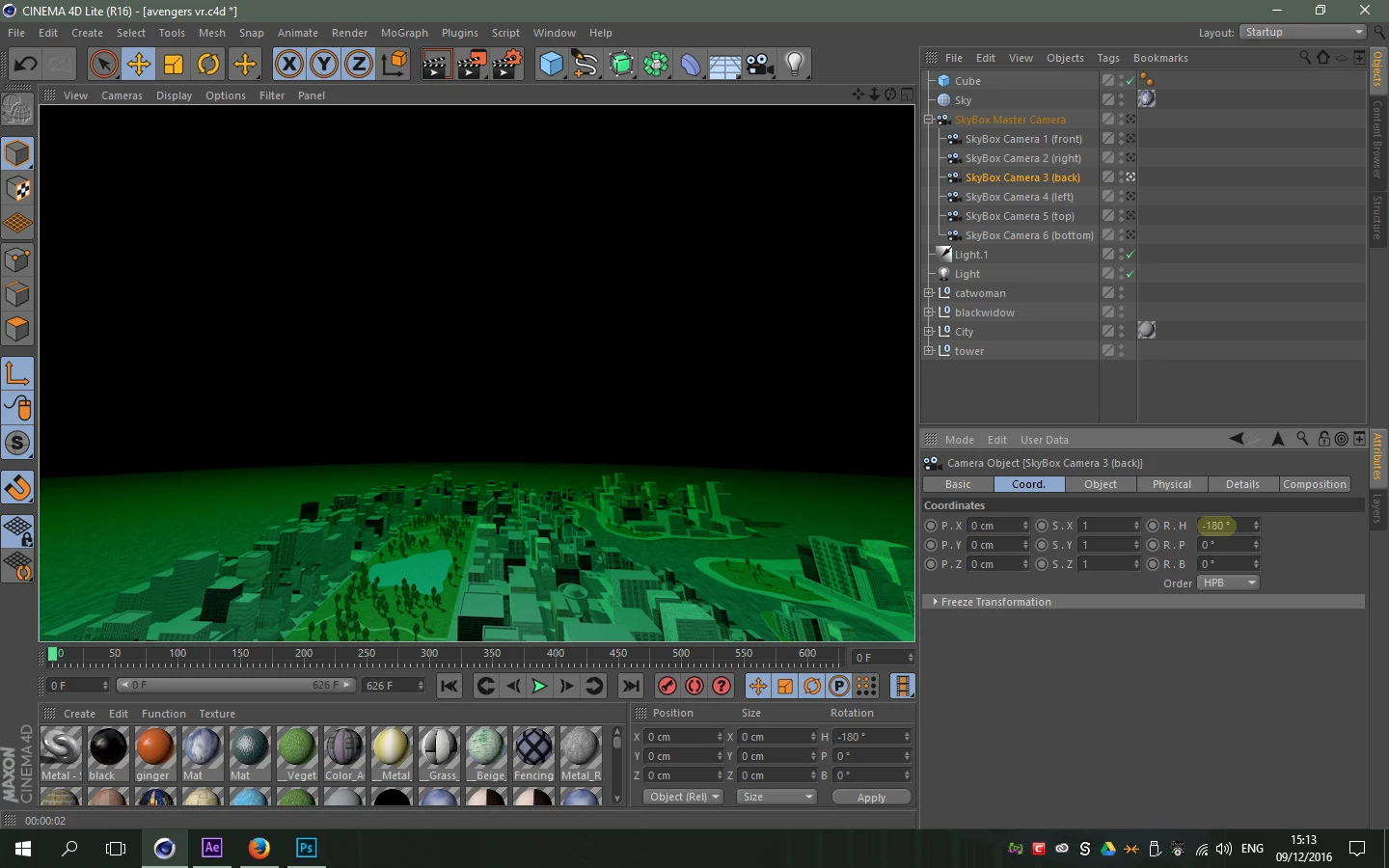
The green tint seems to come from Cinema 4D lite and I think is related to the cameras being placed at the same co-ordinates but rotated 180 degrees to each other
Render in C4D lite
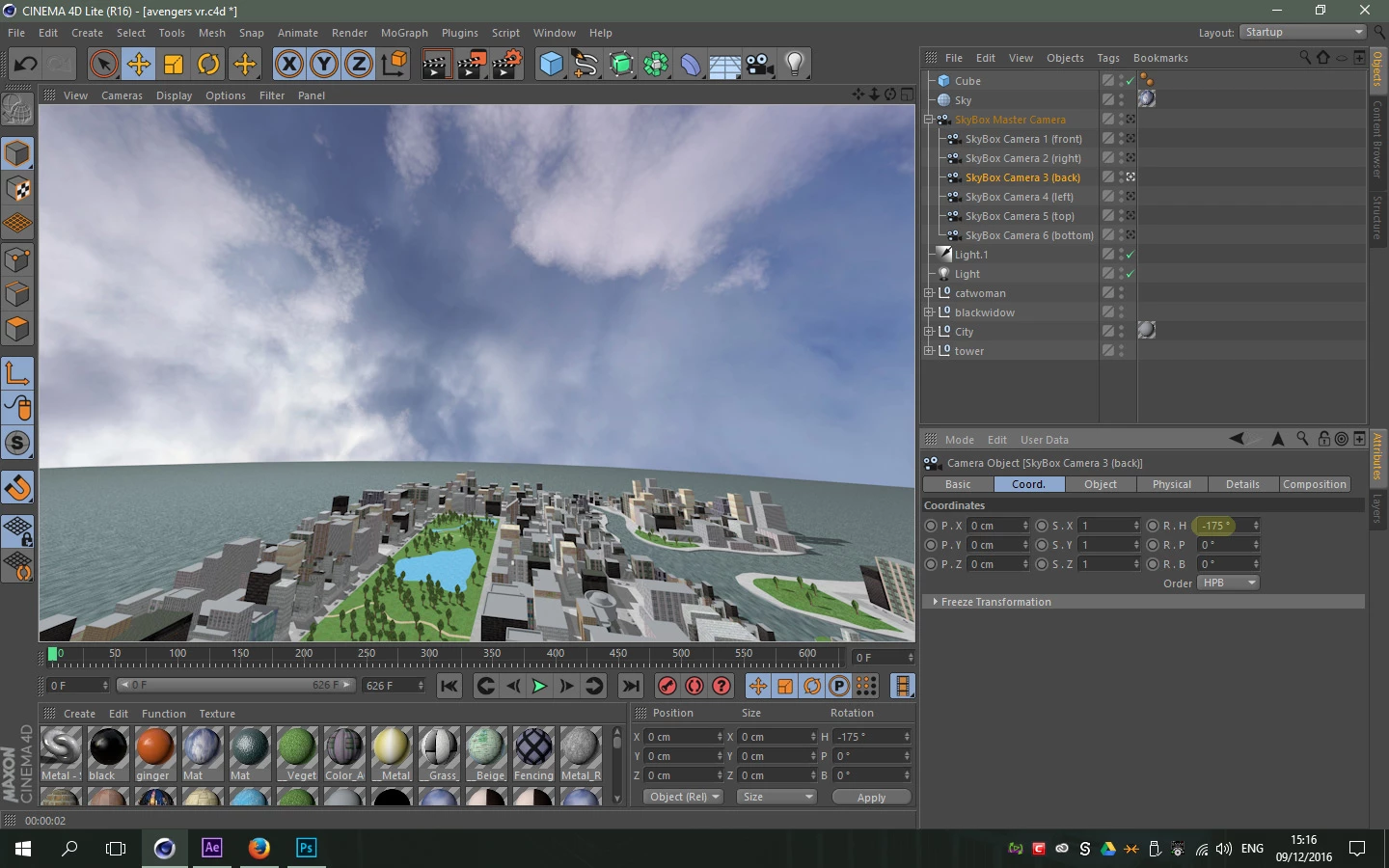
If the camera is moved from 180 degree rotation it renders fine, but obviously the final wrapped 360 video will be incorrect.
Render in C4D lite
 I have tried removing cameras and unparenting them to see if this was causing the issue but it seems to be the same. It seems to be related to the 180 orientation. I think this could be a really useful workflow for other people if this problem could be resolved.
Any ideas anyone?
Aaron
 AdChoices