


Participating Frequently
Jan 2, 2024 11:13 AM UTC
Answered

Cryptomatte is a missing effect

Hi !

So I just added a cryptomatte effect to an EXR Image sequence, then my AE Crashed. Business as usual, but when I opened it back, it said the Crytpomatte effect was missing, just as on the screen.
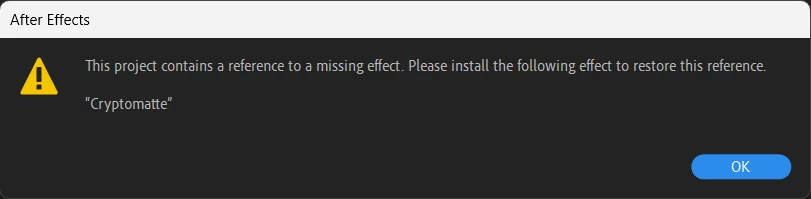
I can't add it anymore, and it's obvioulsy not working, even on my already applied effects.

In the effect manager it's not showing. I closed AE, uninstalled, reinstalled, unistalled Pro EXR 2, installed again. It changes nothing it's missing.

Did it happen to anybody before ?

This topic is closed to new replies. Start a new post to keep the conversation going.
nishu_kush
nishu_kushCorrect answer
Legend
Jan 2, 2024 12:54 PM UTC

Thanks for writing in, Nixclaw.


Try this, go to Effects Manager, uncheck "Only Show Third-Party Effects" and search for the Cryptomatte. Make sure it's checked.

Let us know if that helps.

Note: Moving this thread from Bugs to Discussions for troubleshooting.


Thanks,

Nishu

3 replies

nishu_kush
nishu_kushCorrect answer
Legend
Jan 2, 2024 12:54 PM UTC

Thanks for writing in, Nixclaw.


Try this, go to Effects Manager, uncheck "Only Show Third-Party Effects" and search for the Cryptomatte. Make sure it's checked.

Let us know if that helps.

Note: Moving this thread from Bugs to Discussions for troubleshooting.


Thanks,

Nishu

Translate
NixclawAuthor
Participating Frequently
Jan 2, 2024 2:07 PM UTC

Thank you !

I thought it was a third party effect, everything's been solved.

Translate