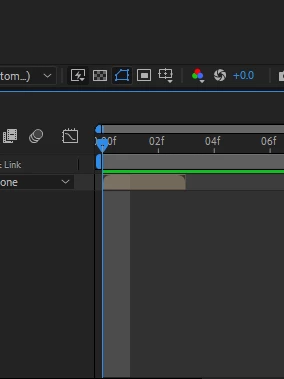
You have zoomed in on the timeline far enough to highlight the current frame in the comp. If Motion Blur is turned on in the timeline, the highlighted area will show you the shutter angle in the Advanced tab of the Composition Settings.
If you move the CTI to the second frame with Motion Blur turned on in the timeline, and the light gray area covers the last quarter and the first quarter of the second frame, the comp Shutter Angle is set to the default 180º and the Shutter Phase to -90. This closely mimics the motion blur with a standard motion picture camera. If the highlight starts at the left edge of the CTI and extends to half of the frame, then the Comp Shutter Angle is 90º, and the Offset is 0º. If the highlight covers the full frame, then the Angle is 360º, the Offset is 0º, or Motion Blur is turned off in the timeline.
This tool is handy for matching motion blur and motion blur timing to video footage. I use it quite often.
You are zooming in a lot on the timeline so you can see individual frames, the shaded area in the timeline, that is besides the current time indicator, marks the whole frame that you see in the composition view. If you don't like to see this shaded area you can zoom out a little bit and it will be less prominent.



 AdChoices