
Known Participant
September 6, 2023
Answered

Customize 3D Extrusion

  • September 6, 2023
  • 2 replies
  • 698 views

Hi everyone! 

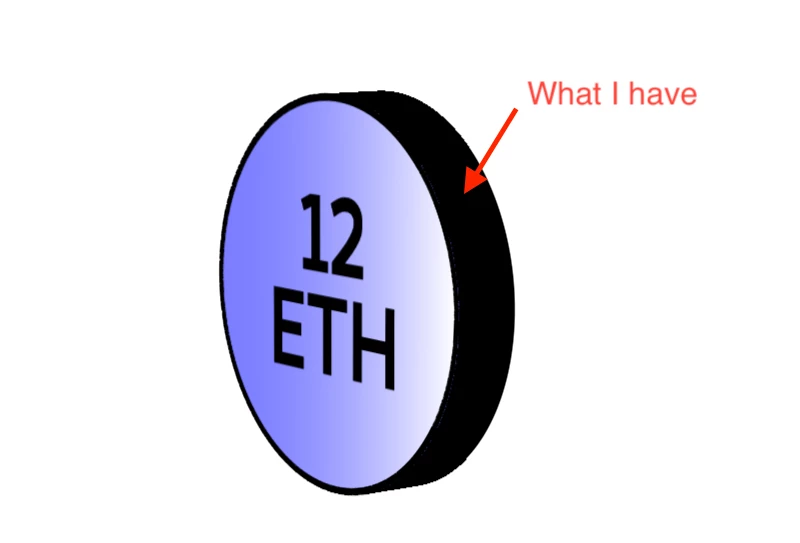
I have a quick question about changing the look of an extrusion on a 3D shape layer. I have a 3D extruded circle and want to change the sides of it so they are not filled in only one color. 

I now have a 3D extruded circle with sides filled in black. I would like the sides having some lines but I don't know how to add them. Here are some pictures to better understand my simple but unsolved problem: 


Thanks for your help! 
This topic has been closed for replies.
Correct answer Rick Gerard

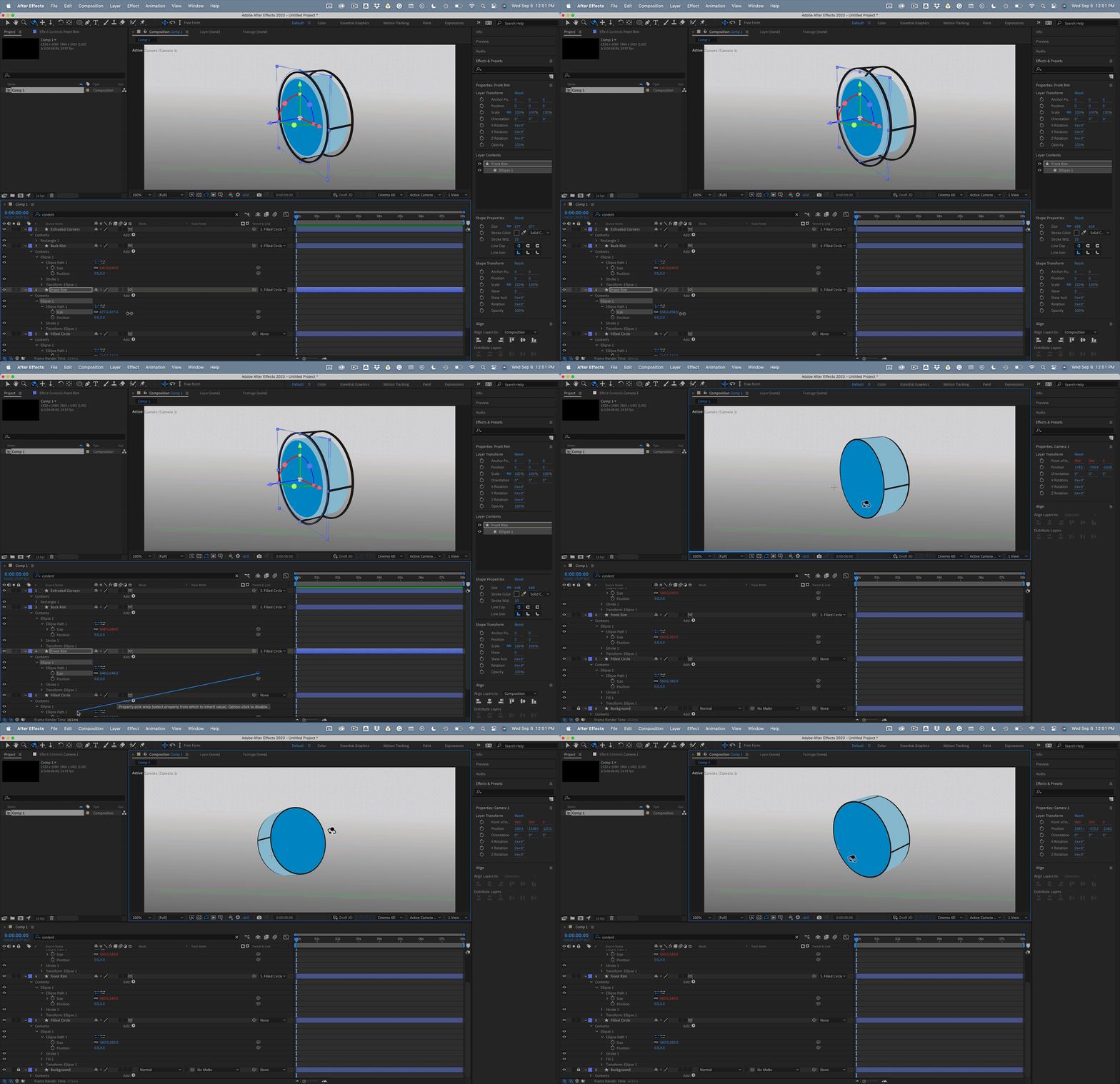
You need multiple shape layers. One for the main circle extrusion, one for the front and back rim, and one for the spokes (the black lines every 90º).  If you tie the layers together with expressions and parent all the layers to the filled circle, you can get the extruded cylinder to work properly. A small rectangle with the Position offset by the radius of the filled circle and a repeater set to 4 copies and 90º will give you the spokes. 


The whole thing would look something like this:

I have attached an AEP file for build 22 for you to look at. There are too many expressions for me to post them here.


2 replies

Todd_Morgan
Legend
September 7, 2023

NO need for expressions - Cinema4D renderer if that works - see attached. The spokes are extruded path vertices. All shape layers are parented to a null.

Community Expert
September 7, 2023

The expressions were added so you could change the original shape any way you wanted. I don't like to build something that is complicated that I can't edit later with a couple of clicks. The expressions were almost all created with just a pickwhip.

Rick GerardCommunity ExpertCorrect answer
Community Expert
September 6, 2023

You need multiple shape layers. One for the main circle extrusion, one for the front and back rim, and one for the spokes (the black lines every 90º).  If you tie the layers together with expressions and parent all the layers to the filled circle, you can get the extruded cylinder to work properly. A small rectangle with the Position offset by the radius of the filled circle and a repeater set to 4 copies and 90º will give you the spokes. 


The whole thing would look something like this:

I have attached an AEP file for build 22 for you to look at. There are too many expressions for me to post them here.


Known Participant
September 9, 2023

Thanks for your amazing answer! I played with your file to figure out what you did, I am analyzing each layer to reproduce it myself, thanks again!