Inspiring
July 26, 2024
Question

Darkening and Bulge effect question

  • July 26, 2024
  • 2 replies
  • 279 views

Hi, I'm looking to create two effects, however, I couldn't find it anywhere. 

I want to achieve the effect of darkening a specific area. Particularly clothes in the rain, where I want to edit how the raindrops are absorbed in individual places.


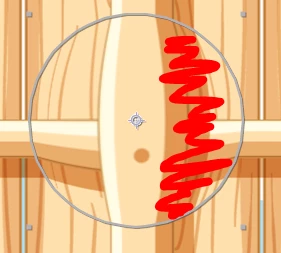
Also I would like to ask, how to edit a bulge effect in a way, where the center of the effect stay in place, but it will affect the layer only in specific direction


Example:
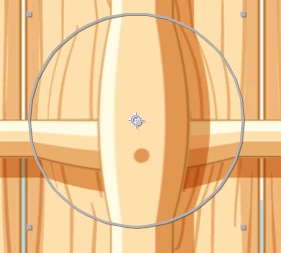
 

Thank you, Vojtěch


This topic has been closed for replies.

2 replies

Community Expert
July 26, 2024

You could create a feathered mask on the layer with the Bulge Effect, then enable compositing options so the effect was only applied inside the mask. Compositing options are found at the bottom of the Timeline/Effects column. Just add a mask and then click the plus sign.


You could also put Bulge on an adjustment layer, add a feathered mask, or use a Gradient layer as a Luma track matte for the adjustment layer. 


There are many ways to control what part of a layer an effect will modify. Those are only three of them.

Mylenium
Legend
July 26, 2024

Changing the color of something simply requires masking a duplicate and applying whatever color correction effect. You cannot edit the bulge effect, but you can use Mesh Warp, Bezier Warp or even create a custom map for the Displacement Map effect.


Mylenium