
Participant
January 12, 2022
Question

default Plugins not working
  • January 12, 2022
  • 2 replies
  • 594 views

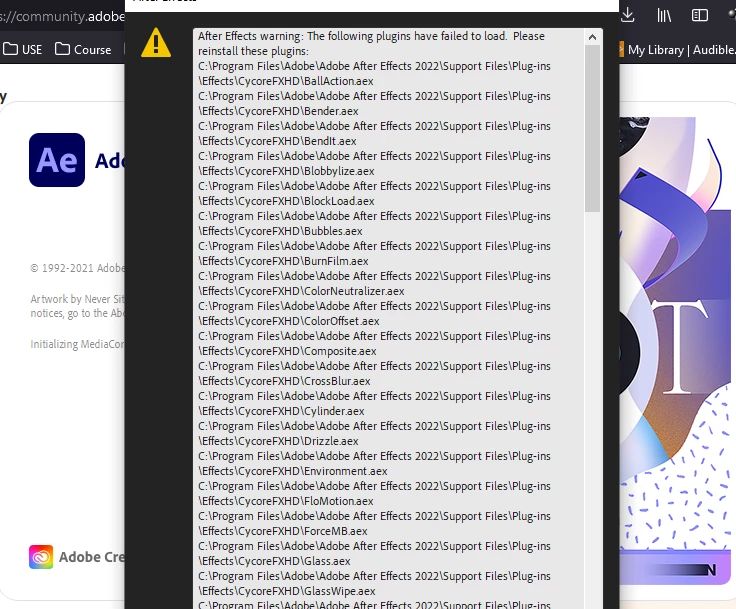
I get this error and most of the default plugins are not working after the update. I tried everything but it doesn't fix the issue. When I click the effect,
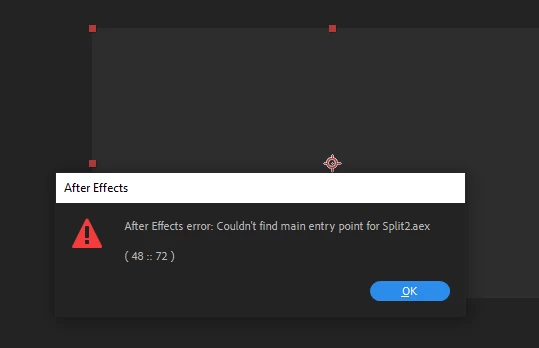
I get the above error. I tried installing and reinstalling didn't solve it. Can anyone help me with this issue...

This topic has been closed for replies.

2 replies

AslanimAuthor
Participant
February 5, 2022

I actually solved this issue. This is a problem that occurs when Microsoft visual runtime is not installed.

Method 1:

Install Microsoft runtime from library


Method 2:

Download msvcp120.dll and msvcr120.dll and paste them in c:/Windows/System32/

The problem will be solved. Hope that helps

nishu_kush
Community Manager
Community Manager
January 13, 2022

Hi Aslam22244387becx,


Sorry for your issue.

Please try changing the permissions as instructed here. If it doesn't help, try doing a clean installation of After Effects using the Adobe Cleaner tool.

Let us know the outcome.


Thanks,

Nishu

AslanimAuthor
Participant
January 13, 2022

Tried Both, but didn't work.. still getting same issue