


Participant
December 12, 2023
Question

Delaying Temp Footage in Morgts

  • December 12, 2023
  • 1 reply
  • 353 views

Hi all, 


Wondering if there's a way to delay footage in the Media Replacement comp when creating Morgts? 


Currenlty I have a intro slide which has the videos name and date, then as that pushes right, the content (normally a testimonial) slides in from the left and the person starts talking etc. 


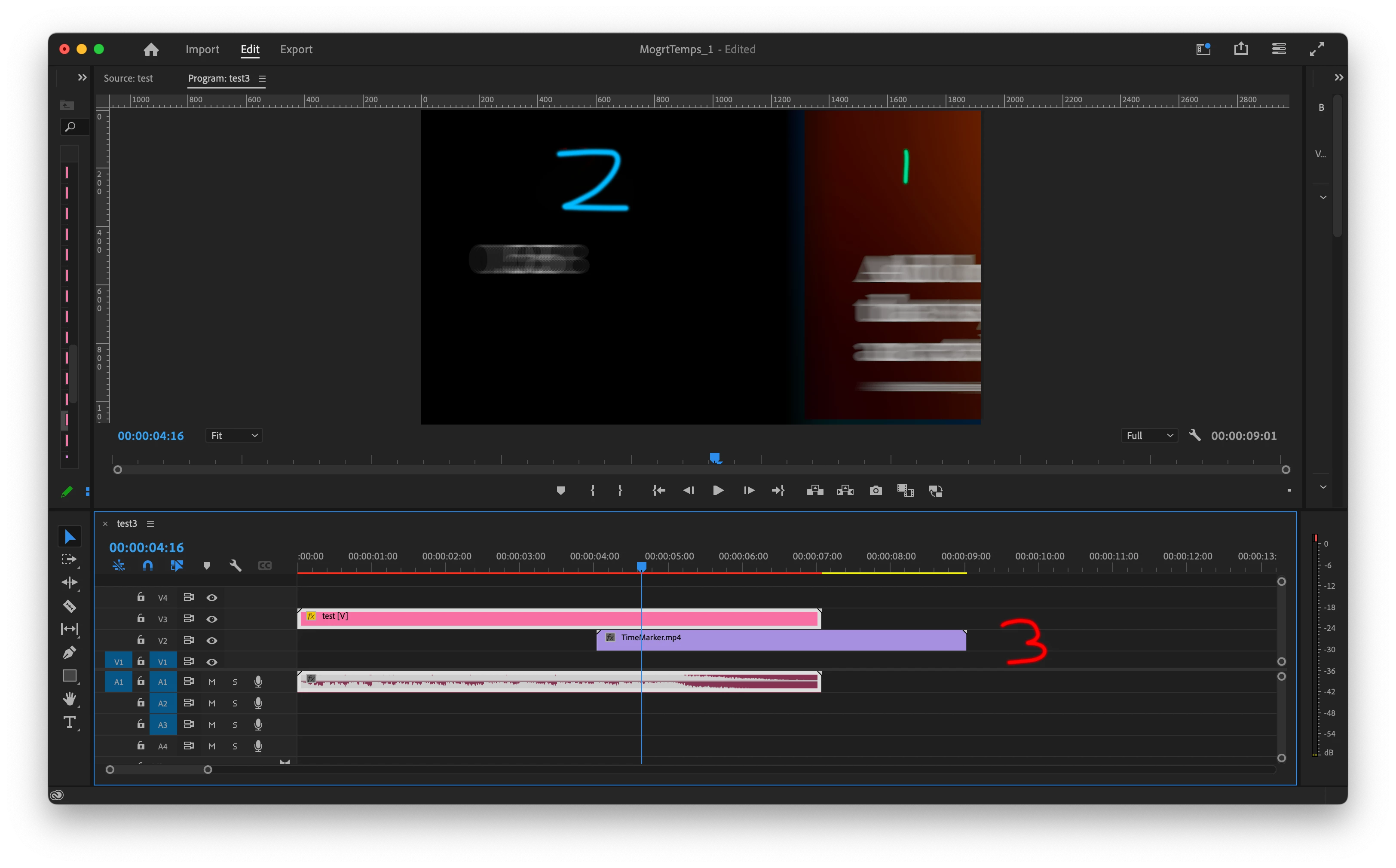
What i'm struggling with is that when using the temp footage feature I can swap the content for different speakers etc but as i don't want the Mogrt to be +5mins long to contain the full interview, I have to manually go into the temp footage comp when in Premiere to adjust the content so it sync's with the main content as that starts at 4secs.

In the image: 

1. is the intro slide  

2. is the temp footage

(1/2 is the mogrt)


3. is where i would have the longer  / main footage and the rest of the video content would go and 2 need to be sync'd to 3 as it comes in
 

Thanks


This topic has been closed for replies.

1 reply

Theresa Rostek
Community Manager
Community Manager
December 12, 2023

Hi @Sam Luk ,


Unfortunately, Media Replacement does not support time slipping in the MR container, time slipping is accomplished in the MR sequence in Premiere Pro.

I would make the edit with the cuts where you want the overlays to happen, copy the clip you want. Add a temporary image into your Media Input to be able to access the MR sequence. Double click on the Media Input, and paste your clip into the sequence. It removes having to match up timecodes the way you are now.


Cheers,

Theresa

Sam LukAuthor
Participant
December 13, 2023

Hi @Theresa Rostek


Thanks for the reply, I wanted to clarify, do Morgts accept time slipping, are there was to delay the MR container and not the content inside the MR container? 


Thanks 

Sam 


Theresa Rostek
Community Manager
Community Manager
December 14, 2023

Hi @Sam Luk 

Time effects don't work with Media Replacement. You can move the in-point of the MR container's layer in After Effects to whichever timecode you need the Media Replacement on screen, but the replaced media in Premiere Pro will always play the clip from the beginning. The controls for Media Replacement in Premiere Pro allow you to move the clip's in-point or you can drop in edited footage that starts where you need it.


Cheers,

Theresa