
Legend
December 27, 2021
Answered

Delete 'Unused' Files in Project Panel

  • December 27, 2021
  • 1 reply
  • 5879 views

Hello there!


Scenario: I am learning about dependencies and collecting files. This helpful tutorial advises to organize project files first.

 https://www.youtube.com/watch?v=nDKmAjREqrM


Question: Would it be wise to type in 'Unused', then delete those which appear before organizing? 
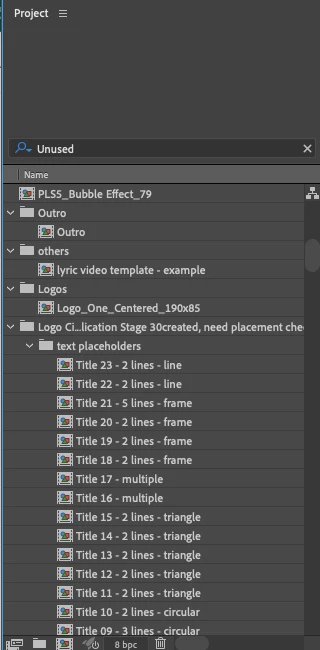


Figure 1. Project Panel after typing 'Unused'


Thank you much, 

One&Done

Correct answer Jose Panadero

It is not necessary to do it manually. Go to File > Dependencies > Remove Unused Footage. Then you can do a File > Dependencies > Collect files to create copies of the used files in that project.

1 reply

Jose Panadero
Community Expert
Jose PanaderoCommunity ExpertCorrect answer
Community Expert
December 27, 2021

It is not necessary to do it manually. Go to File > Dependencies > Remove Unused Footage. Then you can do a File > Dependencies > Collect files to create copies of the used files in that project.

One&DoneAuthor
Legend
December 27, 2021

Wow great thank you!!!!!