
myronm79299567
Inspiring
December 9, 2019
Answered

deleting mask

  • December 9, 2019
  • 1 reply
  • 802 views

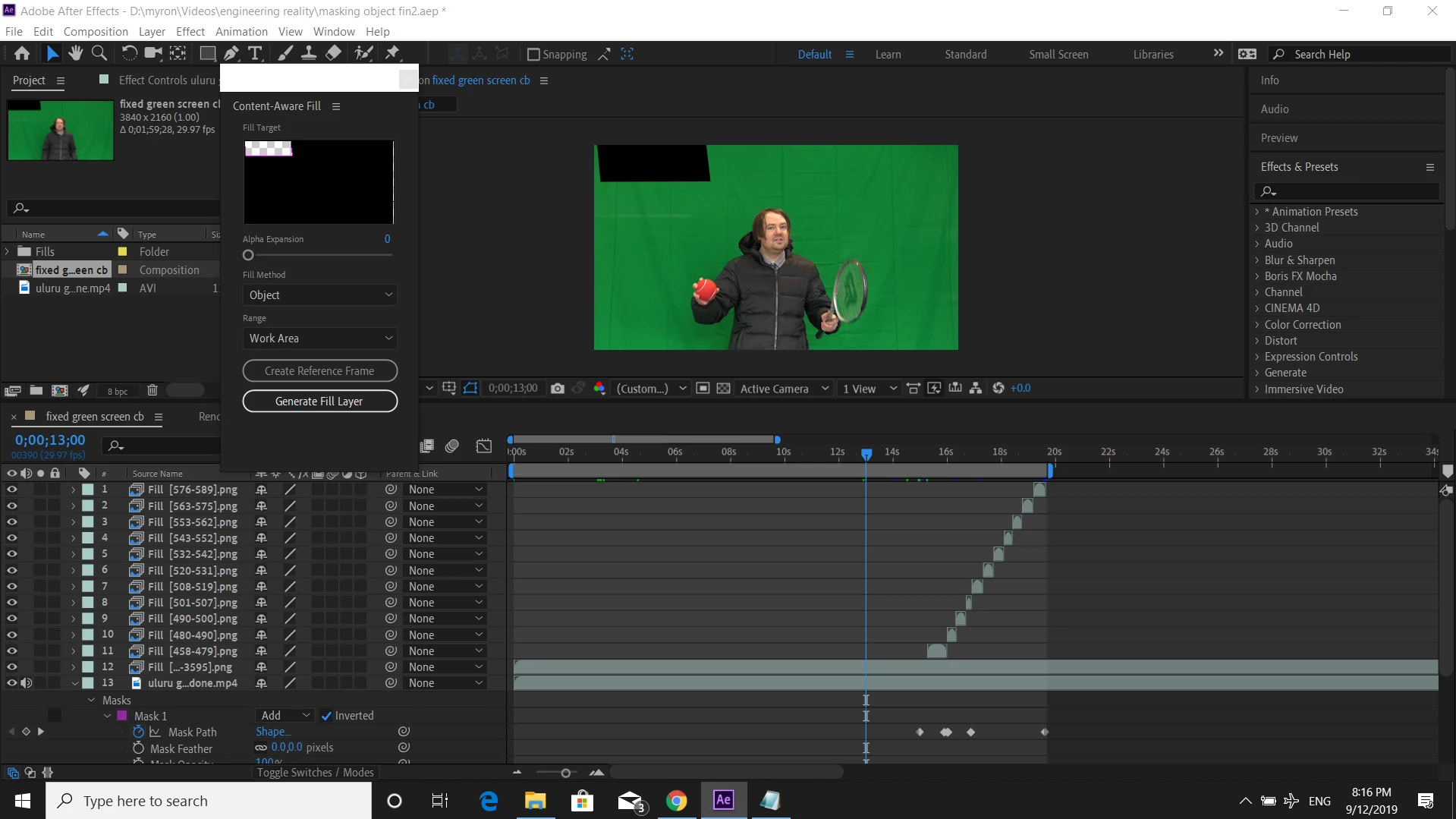
Hi I did some content aware fill to mask a tennis ball. It worked but I need to know how to delete the black mask (a square) from the start and end of my footage where I don't need it without affecting my work.


If someone could please help with this.


Thanks
This topic has been closed for replies.
Correct answer Rick Gerard

If you did it right there will be no holes in the video. What do you see when you solo Layer 12? The mask will always be there but the file CAF generates should be on top of it. If your replacement layers work you don't need the mask anymore. You can just turn it off. No need to delete it, just turn the mask off.


I am wondering what you were trying to remove and why you don't just use a garbage matte and when you pull the key on this shot.  That is an incredibly long shot to be running CAF on.

1 reply

Rick GerardCommunity ExpertCorrect answer
Community Expert
December 9, 2019

If you did it right there will be no holes in the video. What do you see when you solo Layer 12? The mask will always be there but the file CAF generates should be on top of it. If your replacement layers work you don't need the mask anymore. You can just turn it off. No need to delete it, just turn the mask off.


I am wondering what you were trying to remove and why you don't just use a garbage matte and when you pull the key on this shot.  That is an incredibly long shot to be running CAF on.

myronm79299567
Inspiring
December 9, 2019

Thanks for the help!


Layer 12 I just realised was esspecially long and was only meant to cover the first few milliseconds of the square mask where I throw the ball in the air. I replaced it with shortened layer 1. My aim was to disguise or hide the ball as it comes back down after thowing it up.


How do I turn the mask off? Because there is still this black square in my composition before and after my magic trick despite there being none inside the zone where I used content aware fill as it worked.


Also when I solo layer 1 everything goes completely black.


Update me please Rick! Thanks

myronm79299567
Inspiring
December 9, 2019

I managed to turn off the mask (featured on all layers) by selecting None under the drop down menu next to Mask 1.


Thank you. I will manage now.