
AshleyMai
Participant
October 21, 2020
Question

Diagonal Scrolling in AE

  • October 21, 2020
  • 1 reply
  • 1198 views

Hi there, 

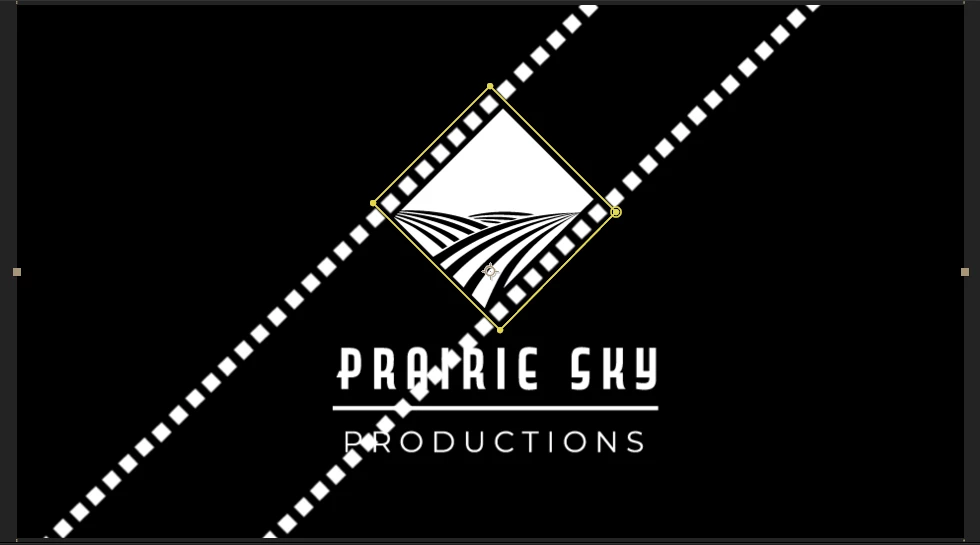
I am currently trying to animate this logo I built in Illustrator to scroll like a film reel, however I am very new to After Effects and only know how to move it from left to right. Is there a way to make the film border layer scroll diagonally along the center of the logo inside that clipping mask? I am also wondering if there's a way to make the prairie field image in the centre shake slightly like it's moving with the reel. Any help would be much appreciated! Image attached for reference.


Thanks a bunch!
This topic has been closed for replies.

1 reply

Community Expert
October 22, 2020

You can simply turn on the stopwatch for layer position or press Alt/Option + p, then position the layer where you want it to start by selecting it with the Selection tool (v) and moving it to the starting position. Then you move the CTI (current time indicator) to the point in time where you want the movement to end and drag the layer to the new position. This will create movement along a straight path. 


If you are having problems with something this basic please open up the Learn workspace in After Effects or click on the Learn link in the Home screen and spend about 20 minutes learning how the UI and the basic tools work. Then spend some serious time with the User Guide. You can always find a link on this forum, on the Adobe Product Page, or by searching for help using the Search Help field in the top right corner of After Effects.

AshleyMai
AshleyMaiAuthor
Participant
October 22, 2020

Thanks for your response, Rick! I was able to figure everything out, discovered the beauty of Alpha Mattes and found some helpful tutorials. All in all I think it turned out alright for a beginner having no idea what she's doing haha. 🙂