TimSx
Inspiring
March 19, 2018
Answered

Disable keyframes with a checkbox

  • March 19, 2018
  • 2 replies
  • 1301 views

Is have an animation with "In animation keyframes" and "Out animation keyframes" applied to it. I'd like to have an checkbox option to disable the in animation and out animation on demand.

take a look at this simple example:
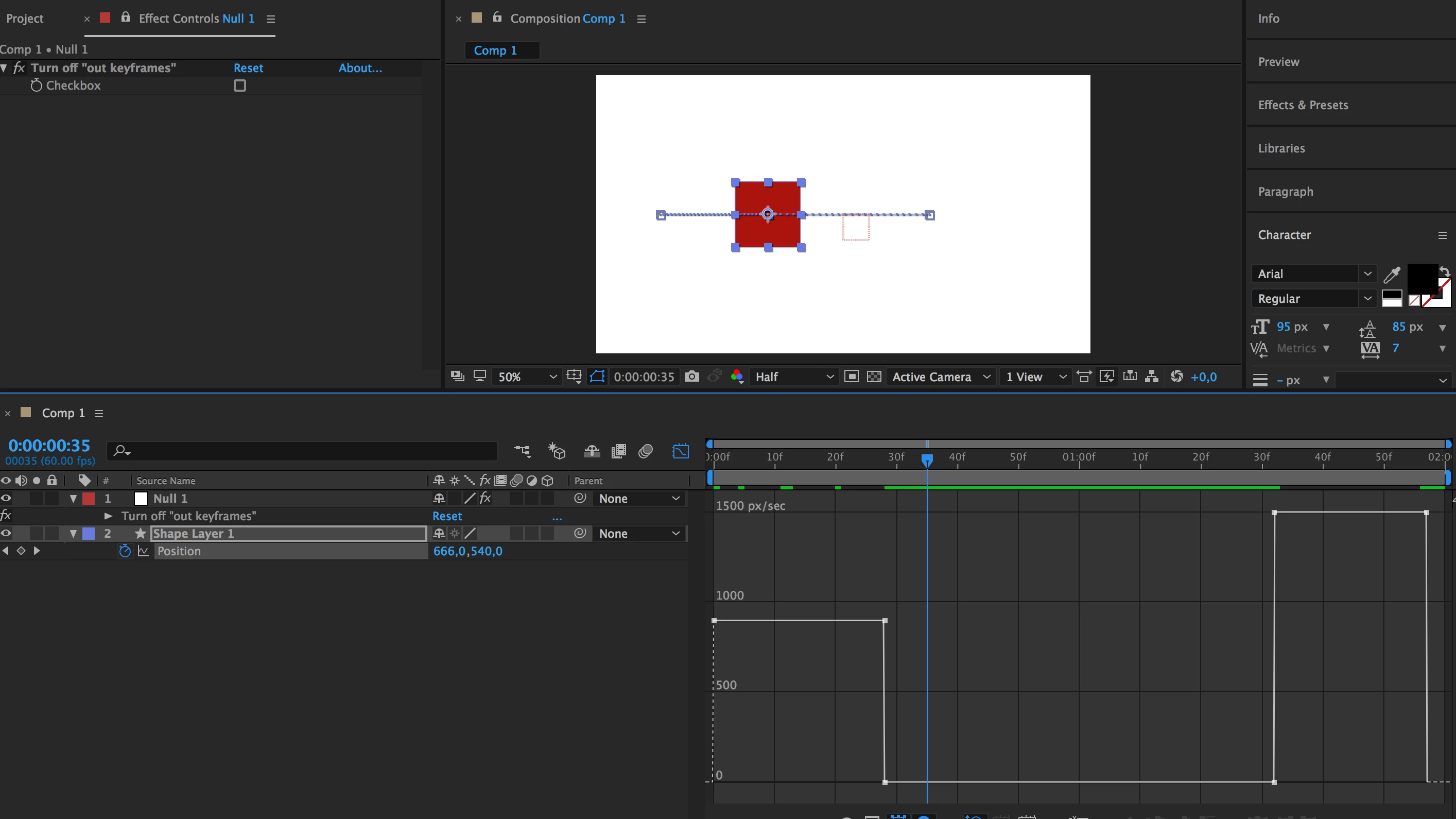
The box slides in, waits a while, and then moves some more when the Turn off "out keyframes" is disabled. When checked, then the box slides in and stops. It never executes the last 2 keyframes. Can this be done with expressions?

Correct answer Dan Ebberts

Assuming the in and out animations each had 2 keyframes, something like this should work:

cb1 = effect('Turn off "in keyframes"')("Checkbox").value;

cb2 = effect('Turn off "out keyframes"')("Checkbox").value;

if (time < key(2).time){

  if (cb1) valueAtTime(key(2).time) else value;

}else if (time > key(numKeys-1).time){

  if (cb2) valueAtTime(key(numKeys-1).time) else value;

}else{

  value;

}

Dan

2 replies

Dan Ebberts
Community Expert
Dan EbbertsCommunity ExpertCorrect answer
Community Expert
March 20, 2018

Assuming the in and out animations each had 2 keyframes, something like this should work:

cb1 = effect('Turn off "in keyframes"')("Checkbox").value;

cb2 = effect('Turn off "out keyframes"')("Checkbox").value;

if (time < key(2).time){

  if (cb1) valueAtTime(key(2).time) else value;

}else if (time > key(numKeys-1).time){

  if (cb2) valueAtTime(key(numKeys-1).time) else value;

}else{

  value;

}

Dan

Mylenium
Legend
March 20, 2018

Can it be done? Sure. Does it make any sense? Probably not. That's a recurring theme with most of your posts. You seem to think expressions have some magical power that goes beyond what you can do manually, which couldn't be further from the truth. The holdup here is that you still need to tell the expression which keyframes to use by ways of having some method of inputting their index range(s), e.g. with a slider and for two sections with starts and end you already need four sliders. Conversely, you then need two checkboxes. What does this achieve than being another, even more terrible way of doing things rather than just duplicating layers and copy & paste-ing keyframes or deleting them from a prototype animation? Until Adobe implement functions like keyframe groups and bypassing/ muting keyframes as is common in some 3D animation packages, this simply doesn't make anything easier. Even I would only bother with coding this if I knew this is just one comp, but it gets re-used for the next hundred years by some TV channel or whatever. Everything beyond that would be way to bothersome in light of the simpler alternatives available.

Mylenium