
level232323
Participant
March 2, 2017
Answered

Disappearing Layers in Composition

  • March 2, 2017
  • 2 replies
  • 302 views

Hello !

I would request a bit of help.

I recently been working on a project that needs a composition of arround 2 hours.

The problem began when layers from the beggining started to dissapear, I could still edit them or see them in the preview tho.

I have attached a screenshot.

Any help would be appreciated !
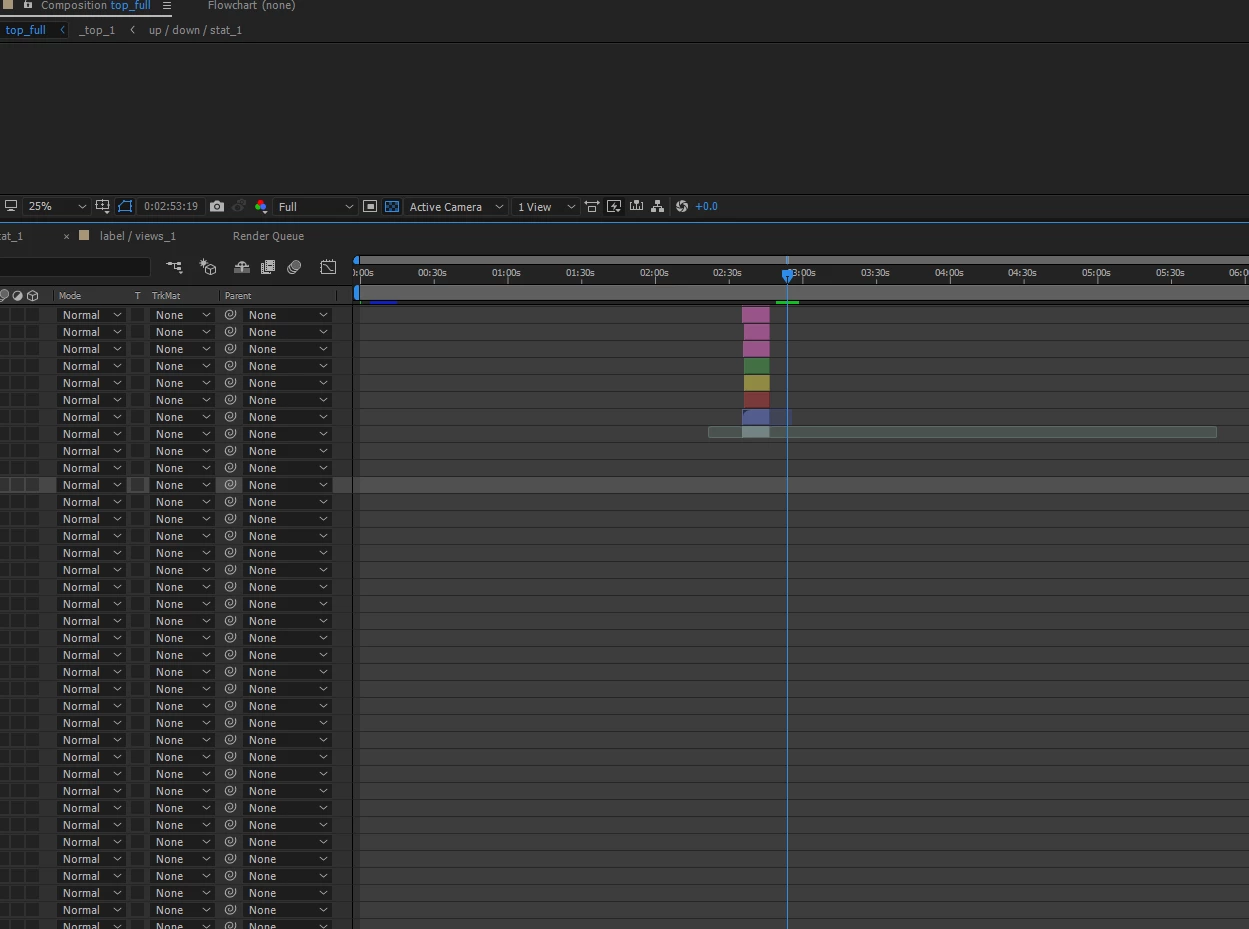
        Thanks in advance, Levi.

This topic has been closed for replies.
Correct answer Dave_LaRonde

Highlight one of the missing layers.  Hit the i or o keys.  The timeline cursor takes to to the layer's in or out point.

And Mylenium's right -- a two-hour comp is about an hour and 59 minutes too long.

2 replies

Dave_LaRonde
Dave_LaRondeCorrect answer
Inspiring
March 2, 2017

Highlight one of the missing layers.  Hit the i or o keys.  The timeline cursor takes to to the layer's in or out point.

And Mylenium's right -- a two-hour comp is about an hour and 59 minutes too long.

Mylenium
Legend
March 2, 2017

Well, they couldb e somewhere at the bottom of the stack, could they not. I'm afraid your statemnt doesn't make much sense and to be honest, your screenshot is a prime example of a sloppy workflow. Nothing stops you to group the layers that make up a given segment in a pre-comp or how else do you hope to ever finish your 2 hour opus without losing track where what element is? This of course also brings up again another point: AE is not an editing program and working on 2 hours of material is slightly insane. You are seriously abusing and misusing the program, expecting it to do things it isn't meant for and then wonder why it doesn't cooperate. This simply makes no sense.

Mylenium