Known Participant
April 24, 2025
Answered

Dissolve missing

  • April 24, 2025
  • 4 replies
  • 484 views

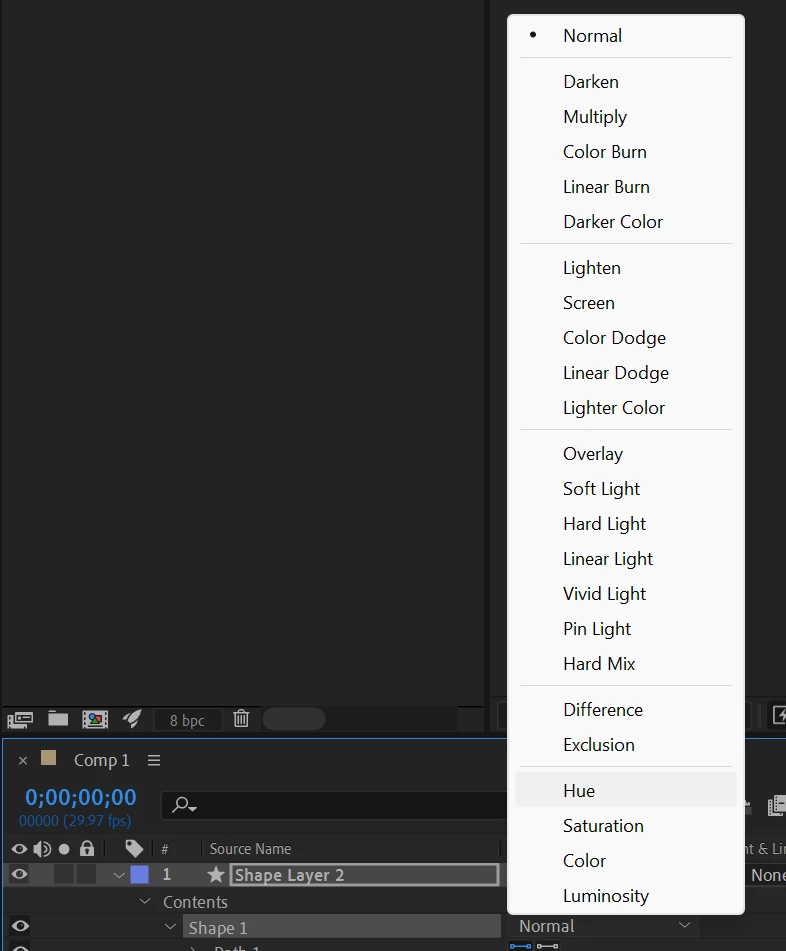
My dissolve under Blend Mode is missing. It's also not in Effects panel, etc.

 

Correct answer nishu_kush

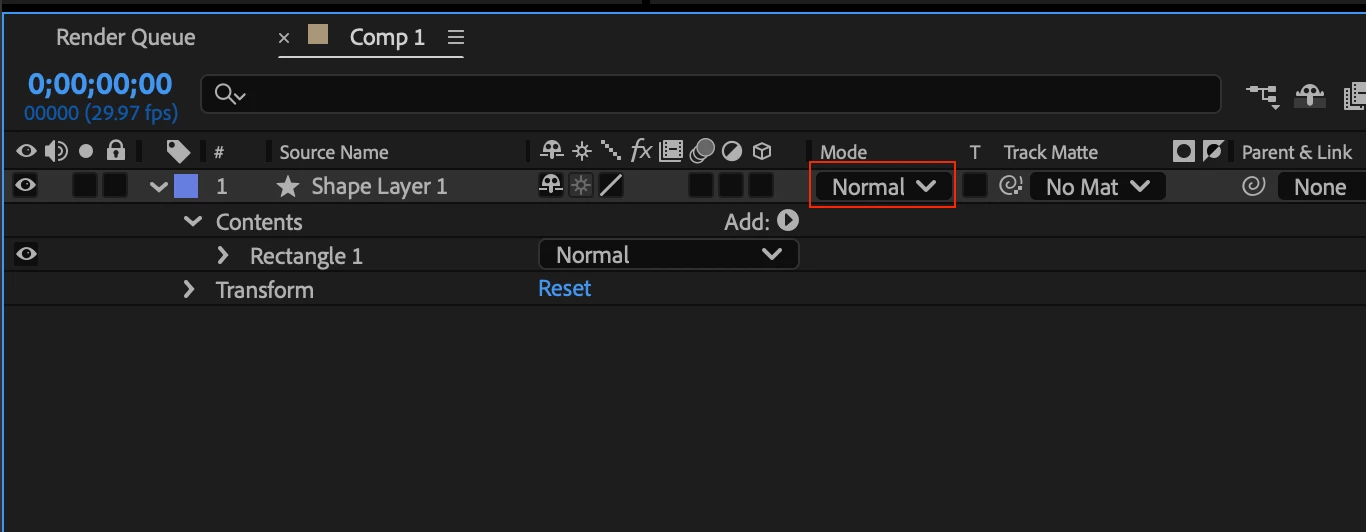
Click the layer's blending mode drop down instead of the shape's.

Hope it helps.


Thanks,
Nishu

4 replies

Community Expert
April 24, 2025

There are switches in the bottom left corner of the timeline for the columns. You can also use Fn + F4 (laptops) to add or remove the Parent & Links column. You can also right-click on the column names row in the timeline and choose the columns you want to reveal.


Known Participant
April 24, 2025

Oh wait - I see what you are saying. How do I get the Blending Mode column to show up? 

nishu_kush
Community Manager
Community Manager
April 24, 2025

Click the layer switch in the bottom left corner.

Let me know if there are any other questions.


Thanks,
Nishu

Known Participant
April 24, 2025

Thank you!

Known Participant
April 24, 2025

I did-just as my picture shows it's missing as a chosice. Thanks

nishu_kush
Community Manager
nishu_kushCommunity ManagerCorrect answer
Community Manager
April 24, 2025

Click the layer's blending mode drop down instead of the shape's.

Hope it helps.


Thanks,
Nishu