Jasmin_Krush
Participating Frequently
May 26, 2019
Answered

Do we have Razor tool in After Effects?

  • May 26, 2019
  • 3 replies
  • 42133 views

Hello,

I was using it only 2 days ago now the razor tool is just GONE and command "C" does nothing.

I've reset to default many many times.

Title was edited by: Mod

This topic has been closed for replies.
Correct answer Rick Gerard

Jasmin.Krush  wrote

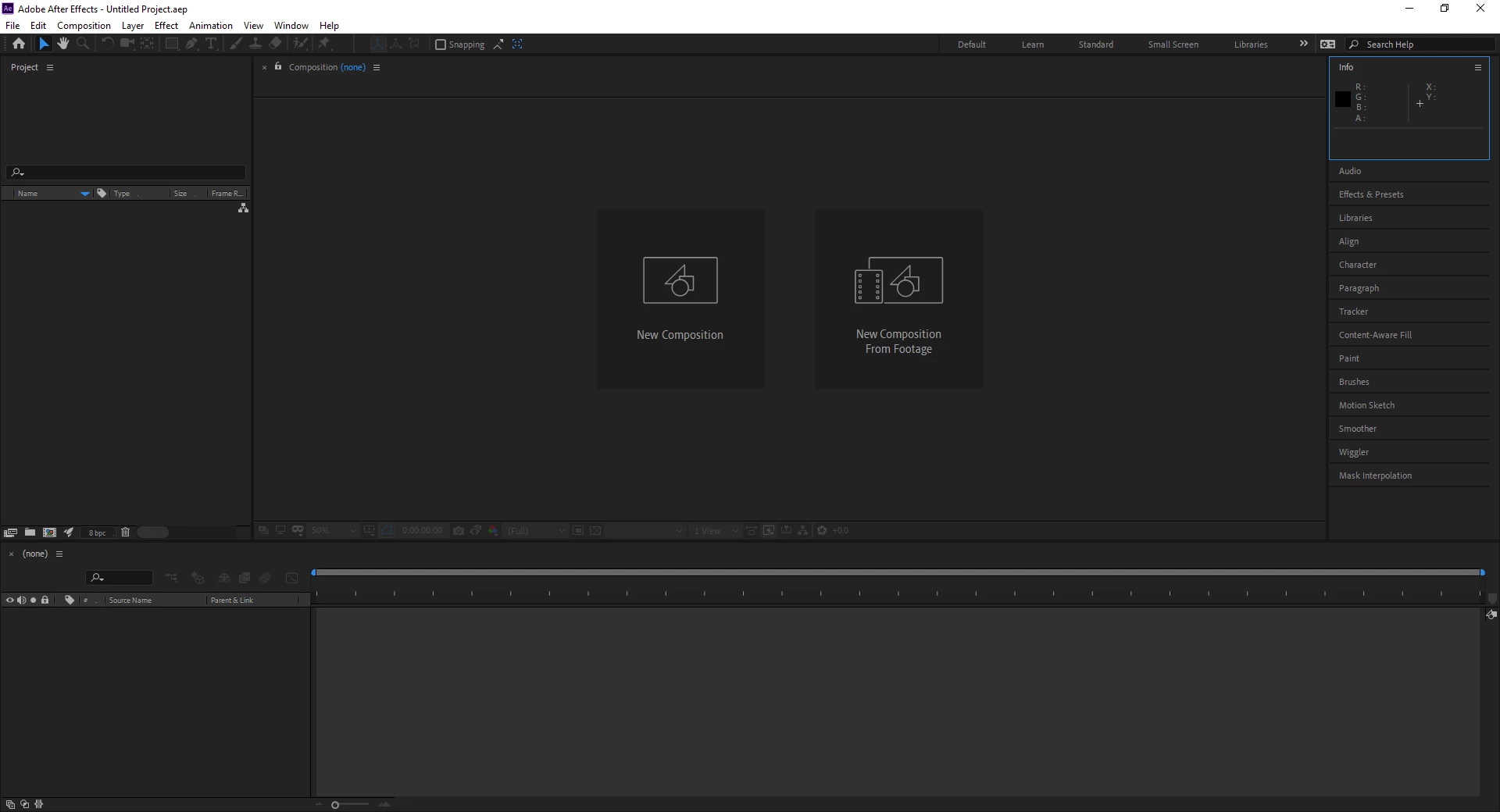
The entire panel is missing

Don't know how to tell you this but this screenshot is After Effects, not Premiere Pro. There is no Cut or Razor tool in After Effects because you cannot put a cut in a layer. You can set an in and out point, you can split a layer, but you cannot make a cut in a layer and end up with two pieces on the same layer. There never was and will never be a Cut tool in AE. The closest you can come to making a cut is to put the CTI where you want to split a layer and press Shift + Ctrl/Cmnd + d.

3 replies

Shivangi_Gupta
Community Manager
Community Manager
May 30, 2019

Hi Jasmin.Krush,

Thanks for reaching out. I understand you are looking for a way to cut the video in After Effects just like we use Razor tool in Premiere Pro. I agree with @Rick Gerard, we do not have Razor tool in After Effects. However, we do have a feature to perform the action that you want.

You may refer to this video to learn how to cut a video in After Effects: How to Cut Video in Adobe After Effects - YouTube

I hope it helps. Let us know.

Thanks,

Shivangi

Averdahl
Community Expert
Community Expert
May 26, 2019

On Windows the shortcut is just C for the Razor Tool. (Isn´t Command+C a shortcut for Copy?)

In Premiere Pro, if you go to Windows > Tools are you saying that the icon for Razor Tool is gone from that panel? If yes, a re-install of Premiere Pro will solve the problem.

Jasmin_Krush
Participating Frequently
May 26, 2019

The entire panel is missing

Averdahl
Community Expert
Community Expert
May 26, 2019

The entire panel is missing

If the panel is gone from all workspaces including Windows > Tools i would personally uninstall Premiere Pro and then re-install it.

Peru Bob
Community Expert
Community Expert
May 26, 2019

Try resetting the preferences:

FAQ: How to reset preferences in Premiere Pro?

If that doesn't work, try resetting the Workspaces:

Reset a workspace

Reset the current workspace to return to its original, saved layout of panels.

  1. Do one of the following:
    • Click the Workspace menu icon and select Reset to Saved Layout.
    • Choose Window > Workspace > Reset to Saved Layout.

from here:

https://helpx.adobe.com/premiere-pro/using/workspaces.html

Jasmin_Krush
Participating Frequently
May 26, 2019

I've done both, nothing worked.