Participant
May 24, 2021
Answered

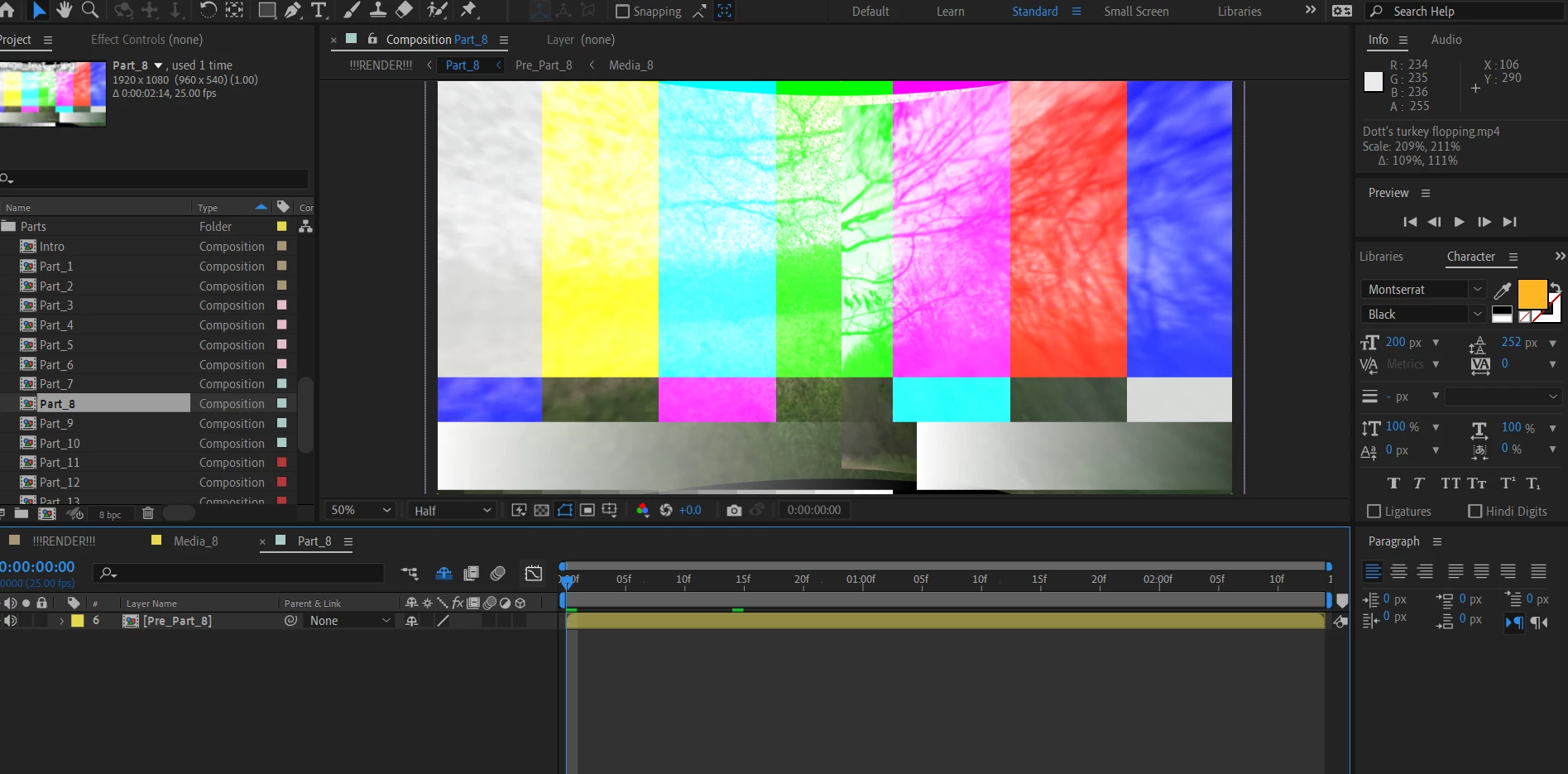
Does anyone know what this means in after effects?

  • May 24, 2021
  • 1 reply
  • 286 views

I am just starting to learn after effects, and I was trying to use a pre-made opener I purchased, however on a few slides i'm getting an issue. It's glitched or AE isn't registering the effect that was applied to this particular part of the opener. It only happens on a few parts and not the whole thing. Any help would be appreciated. See attached picture for details.
This topic has been closed for replies.
Correct answer Andrew Yoole

The colour bars mean that some video footage or graphic within the project is missing.

When you open the project it should tell you what files it cannot find.

If not, type "Missing" in the search bar of the Project window, choose "Missing Footage" from the list, and the project pane will show you which files are missing.


Normally, pre-built templates come with all assets grouped into a "Footage" folder.  Make sure you haven't moved or re-named any of the files provided when you purchased the template.

1 reply

Andrew Yoole
Andrew YooleCorrect answer
Inspiring
May 24, 2021

The colour bars mean that some video footage or graphic within the project is missing.

When you open the project it should tell you what files it cannot find.

If not, type "Missing" in the search bar of the Project window, choose "Missing Footage" from the list, and the project pane will show you which files are missing.


Normally, pre-built templates come with all assets grouped into a "Footage" folder.  Make sure you haven't moved or re-named any of the files provided when you purchased the template.

Participant
May 24, 2021

Thank you so much! that helped alot and I fixed it right away. Kudos and Cheers mate.